> ## Documentation Index
> Fetch the complete documentation index at: https://university.triggr-app.com/llms.txt
> Use this file to discover all available pages before exploring further.
# Workflow catalogue
> Every workflow you can run in Triggr Core, what it does in your client's tenant and what its form asks for.
Grouped as on Config. The last column leaves out the field that picks the user, mailbox or group, unless it's the only one.
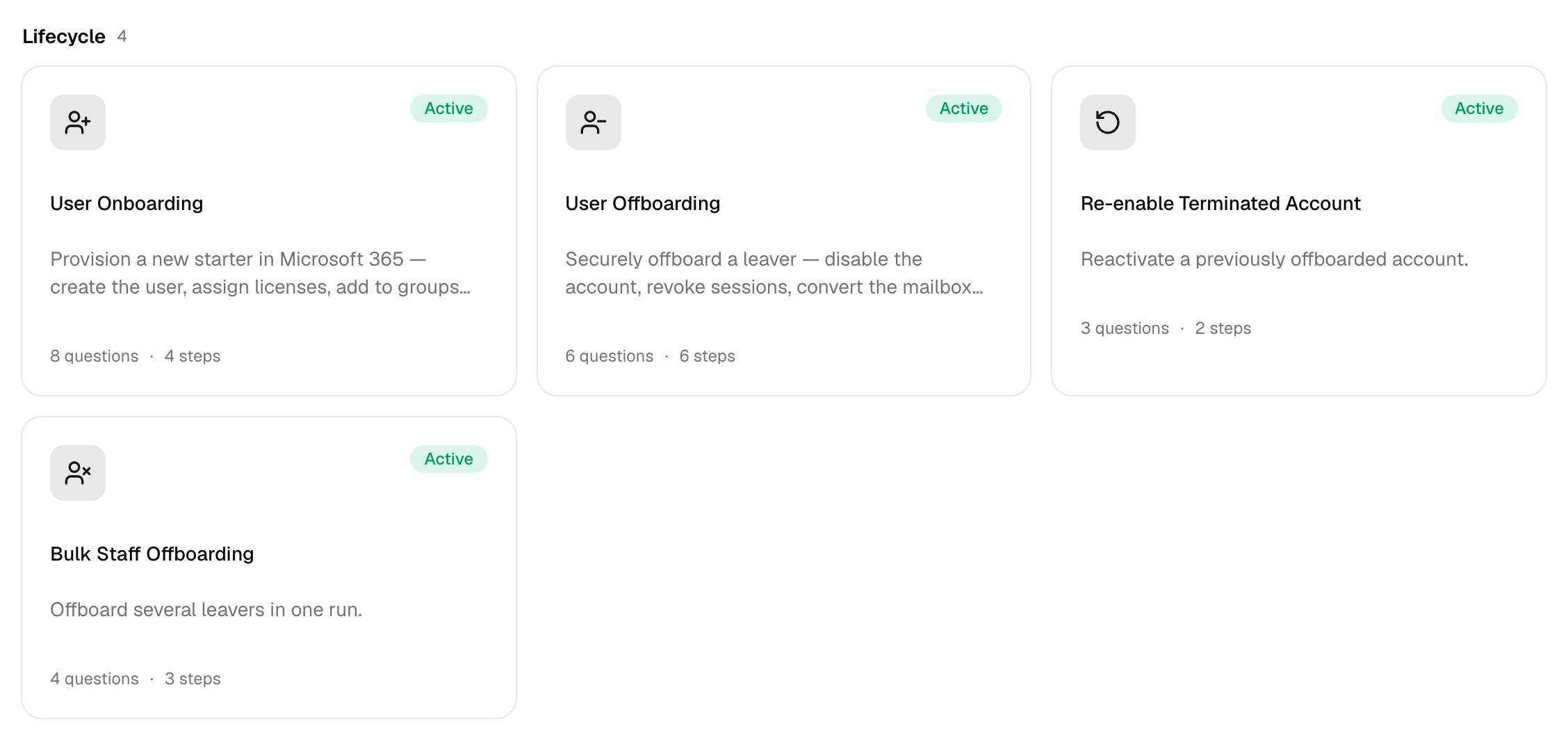 ## Lifecycle
| Workflow | What it does | The form asks for |
| - | - | - |
| [User Onboarding](/core/workflows/user-onboarding) | Creates a new starter's account with licences, groups and shared mailboxes ([set it up](/core/get-started/configure-user-onboarding)). | First name, Last name, Work email (UPN), Start date, plus any optional questions you turn on |
| [User Offboarding](/core/workflows/user-offboarding) | Disables or deletes a leaver's account, hands over their mailbox and cleans up, as set on the Offboarding card. | User to offboard, When should the user be offboarded?, plus handover questions your policy asks |
| [Re-enable Terminated Account](/core/workflows/re-enable-terminated-account) | Lets an offboarded user sign in again. | Convert the shared mailbox back to a user mailbox? |
| [Bulk Staff Offboarding](/core/workflows/bulk-staff-offboarding) | Disables several leavers and signs them out everywhere. | Leavers, Last working day, Convert mailboxes to shared? |
## Accounts & Access
| Workflow | What it does | The form asks for |
| - | - | - |
| [Password Reset](/core/workflows/password-reset) | Sets a temporary password and can email it to an address or the user's manager. | Require a change at next sign-in?, Send the new password to |
| [Account Unlock](/core/workflows/account-unlock) | Re-enables sign-in for a blocked account. | User |
| [License Management](/core/workflows/license-management) | Assigns or removes licences. | Licenses to assign, Licenses to remove |
| O365 License Assignment Report | Lookup: who holds which licences. Export CSV downloads it. | — |
| [IT Help Request](/core/workflows/it-help-request) | Logs an IT request, as a PSA ticket if Ticketing is on. | Your name, Category, Priority, Describe the issue |
| [Change User Details](/core/workflows/change-user-details) | Updates the details you fill in; blank fields stay as they are. | Job title, Department, Mobile phone |
| [Bulk Update User Details](/core/workflows/bulk-update-user-details) | Sets one detail for several users. | Field to update (department, job title or office), New value |
| Get User Account Details | Lookup: profile, licences and groups. | User |
| [Re-allocate User License](/core/workflows/reallocate-license) | Moves a licence between users. | Remove licence from, Assign licence to, Licence |
| [Reset Multi-factor Authentication](/core/workflows/reset-mfa) | Removes the user's MFA methods so they register again. | Sign them out everywhere now? |
## Mailboxes
| Workflow | What it does | The form asks for |
| - | - | - |
| [Out of Office Setup](/core/workflows/out-of-office) | Sets automatic replies, scheduled if you fill in Start and End. | Reply to people inside the organisation, Reply to external senders, Start, End |
| [Mail Forwarding](/core/workflows/mail-forwarding) | Forwards a mailbox's incoming mail to another address, inside or outside the client. | Forward to, Keep a copy in the original mailbox? |
| [Mailbox Delegation](/core/workflows/mailbox-delegation) | Gives one person access to mailboxes. | Mailboxes, Delegate to, Access level (full access, send as or send on behalf), Auto-map in Outlook? |
| [Remove Mailbox Delegation](/core/workflows/remove-mailbox-delegation) | Removes that access. | Mailboxes, Delegate, Access level |
| [Calendar Permissions](/core/workflows/calendar-permissions) | Shares a calendar, or changes an existing permission. | Calendar owner, Share with, Permission level (reviewer, editor or delegate) |
| [Create Shared Mailbox](/core/workflows/create-shared-mailbox) | Creates a shared mailbox; add people with Shared Mailbox Access. | Display name, Email address |
| [Shared Mailbox Access](/core/workflows/shared-mailbox-access) | Adds or removes full access or send-as rights. | Shared mailbox, User, Action, Access level |
| [Create Mail Contact](/core/workflows/create-mail-contact) | Adds an external contact. | Display name, External email address, Alias |
| [Delete Mail Contact](/core/workflows/delete-mail-contact) | Removes an external contact. | Contact email address |
| Get Mailbox Information | Lookup: size, forwarding, address-list visibility and permissions. | Mailbox |
| [Grant Mailbox Permission in Bulk](/core/workflows/bulk-mailbox-permission) | Gives several users access to one mailbox. | Mailbox, Users to grant, Access level |
| [Hide Mailbox from Global Address List](/core/workflows/hide-from-gal) | Hides or unhides a mailbox. | Hide from the address list? |
| Release Quarantined Emails | Releases messages by ID or sender. | Message IDs or senders (one per line) |
| [Blacklist Email](/core/workflows/blacklist-email) | Blocks a sender or domain organisation-wide. | Email address or domain |
## Groups
| Workflow | What it does | The form asks for |
| - | - | - |
| [Create Group](/core/workflows/create-group) | Creates a Microsoft 365, security or distribution group; add members with Group Membership. | Group name, Group type, Description |
| [Group Membership](/core/workflows/group-membership) | Adds or removes a user. | Group, User, Action |
| [Bulk Add / Remove Users to Group](/core/workflows/bulk-group-users) | Adds or removes several users. | Group, Action, Users |
| Bulk Add / Remove Contacts to Group | Adds or removes several people in a distribution group. | Action |
| Modify Distribution Group Settings | Changes who can send and how people join. | Allow external senders?, Join restriction, Who can send |
Every workflow except the lookups can wait for [approval](/core/use/approvals) and raise a [PSA](/core/get-started/connect-your-psa) ticket. Lookups change nothing; open them from the Reports tab of [Run a workflow](/core/use/run-a-workflow).
## Clients with on-premises AD
For a Cloud + On-Prem (synced) client, these workflows change AD-synced accounts through the [desktop agent](/desktop-agent/overview). Cloud-only accounts in the same tenant, and every other step, stay in Microsoft 365.
| Workflow | In Active Directory, Core |
| - | - |
| User Onboarding | Creates the account in Create users in OU |
| User Offboarding | Disables the account and moves it to Move disabled users to OU, if set |
| Bulk Staff Offboarding | Disables the accounts |
| Re-enable Terminated Account | Re-enables the account |
| Password Reset | Sets the new password |
| Account Unlock | Enables and unlocks the account |
| Change User Details, Bulk Update User Details | Updates the details |
| Group Membership, Bulk Add / Remove Users to Group | Changes membership of an AD-synced group |
This documentation is built and hosted on [Mintlify](https://mintlify.com), a developer documentation platform.
## Lifecycle
| Workflow | What it does | The form asks for |
| - | - | - |
| [User Onboarding](/core/workflows/user-onboarding) | Creates a new starter's account with licences, groups and shared mailboxes ([set it up](/core/get-started/configure-user-onboarding)). | First name, Last name, Work email (UPN), Start date, plus any optional questions you turn on |
| [User Offboarding](/core/workflows/user-offboarding) | Disables or deletes a leaver's account, hands over their mailbox and cleans up, as set on the Offboarding card. | User to offboard, When should the user be offboarded?, plus handover questions your policy asks |
| [Re-enable Terminated Account](/core/workflows/re-enable-terminated-account) | Lets an offboarded user sign in again. | Convert the shared mailbox back to a user mailbox? |
| [Bulk Staff Offboarding](/core/workflows/bulk-staff-offboarding) | Disables several leavers and signs them out everywhere. | Leavers, Last working day, Convert mailboxes to shared? |
## Accounts & Access
| Workflow | What it does | The form asks for |
| - | - | - |
| [Password Reset](/core/workflows/password-reset) | Sets a temporary password and can email it to an address or the user's manager. | Require a change at next sign-in?, Send the new password to |
| [Account Unlock](/core/workflows/account-unlock) | Re-enables sign-in for a blocked account. | User |
| [License Management](/core/workflows/license-management) | Assigns or removes licences. | Licenses to assign, Licenses to remove |
| O365 License Assignment Report | Lookup: who holds which licences. Export CSV downloads it. | — |
| [IT Help Request](/core/workflows/it-help-request) | Logs an IT request, as a PSA ticket if Ticketing is on. | Your name, Category, Priority, Describe the issue |
| [Change User Details](/core/workflows/change-user-details) | Updates the details you fill in; blank fields stay as they are. | Job title, Department, Mobile phone |
| [Bulk Update User Details](/core/workflows/bulk-update-user-details) | Sets one detail for several users. | Field to update (department, job title or office), New value |
| Get User Account Details | Lookup: profile, licences and groups. | User |
| [Re-allocate User License](/core/workflows/reallocate-license) | Moves a licence between users. | Remove licence from, Assign licence to, Licence |
| [Reset Multi-factor Authentication](/core/workflows/reset-mfa) | Removes the user's MFA methods so they register again. | Sign them out everywhere now? |
## Mailboxes
| Workflow | What it does | The form asks for |
| - | - | - |
| [Out of Office Setup](/core/workflows/out-of-office) | Sets automatic replies, scheduled if you fill in Start and End. | Reply to people inside the organisation, Reply to external senders, Start, End |
| [Mail Forwarding](/core/workflows/mail-forwarding) | Forwards a mailbox's incoming mail to another address, inside or outside the client. | Forward to, Keep a copy in the original mailbox? |
| [Mailbox Delegation](/core/workflows/mailbox-delegation) | Gives one person access to mailboxes. | Mailboxes, Delegate to, Access level (full access, send as or send on behalf), Auto-map in Outlook? |
| [Remove Mailbox Delegation](/core/workflows/remove-mailbox-delegation) | Removes that access. | Mailboxes, Delegate, Access level |
| [Calendar Permissions](/core/workflows/calendar-permissions) | Shares a calendar, or changes an existing permission. | Calendar owner, Share with, Permission level (reviewer, editor or delegate) |
| [Create Shared Mailbox](/core/workflows/create-shared-mailbox) | Creates a shared mailbox; add people with Shared Mailbox Access. | Display name, Email address |
| [Shared Mailbox Access](/core/workflows/shared-mailbox-access) | Adds or removes full access or send-as rights. | Shared mailbox, User, Action, Access level |
| [Create Mail Contact](/core/workflows/create-mail-contact) | Adds an external contact. | Display name, External email address, Alias |
| [Delete Mail Contact](/core/workflows/delete-mail-contact) | Removes an external contact. | Contact email address |
| Get Mailbox Information | Lookup: size, forwarding, address-list visibility and permissions. | Mailbox |
| [Grant Mailbox Permission in Bulk](/core/workflows/bulk-mailbox-permission) | Gives several users access to one mailbox. | Mailbox, Users to grant, Access level |
| [Hide Mailbox from Global Address List](/core/workflows/hide-from-gal) | Hides or unhides a mailbox. | Hide from the address list? |
| Release Quarantined Emails | Releases messages by ID or sender. | Message IDs or senders (one per line) |
| [Blacklist Email](/core/workflows/blacklist-email) | Blocks a sender or domain organisation-wide. | Email address or domain |
## Groups
| Workflow | What it does | The form asks for |
| - | - | - |
| [Create Group](/core/workflows/create-group) | Creates a Microsoft 365, security or distribution group; add members with Group Membership. | Group name, Group type, Description |
| [Group Membership](/core/workflows/group-membership) | Adds or removes a user. | Group, User, Action |
| [Bulk Add / Remove Users to Group](/core/workflows/bulk-group-users) | Adds or removes several users. | Group, Action, Users |
| Bulk Add / Remove Contacts to Group | Adds or removes several people in a distribution group. | Action |
| Modify Distribution Group Settings | Changes who can send and how people join. | Allow external senders?, Join restriction, Who can send |
Every workflow except the lookups can wait for [approval](/core/use/approvals) and raise a [PSA](/core/get-started/connect-your-psa) ticket. Lookups change nothing; open them from the Reports tab of [Run a workflow](/core/use/run-a-workflow).
## Clients with on-premises AD
For a Cloud + On-Prem (synced) client, these workflows change AD-synced accounts through the [desktop agent](/desktop-agent/overview). Cloud-only accounts in the same tenant, and every other step, stay in Microsoft 365.
| Workflow | In Active Directory, Core |
| - | - |
| User Onboarding | Creates the account in Create users in OU |
| User Offboarding | Disables the account and moves it to Move disabled users to OU, if set |
| Bulk Staff Offboarding | Disables the accounts |
| Re-enable Terminated Account | Re-enables the account |
| Password Reset | Sets the new password |
| Account Unlock | Enables and unlocks the account |
| Change User Details, Bulk Update User Details | Updates the details |
| Group Membership, Bulk Add / Remove Users to Group | Changes membership of an AD-synced group |
This documentation is built and hosted on [Mintlify](https://mintlify.com), a developer documentation platform.