> ## Documentation Index
> Fetch the complete documentation index at: https://university.triggr-app.com/llms.txt
> Use this file to discover all available pages before exploring further.
# Run a workflow
> Run a workflow for a client from Core, fill in its form and follow the request to Executions.
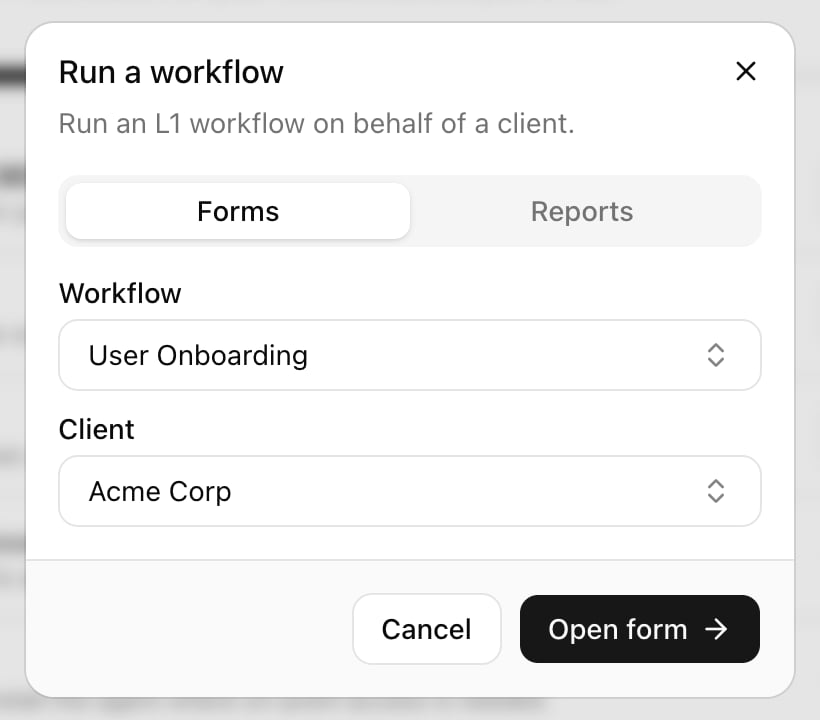
Click **Run a workflow** at the top of the sidebar, pick the Workflow and Client, then click **Open form**.
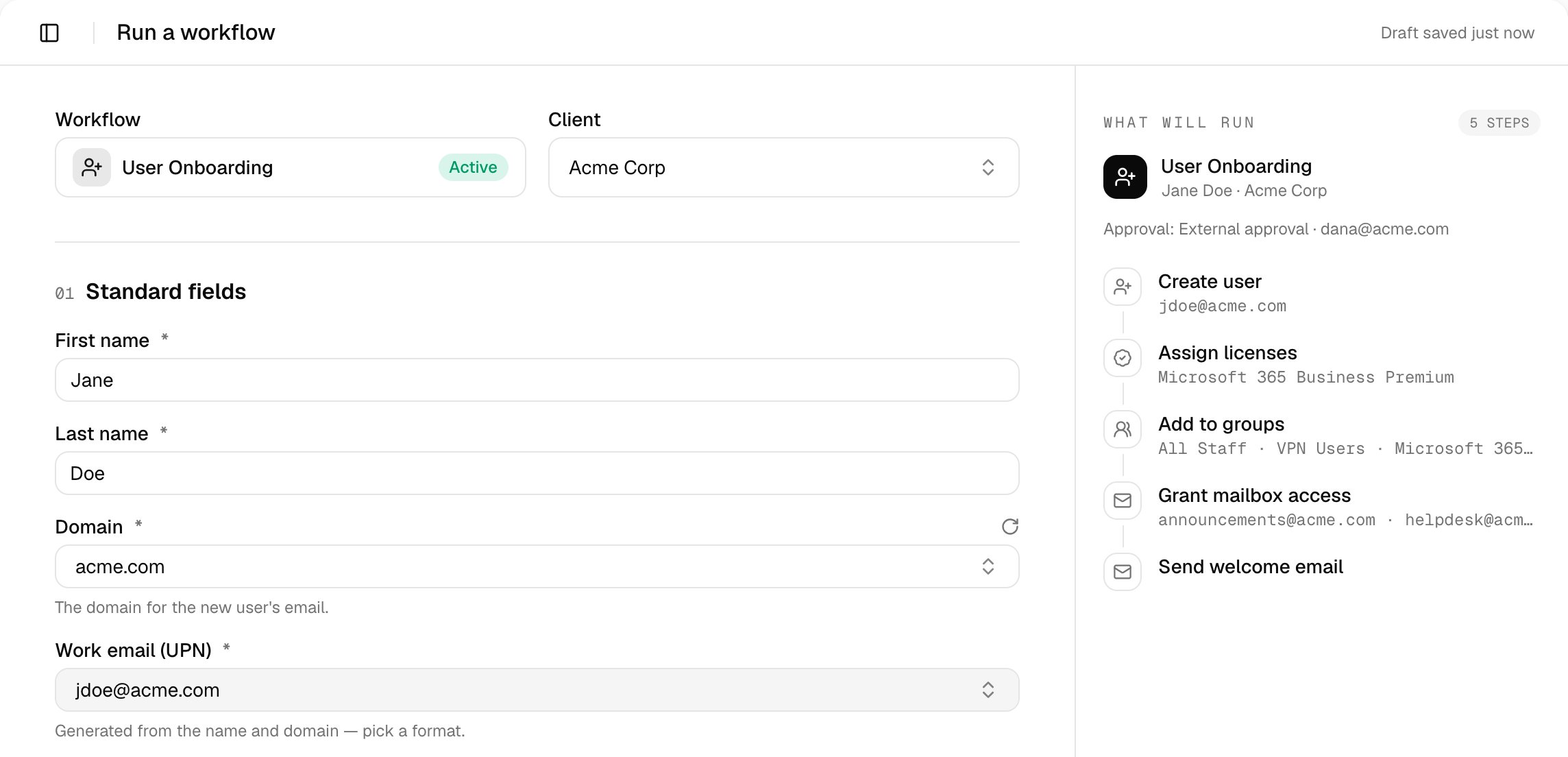
 The form asks that client's questions; What will run lists the steps and who approves.
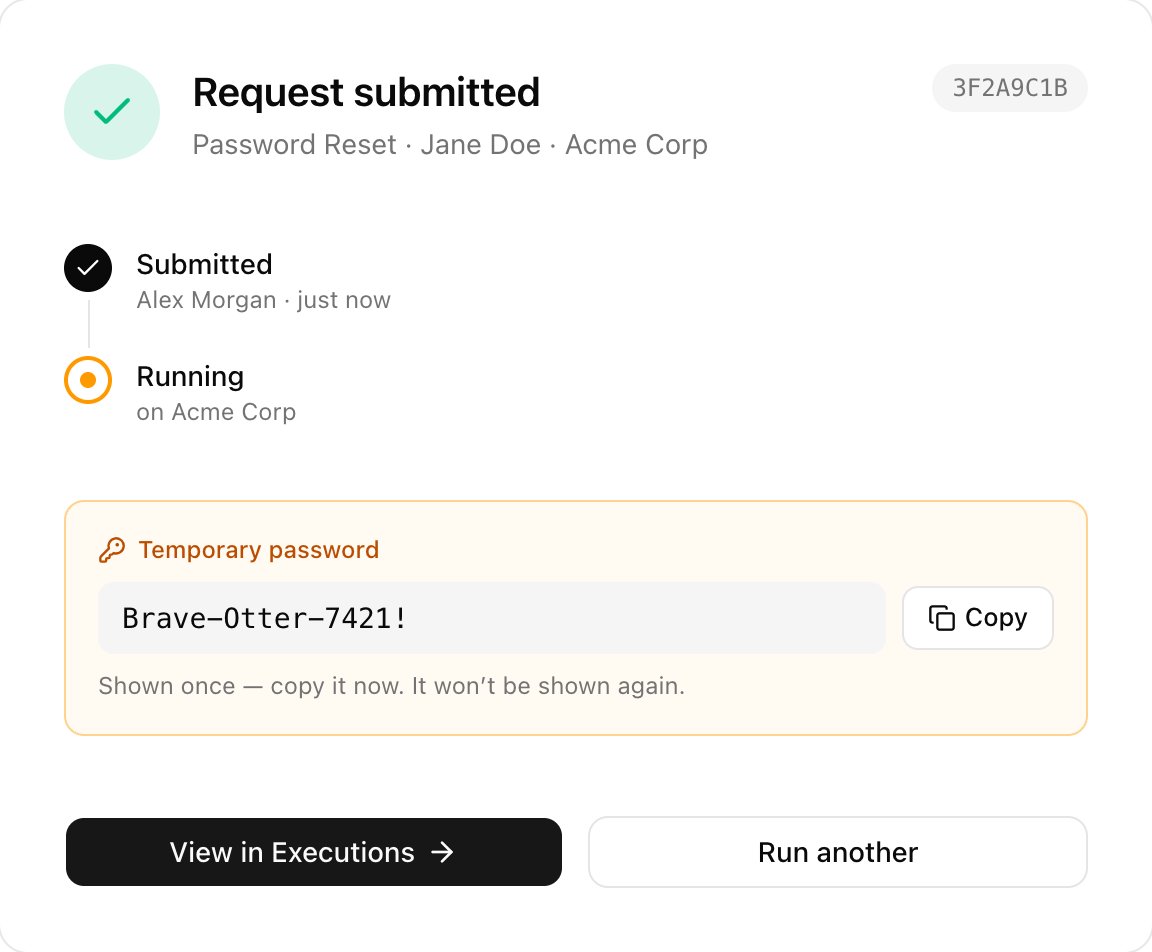
 Click **Submit request**. Note the reference, such as `3F2A9C1B`. User Onboarding and Password Reset show a Temporary password once: click **Copy** before you leave.
 | Status | Meaning | Button |
| - | - | - |
| Running | Core has started the run. | View in Executions |
| Awaiting approval | A teammate approves it on [Approvals](/core/use/approvals). | View in Approvals |
| Awaiting client approval | The client's contact approves it from an emailed link. | View in Executions |
If the request needs approval, the password is set once it's approved. The Reports tab of Run a workflow opens a read-only lookup instead; see [Reports](/core/use/reports).
## Troubleshooting
Set the workflow to Internal only or Internal + public under Config and save.
Set the client's primary domain on Clients, or choose Show options on form under the workflow's Domain setting.
The client's Microsoft access is missing something. Click How to fix, or see [Keep an eye on Microsoft access](/core/get-started/add-your-clients#keep-an-eye-on-microsoft-access).
The client has no free seat for that licence. Free one, or let Core [buy seats automatically](/core/manage/licences-and-distributors#buy-seats-automatically).
Override the client's Approval card with its Client approver email. See [Settings for each client](/core/get-started/configure-user-onboarding#settings-for-each-client).
Next: [Executions](/core/use/executions).
This documentation is built and hosted on [Mintlify](https://mintlify.com), a developer documentation platform.
| Status | Meaning | Button |
| - | - | - |
| Running | Core has started the run. | View in Executions |
| Awaiting approval | A teammate approves it on [Approvals](/core/use/approvals). | View in Approvals |
| Awaiting client approval | The client's contact approves it from an emailed link. | View in Executions |
If the request needs approval, the password is set once it's approved. The Reports tab of Run a workflow opens a read-only lookup instead; see [Reports](/core/use/reports).
## Troubleshooting
Set the workflow to Internal only or Internal + public under Config and save.
Set the client's primary domain on Clients, or choose Show options on form under the workflow's Domain setting.
The client's Microsoft access is missing something. Click How to fix, or see [Keep an eye on Microsoft access](/core/get-started/add-your-clients#keep-an-eye-on-microsoft-access).
The client has no free seat for that licence. Free one, or let Core [buy seats automatically](/core/manage/licences-and-distributors#buy-seats-automatically).
Override the client's Approval card with its Client approver email. See [Settings for each client](/core/get-started/configure-user-onboarding#settings-for-each-client).
Next: [Executions](/core/use/executions).
This documentation is built and hosted on [Mintlify](https://mintlify.com), a developer documentation platform.