> ## Documentation Index
> Fetch the complete documentation index at: https://university.triggr-app.com/llms.txt
> Use this file to discover all available pages before exploring further.
# Acronis Cyber Protect Cloud
> Connect Acronis Cyber Protect Cloud to Triggr with an API client from your partner tenant.
Triggr works with Acronis customer tenants and users, usage and quotas, alerts, workloads and their protection status, protection plans, agents and backup tasks.
## Set up Acronis
Sign in to its management portal as an administrator with the roles Triggr needs: the API client inherits them, they can't be changed later, and a Read-only administrator can't create, update or delete anything.
Go to **Settings > API clients > Create API client**, name it `Triggr` and click Next.
Copy the client ID, the secret and the data center URL, such as `https://eu2-cloud.acronis.com`, then click Done. Acronis shows the secret only once.
See Acronis's guide to [creating an API client](https://www.acronis.com/en/support/documentation/AcronisCyberCloud/creating-api-client.html).
## Connect it in Triggr
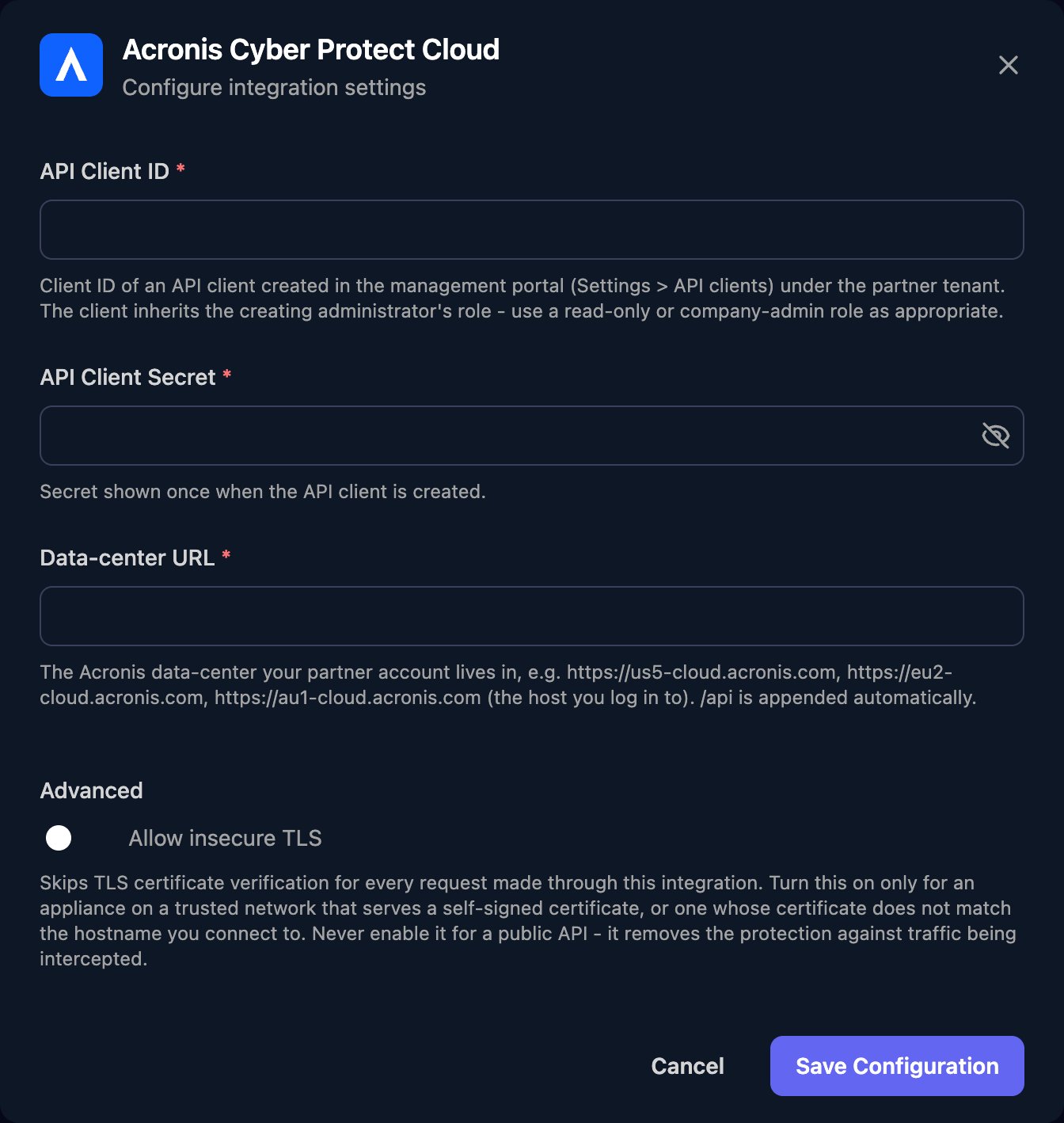
Go to **Integrations > Acronis Cyber Protect Cloud** and click **Configure** on the Base Configuration card.
 Enter the API Client ID and API Client Secret, and the Data-center URL as `https://` plus the host name only, then click **Save Configuration**.
 One connection covers every customer tenant, with no client mapping. To work with one client, pass the customer's Acronis tenant ID to the action, for example on List Customer Alerts: Get API Client returns your partner tenant's ID as `tenant_id`, and List Child Tenants lists the tenants below it.
## Troubleshooting
Check the ID and secret were pasted in full, and that the API client is still active under Settings > API clients. If the secret was reset, paste the new one.
Data-center URL must be only the data center address, such as `https://eu2-cloud.acronis.com`, with nothing after the host name.
The API client's roles don't allow the action and can't be changed. Create a new API client as an administrator with the roles you need, and replace the ID and secret in Triggr.
The API client sees only its own tenant and those below it, so create it from your partner tenant. If you lost the secret, reset it under Settings > API clients or create a new client, then click Edit on the Base Configuration card and paste it in.
This documentation is built and hosted on [Mintlify](https://mintlify.com), a developer documentation platform.
One connection covers every customer tenant, with no client mapping. To work with one client, pass the customer's Acronis tenant ID to the action, for example on List Customer Alerts: Get API Client returns your partner tenant's ID as `tenant_id`, and List Child Tenants lists the tenants below it.
## Troubleshooting
Check the ID and secret were pasted in full, and that the API client is still active under Settings > API clients. If the secret was reset, paste the new one.
Data-center URL must be only the data center address, such as `https://eu2-cloud.acronis.com`, with nothing after the host name.
The API client's roles don't allow the action and can't be changed. Create a new API client as an administrator with the roles you need, and replace the ID and secret in Triggr.
The API client sees only its own tenant and those below it, so create it from your partner tenant. If you lost the secret, reset it under Settings > API clients or create a new client, then click Edit on the Base Configuration card and paste it in.
This documentation is built and hosted on [Mintlify](https://mintlify.com), a developer documentation platform.