> ## Documentation Index
> Fetch the complete documentation index at: https://university.triggr-app.com/llms.txt
> Use this file to discover all available pages before exploring further.
# Sherweb
> Connect Sherweb to Triggr with a Sherweb API application (client ID, client secret and subscription key).
Triggr works with your Sherweb customers, catalogue, orders, subscriptions and platforms. One configuration covers all your customers.
## Set up Sherweb
In the [Sherweb partner portal](https://cumulus.sherweb.com), go to **Security > APIs** and create an application named `Triggr`. The Account Administrator role has access.
Copy the Client ID, Client Secret and Subscription Key. Sherweb shows the client secret only in this dialog.
See Sherweb's [API prerequisites](https://github.com/sherweb/Public-Apis#prerequisite-for-using-the-apis) and [Developer Platform](https://developers.sherweb.com/docs/get-started).
## Connect it in Triggr
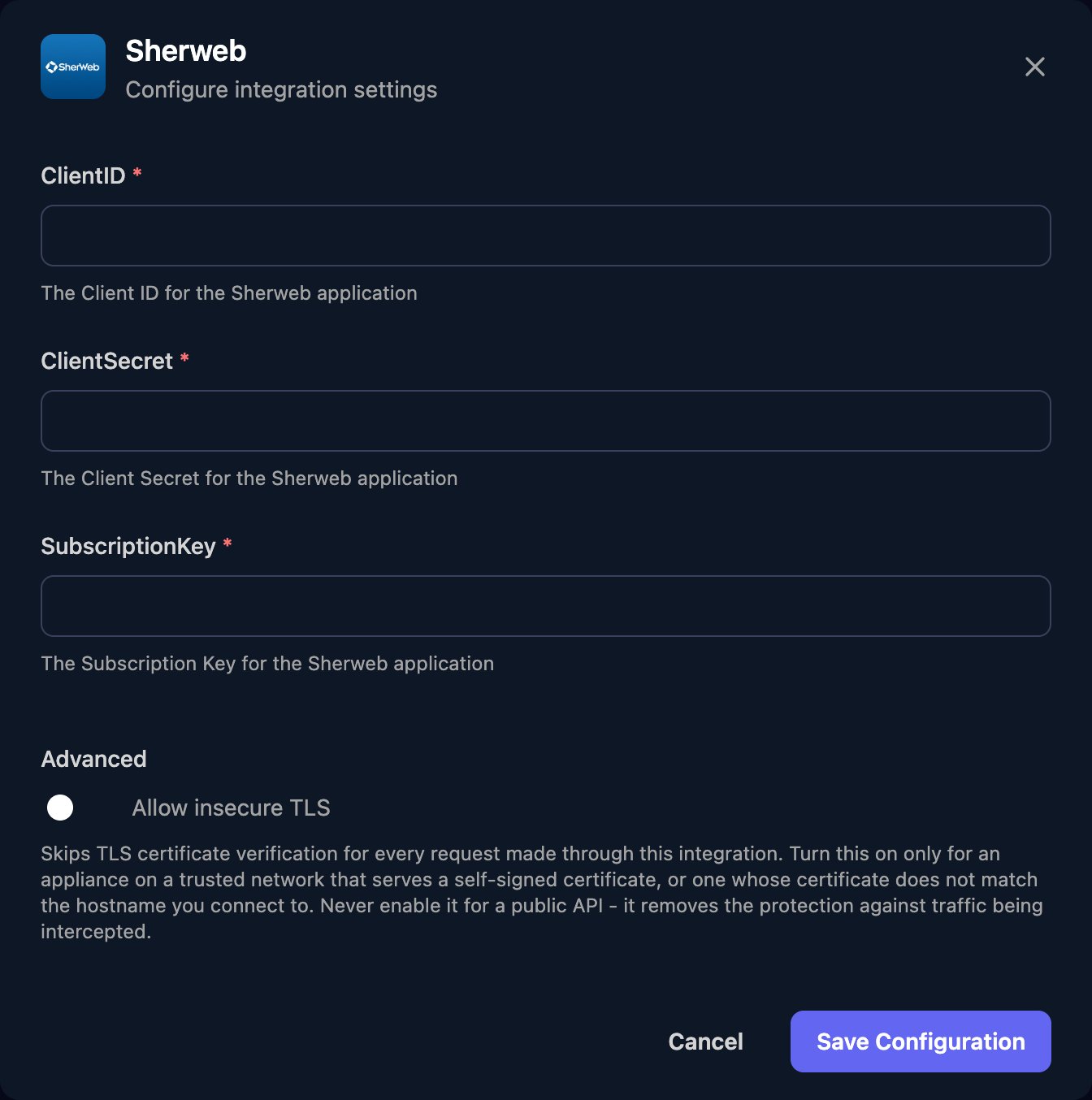
Go to **Integrations > Sherweb** and click **Configure** on the Base Configuration card.
 Enter the ClientID, ClientSecret and SubscriptionKey (the key from Security > APIs, not a product subscription ID), then click Save Configuration.
 Actions for one customer take its Sherweb customer ID, which Get Customers returns.
## Use it in Triggr Core
Core can buy a licence seat at Sherweb when a new starter has none free. Set **Default distributor** to Sherweb in Core's Settings > General, then link each client to its Sherweb customer (saved as the client's `sherwebId` variable) and map its licences. See [Licences and distributors](/core/manage/licences-and-distributors#buy-seats-automatically).
## Troubleshooting
Check all three values were pasted in full and come from the same application, and that it still exists under Security > APIs.
Core found no complete Sherweb connection. Save the Base Configuration with all three fields, then run the onboarding again.
In Core, open the client, click Map next to Sherweb under Integrations, pick its Sherweb customer and click Save mapping.
Ask Sherweb to confirm Service Provider API access is enabled for your partner account.
Create a new API application, then click Edit on the Base Configuration card and enter all three of its values.
Sherweb allows 3 concurrent requests, 100 a minute and 10,000 a day. Run large workflows in smaller batches. See Sherweb's [Limits](https://developers.sherweb.com/docs/limits).
This documentation is built and hosted on [Mintlify](https://mintlify.com), a developer documentation platform.
Actions for one customer take its Sherweb customer ID, which Get Customers returns.
## Use it in Triggr Core
Core can buy a licence seat at Sherweb when a new starter has none free. Set **Default distributor** to Sherweb in Core's Settings > General, then link each client to its Sherweb customer (saved as the client's `sherwebId` variable) and map its licences. See [Licences and distributors](/core/manage/licences-and-distributors#buy-seats-automatically).
## Troubleshooting
Check all three values were pasted in full and come from the same application, and that it still exists under Security > APIs.
Core found no complete Sherweb connection. Save the Base Configuration with all three fields, then run the onboarding again.
In Core, open the client, click Map next to Sherweb under Integrations, pick its Sherweb customer and click Save mapping.
Ask Sherweb to confirm Service Provider API access is enabled for your partner account.
Create a new API application, then click Edit on the Base Configuration card and enter all three of its values.
Sherweb allows 3 concurrent requests, 100 a minute and 10,000 a day. Run large workflows in smaller batches. See Sherweb's [Limits](https://developers.sherweb.com/docs/limits).
This documentation is built and hosted on [Mintlify](https://mintlify.com), a developer documentation platform.