

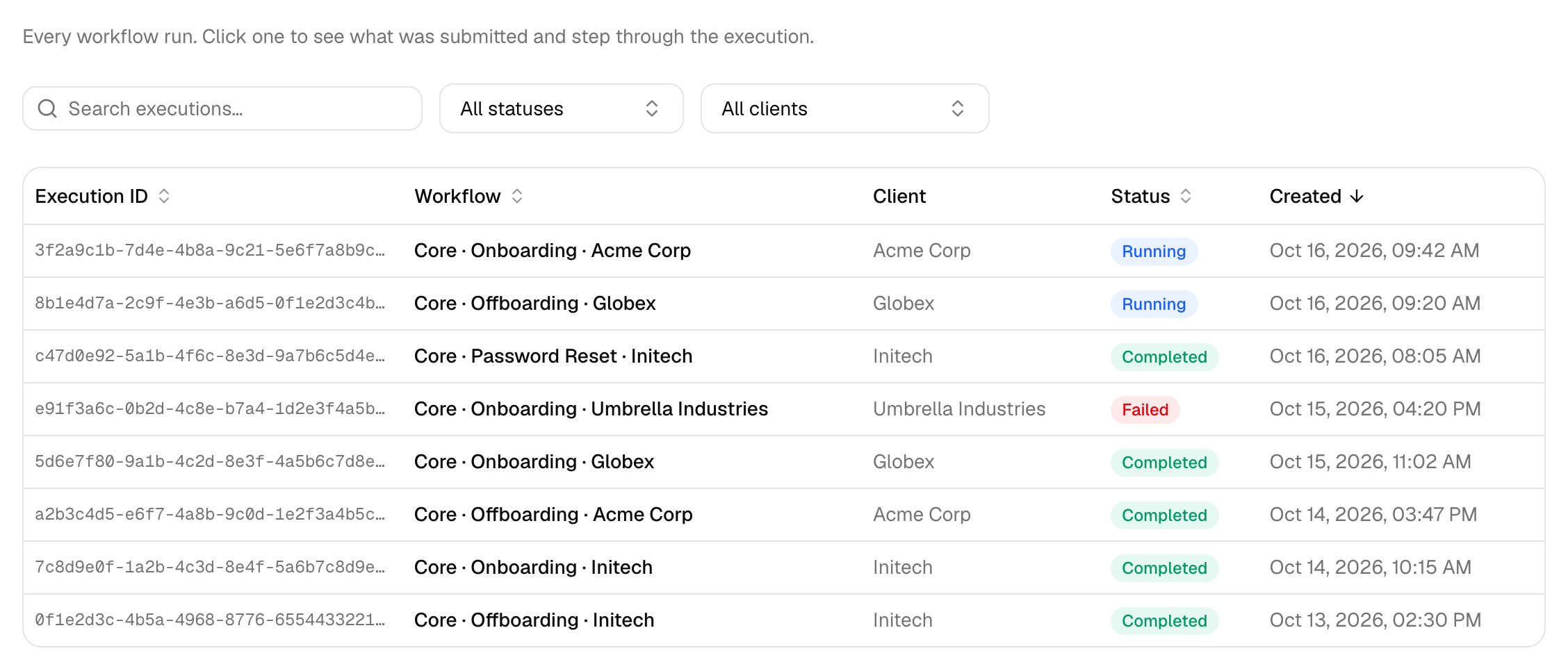
Open a run
1
Click a row
Steps appear as the run reaches them. A rejected request ends at a Not Approved step.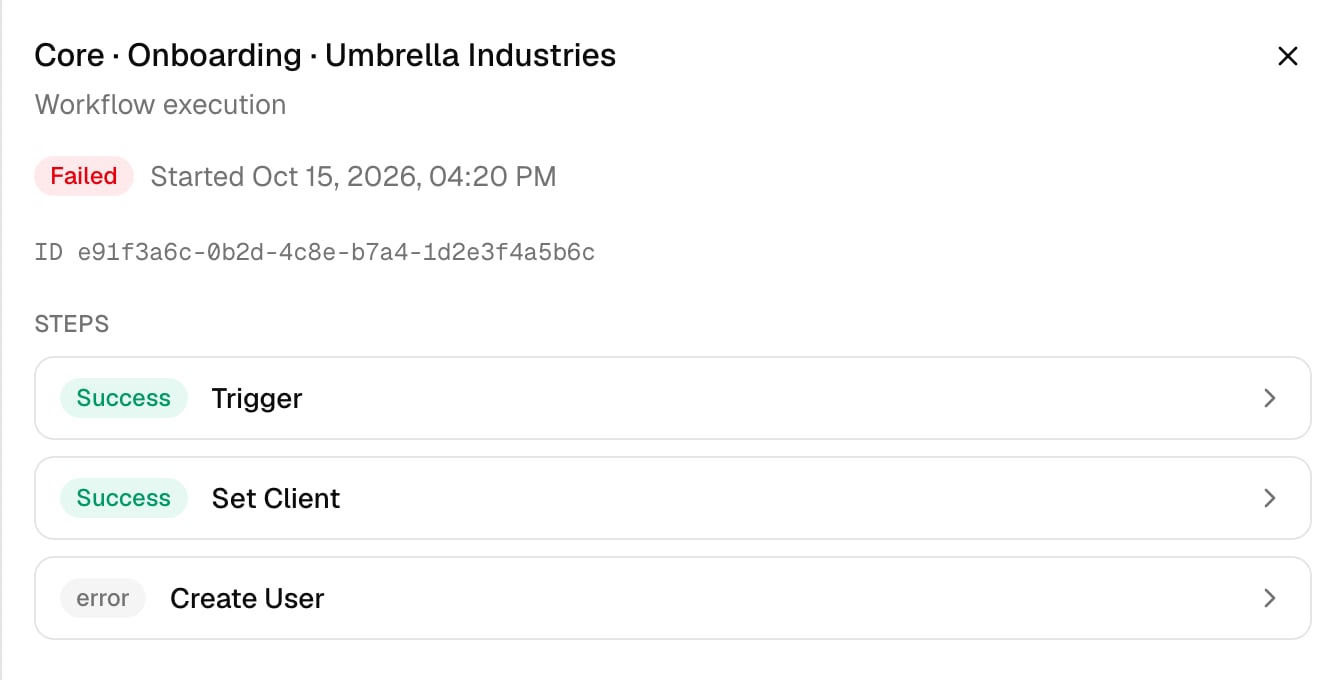
2
Click a step
Its Output or error opens alongside.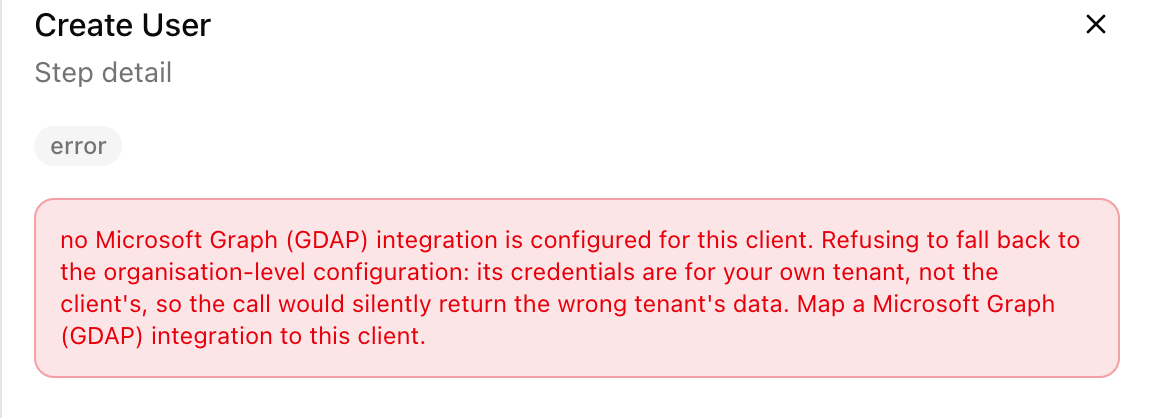
Troubleshooting
The Create Ticket step failed but the rest of the run completed
The Create Ticket step failed but the rest of the run completed
A ticketing problem never stops the work.
org.defaultPSA not found or empty means set Default PSA; a missing client ID means map the client to your PSA.A step failed with “no Microsoft Graph (GDAP) integration is configured for this client”
A step failed with “no Microsoft Graph (GDAP) integration is configured for this client”
The client isn’t linked. Open it on Clients, click Link to GDAP and run the workflow again. See the Microsoft and GDAP FAQ.
A run has been Running for a long time
A run has been Running for a long time
It’s waiting: check Approvals for a pending request, or the workflow’s Start date scheduling.