

General settings
Go to Settings > General, change a setting and click Save changes. Default Microsoft connection and Default PSA come from the Microsoft and PSA setups; clearing either stops the workflows that use it.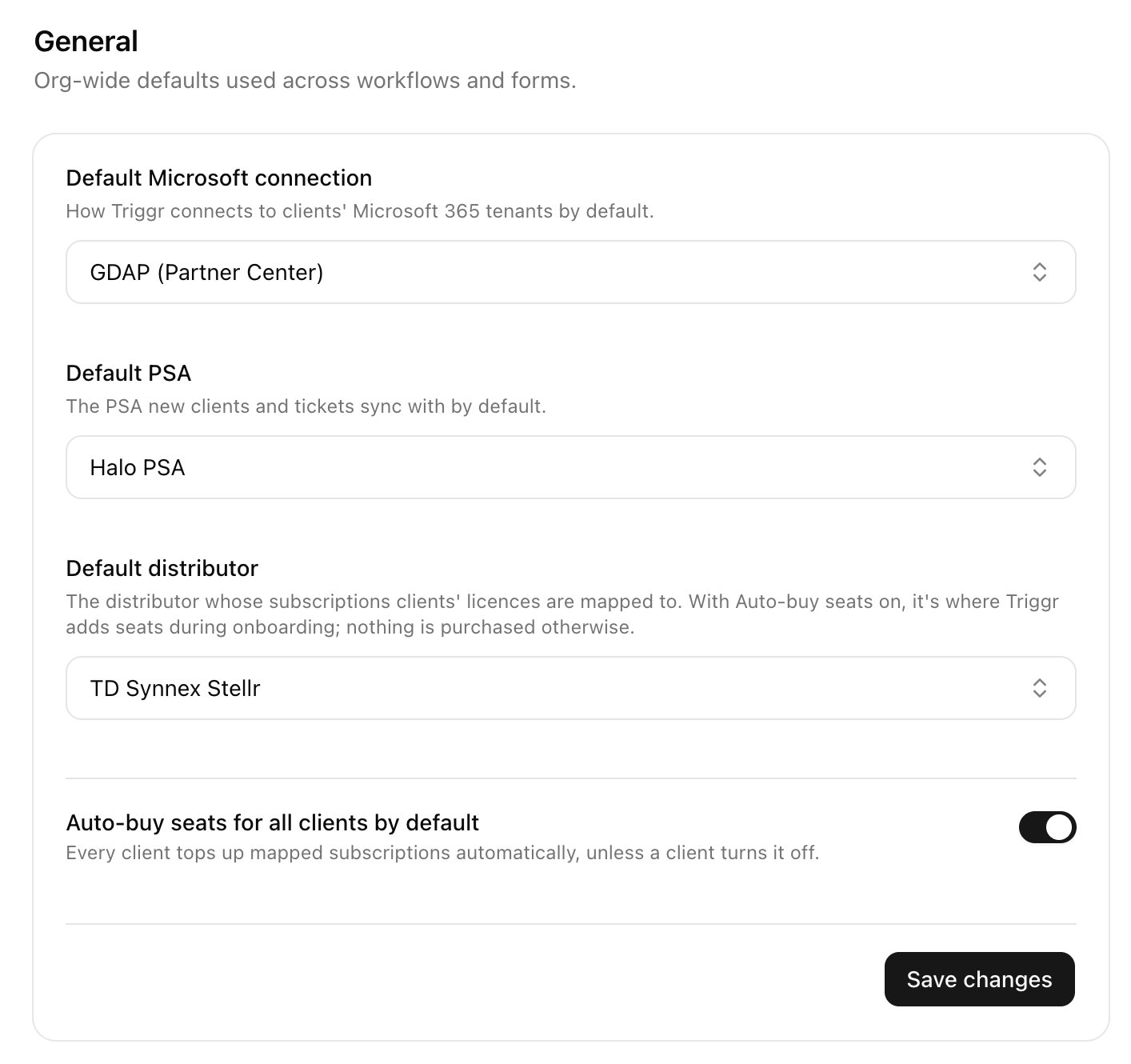
Buy seats automatically
When a new starter needs a licence with no free seat, User Onboarding can buy one at your distributor.1
Connect your distributor
In Integrations, set up Pax8, Sherweb or TD SYNNEX StreamOne Stellr, then choose it as Default distributor in Settings > General.
2
Link each client
Open the client on Clients and click Map next to your distributor under Integrations.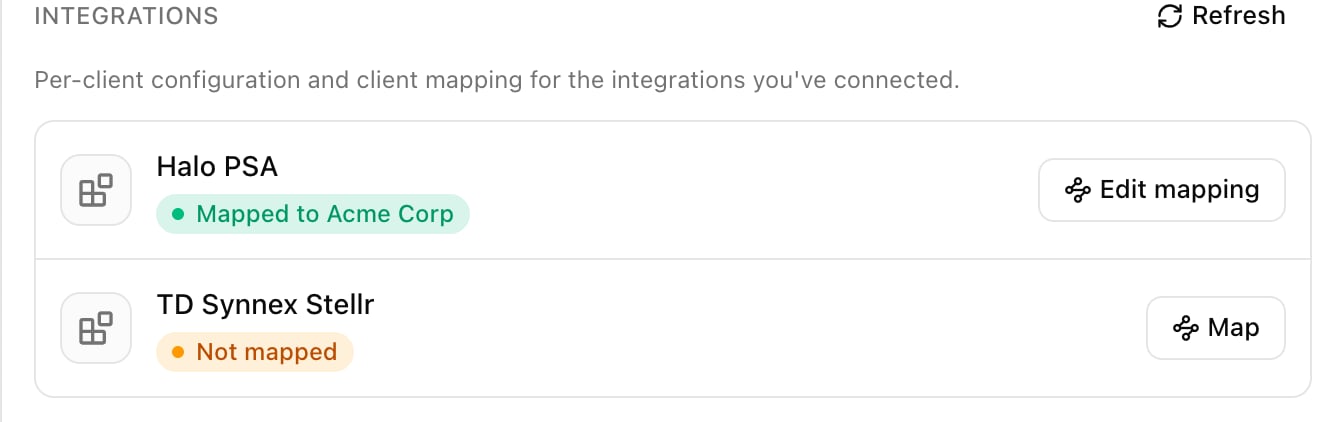
3
Pick its customer record
Core suggests the closest name. Click Save mapping. For many clients at once, use the Client Mapping card on the distributor’s integration page.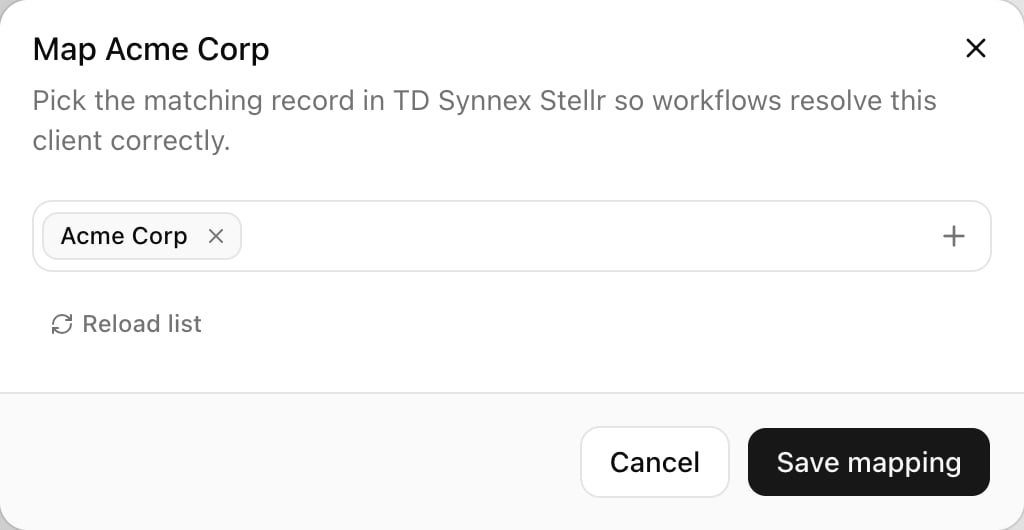
4
Map licences and turn on auto-buy
Under Distributor licenses in the same panel, check the subscription Core picked for each licence, set Auto-buy seats and click Save changes. Not mapped — won’t auto-buy means pick a subscription; Client not linked means do the previous step.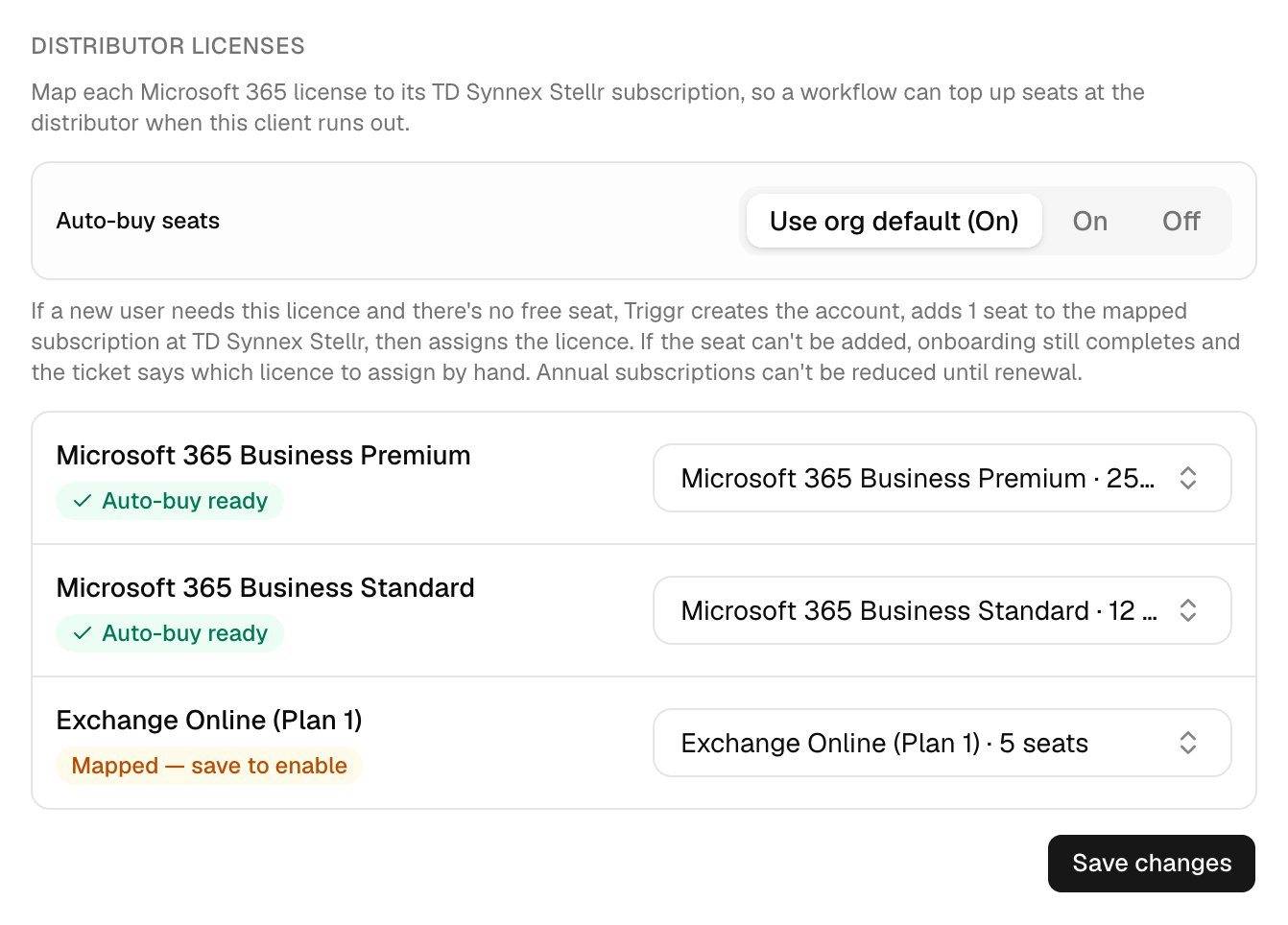
Troubleshooting
“… has no available licences (0 of N seats free)” with auto-buy on
“… has no available licences (0 of N seats free)” with auto-buy on
Check the licence shows Auto-buy ready and Auto-buy seats is On (or Use org default (On)), then submit again.
“Bought 1 seat of … but Microsoft hadn't shown it as free within 10 minutes”
“Bought 1 seat of … but Microsoft hadn't shown it as free within 10 minutes”
Assign the licence once the seat appears.
“Couldn't add a seat of … at …”
“Couldn't add a seat of … at …”
Fix the reason given, then assign the licence by hand once a seat is free.
“A seat request for … may have gone through”
“A seat request for … may have gone through”
Check the subscription in your distributor’s portal before buying another seat.
Turning on Auto-buy seats for all clients by default asks “Turn on Auto-buy seats for every client?”
Turning on Auto-buy seats for all clients by default asks “Turn on Auto-buy seats for every client?”
Any client without its own setting may then have a seat added on its next onboarding. Set Auto-buy seats to Off on clients you want to exclude.