

Set up Pax8
1
Create an API credential
In Pax8, go to Integrations > API credentials, click + Create API credential, name it
Triggr and click Save.2
Copy the client ID and secret
Copy
client_id and client_secret from the generated cURL example. The credential has full access to your partner API, so store the secret like a password.Connect it in Triggr
1
Open the configuration
Go to Integrations > Pax8 and click Configure on the Base Configuration card.
2
Enter the credential
Leave Audience as 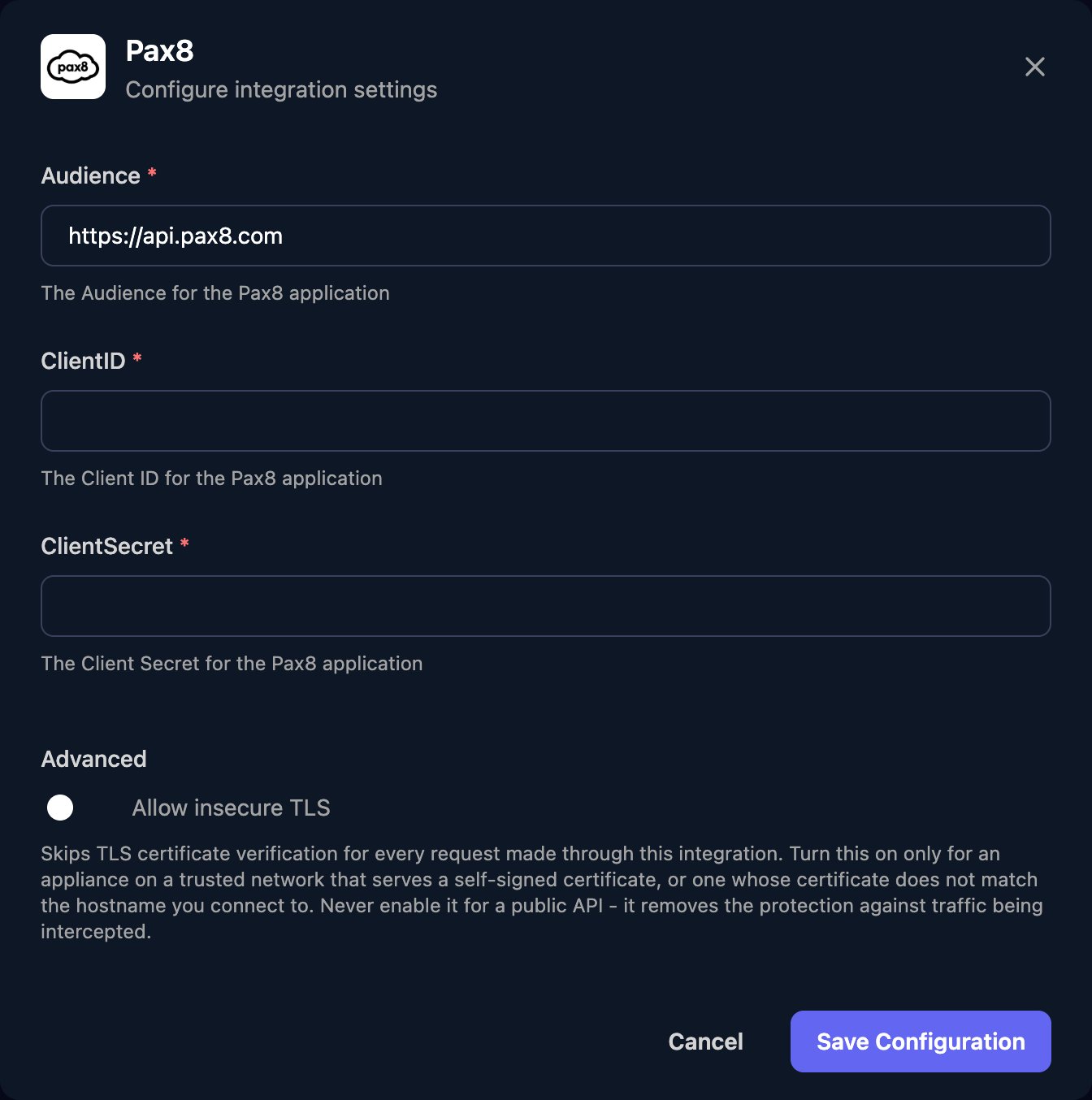
https://api.pax8.com, enter the ClientID and ClientSecret and click Save Configuration.Use it in Triggr Core
Core can buy a licence seat at Pax8 when a new starter has none free. Set Default distributor to Pax8 in Core’s Settings > General, then link each client to its Pax8 company (saved as the client’spax8Id variable) and map its licences. See Licences and distributors.
Troubleshooting
Authentication errors (401)
Authentication errors (401)
Check ClientID and ClientSecret have no spaces or quotation marks from the cURL example, Audience is exactly
https://api.pax8.com, and the credential still exists in Pax8.client ID field 'ClientID' is missing from pax8 configuration
client ID field 'ClientID' is missing from pax8 configuration
Core found no saved Pax8 connection. Save the Base Configuration with all three fields, then run the onboarding again.
Client not linked to Pax8 — won't auto-buy
Client not linked to Pax8 — won't auto-buy
In Core, open the client, click Map next to Pax8 under Integrations, pick its Pax8 company and click Save mapping.
Lost the client secret
Lost the client secret
Create a new API credential, then paste its details with Edit on the Base Configuration card.
List actions return only some results
List actions return only some results
Pax8 pages results from
0; request pages up to totalPages minus one. Subscription lists return at most 200 per page.Rate limits (429)
Rate limits (429)
Pax8 allows 1,000 successful calls a minute. Run large workflows in smaller batches, or email integrations@pax8.com for a higher limit.