

AI in Studio: a question about a client, a run that waits for permission, an automation built in chat and edited with the Assistant tab (1:27).
Aimbot
Click Aimbot in the top bar, then type a question or pick a suggestion.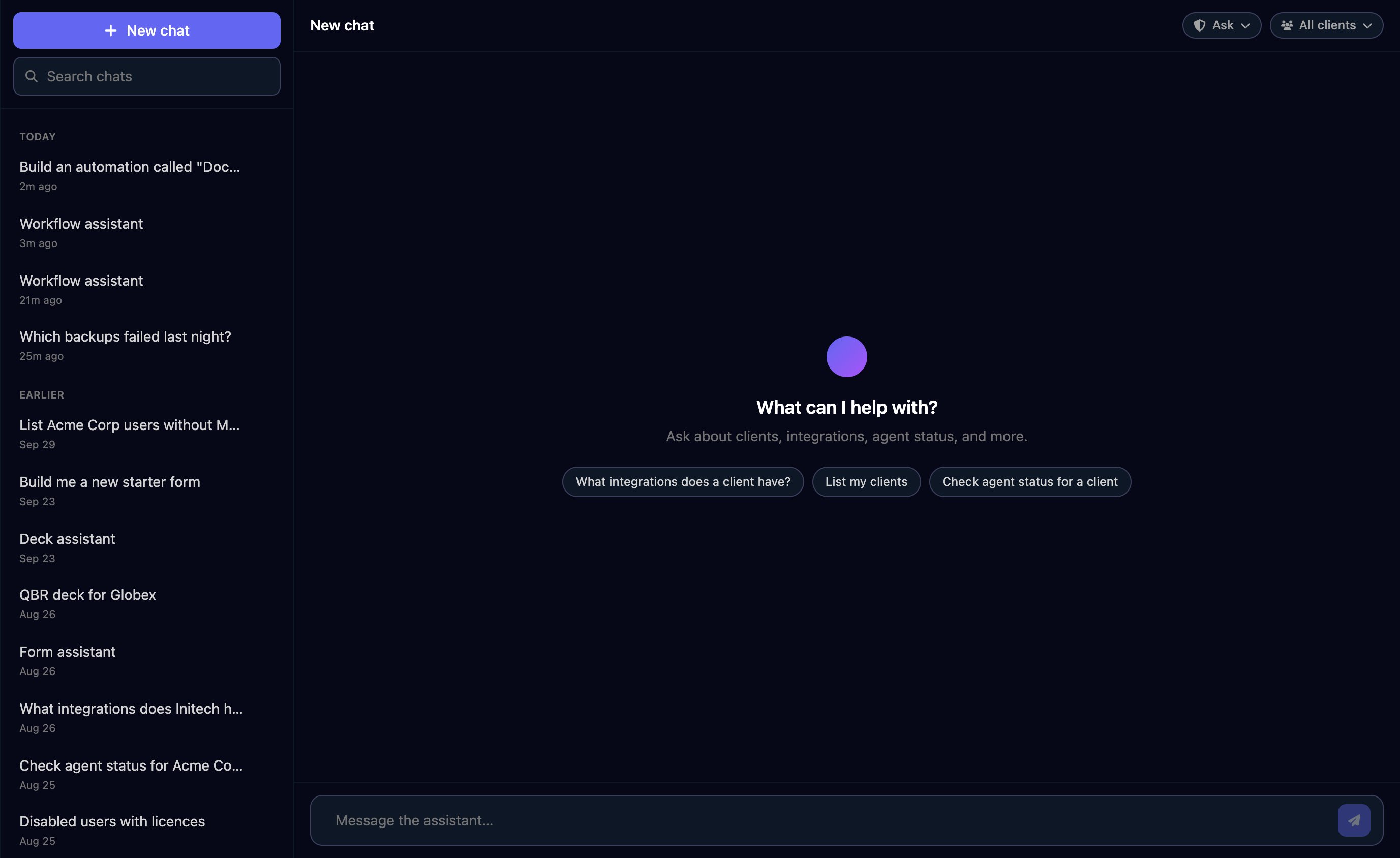
-
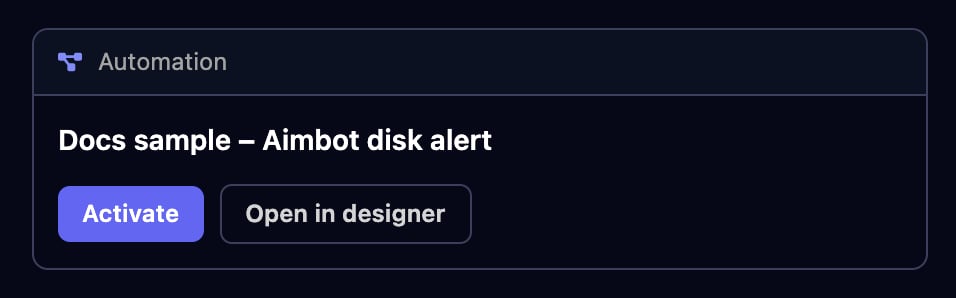
Build automations. Describe one and Aimbot saves it as an Inactive workflow. Click Open in designer to check it, then Activate.
- Open a form for you. Ask for one of your forms and fill it in inside the chat; Aimbot never sees your answers. Forms that need a password, Microsoft or Google sign-in open in their own page.
- Run things. Start workflows, approve your approvals and set client variables, once you allow it.
Choose what it may do without asking
The pill at the top right of a chat sets the permission mode.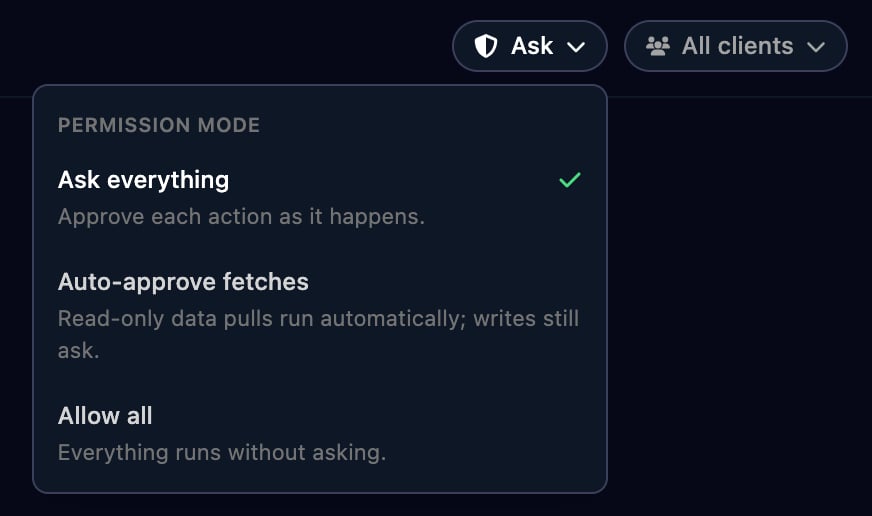
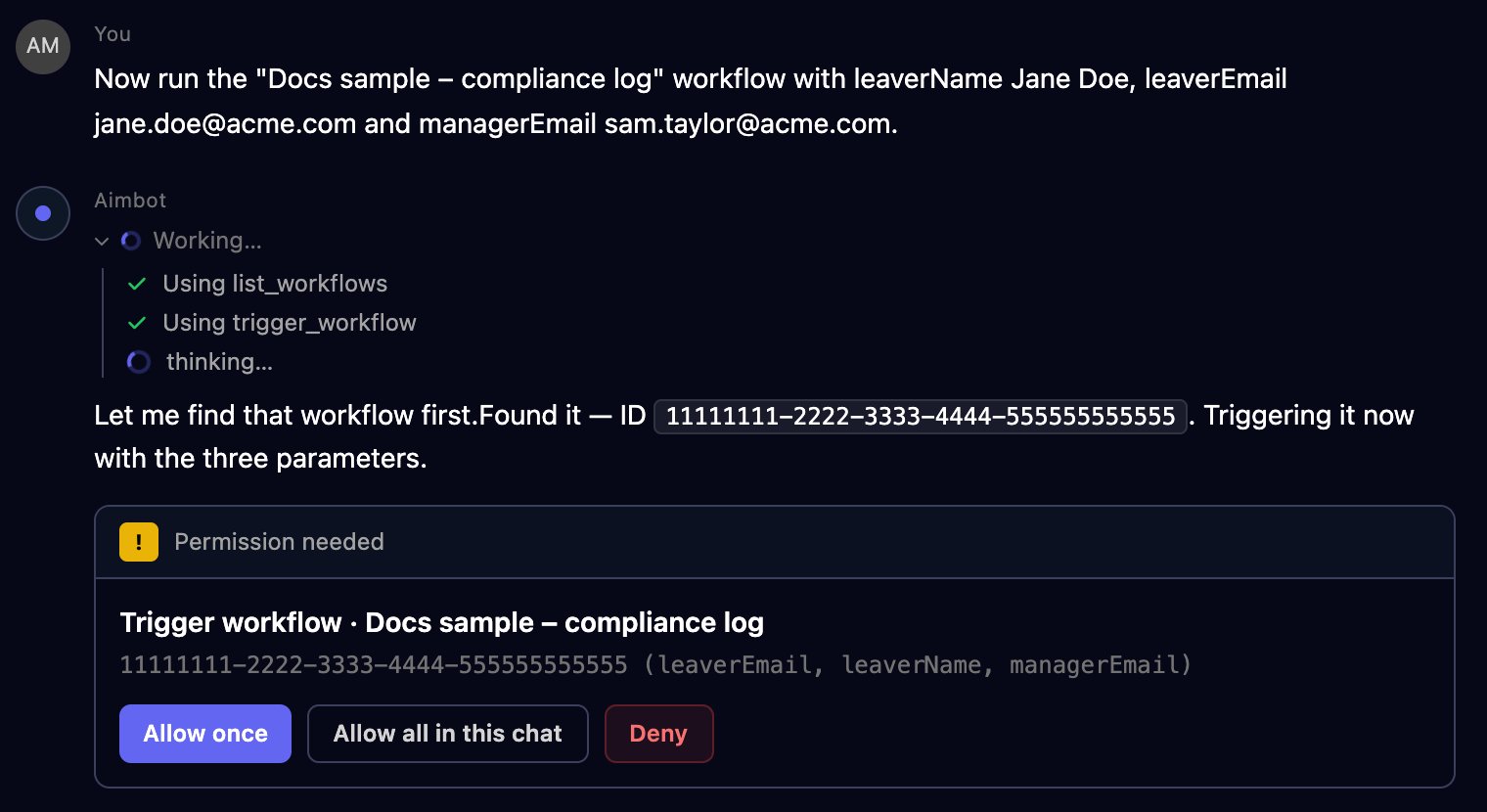
Anything else shows a Permission needed card: click Allow once, Allow all in this chat (which switches the chat to Allow all) or Deny. Aimbot doesn’t retry a denied action another way.
Prompts that work well
Check a client
Check a client
Which integrations does Acme Corp have, and is its desktop agent online?
Investigate failures
Investigate failures
Which workflow runs failed in the last 7 days? Group them by workflow and show the failing step and error for the top three.
Build an automation
Build an automation
Build an automation called “Disk space alert”. A webhook receives an RMM alert with device, alertType and siteId. Email helpdesk@example.com with the device and alert type, then finish.
Fill in a form
Fill in a form
Open the leaver request form for Globex.
The Assistant tab in the workflow designer
Open a workflow, click Assistant next to Components and describe what it should do or what to change; it builds the trigger, branches and steps on the canvas.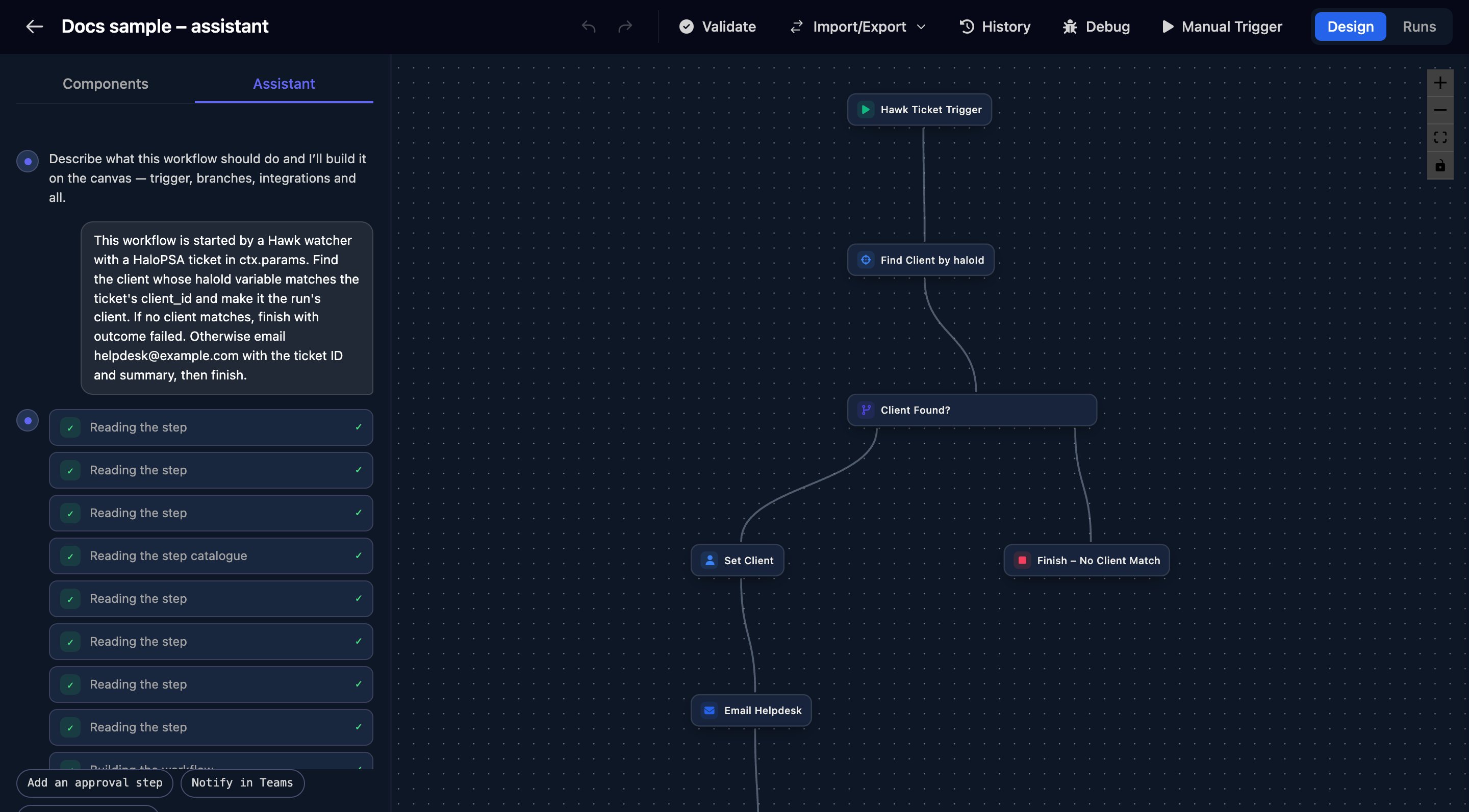
When the “New starter request” form is submitted, create a HaloPSA ticket for the client with the starter’s name and start date, then email helpdesk@example.com.
The Assistant tab in the form designer
Open a form and click Assistant next to Fields. Describe the sections and fields you need and it puts them on the canvas; nothing is saved until you click Save.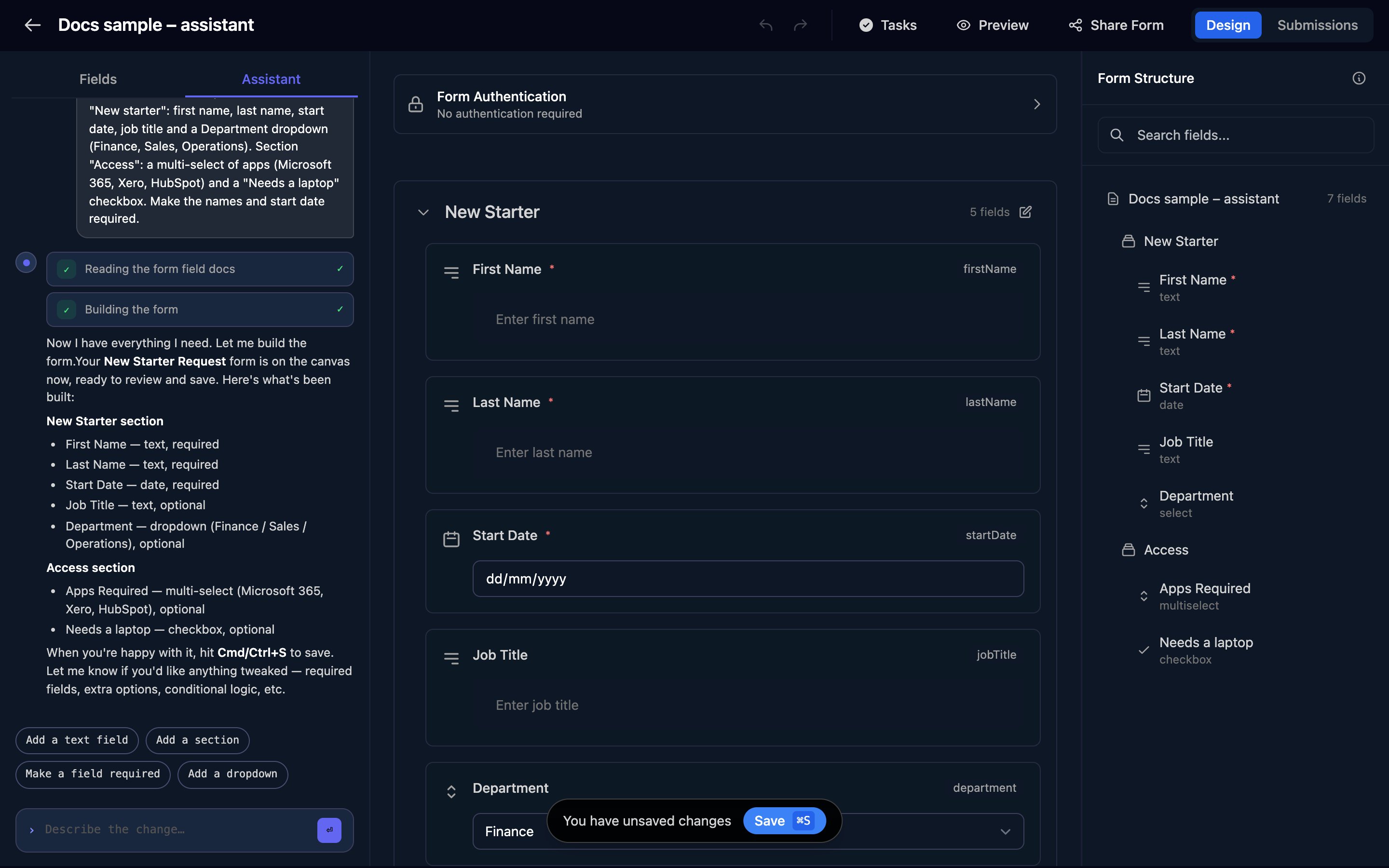
Aimbot or your own AI tool?
FAQ
I can't see Aimbot or the Assistant tab
I can't see Aimbot or the Assistant tab
Both are for organisation admins. In the workflow designer, the tab is also hidden when you can’t edit the workflow.
“Could not start a chat — is the assistant available?”
“Could not start a chat — is the assistant available?”
Refresh the page and try again. If it persists, contact Triggr support.
Is an Inactive workflow safe from running?
Is an Inactive workflow safe from running?
Inactive stops form and schedule triggers, but a Webhook trigger, a Hawk watcher or another workflow can still start it. See Triggers.
Why does the designer say I have unsaved changes after the Assistant built my workflow?
Why does the designer say I have unsaved changes after the Assistant built my workflow?
The Assistant has already saved it. Clicking Save saves the same version again.
Where did these “Workflow assistant” chats come from?
Where did these “Workflow assistant” chats come from?
Each Assistant tab conversation also appears in Aimbot’s chat list, named Workflow assistant, Form assistant or Deck assistant.
Can Aimbot see my integration passwords and keys?
Can Aimbot see my integration passwords and keys?
No. Integration tools return details about the connection, not its saved credentials.