

Data tables: creating a client renewals register, adding rows and finding them again (1:29).
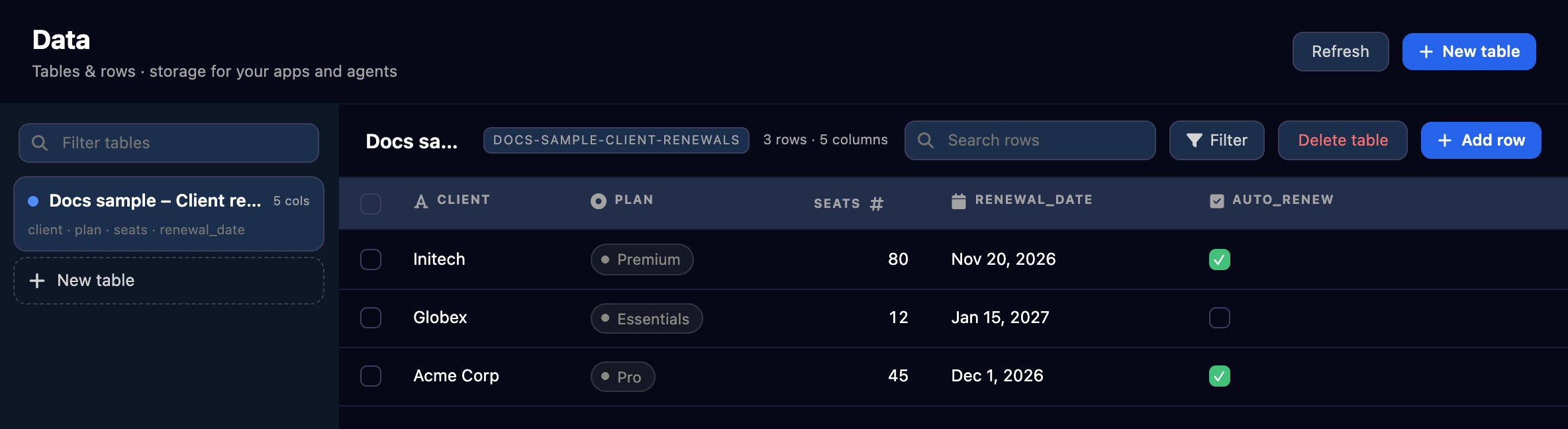
Example: a client renewals register
1
Create the table
Click New table and name the table. The first column starts as 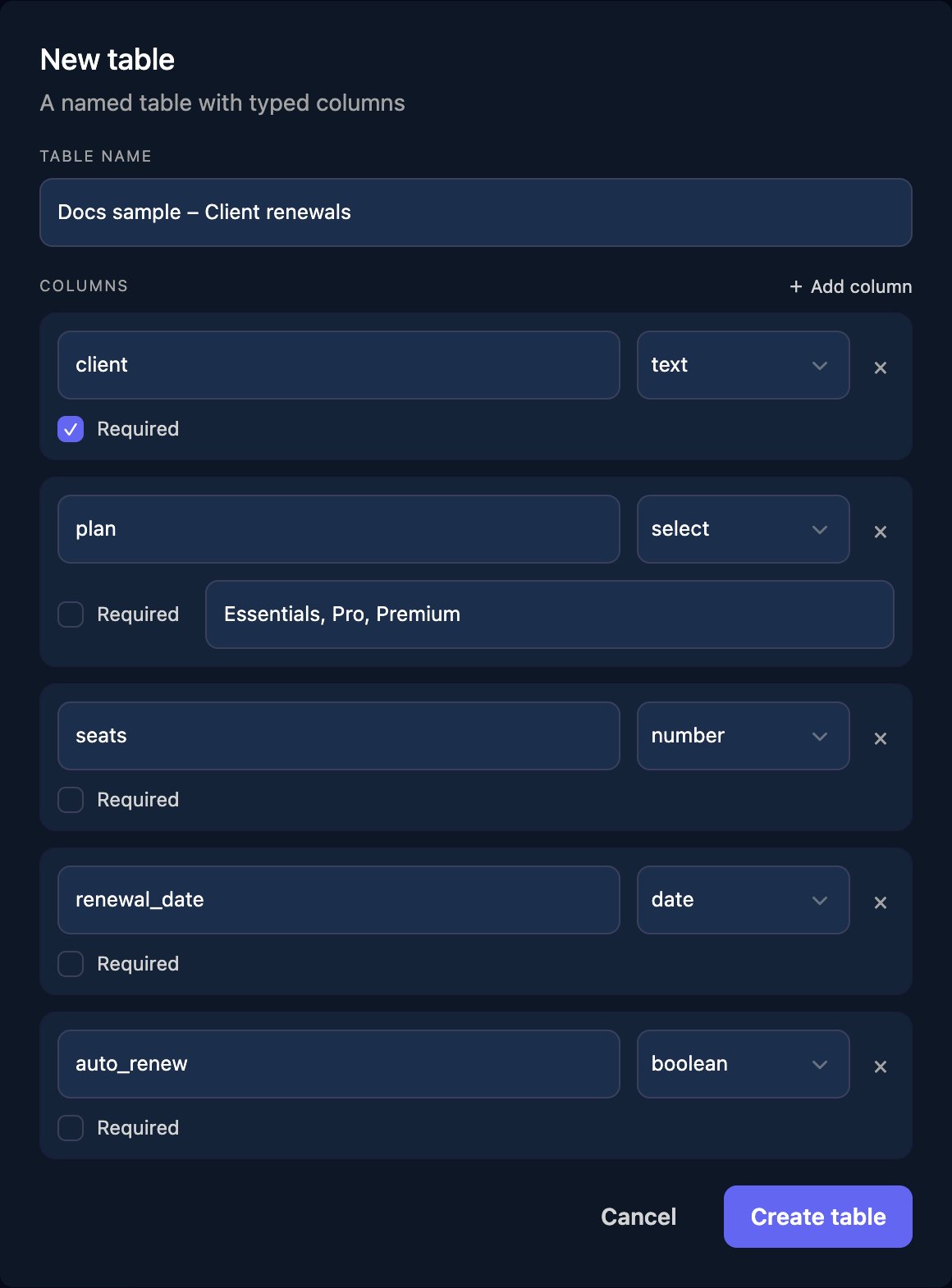
title: rename it, then click Add column for each of the others and choose its type. Tick Required for anything every row must have, and give a select column its options, separated by commas. Click Create table.2
Add rows
Click Add row, fill in the fields and confirm.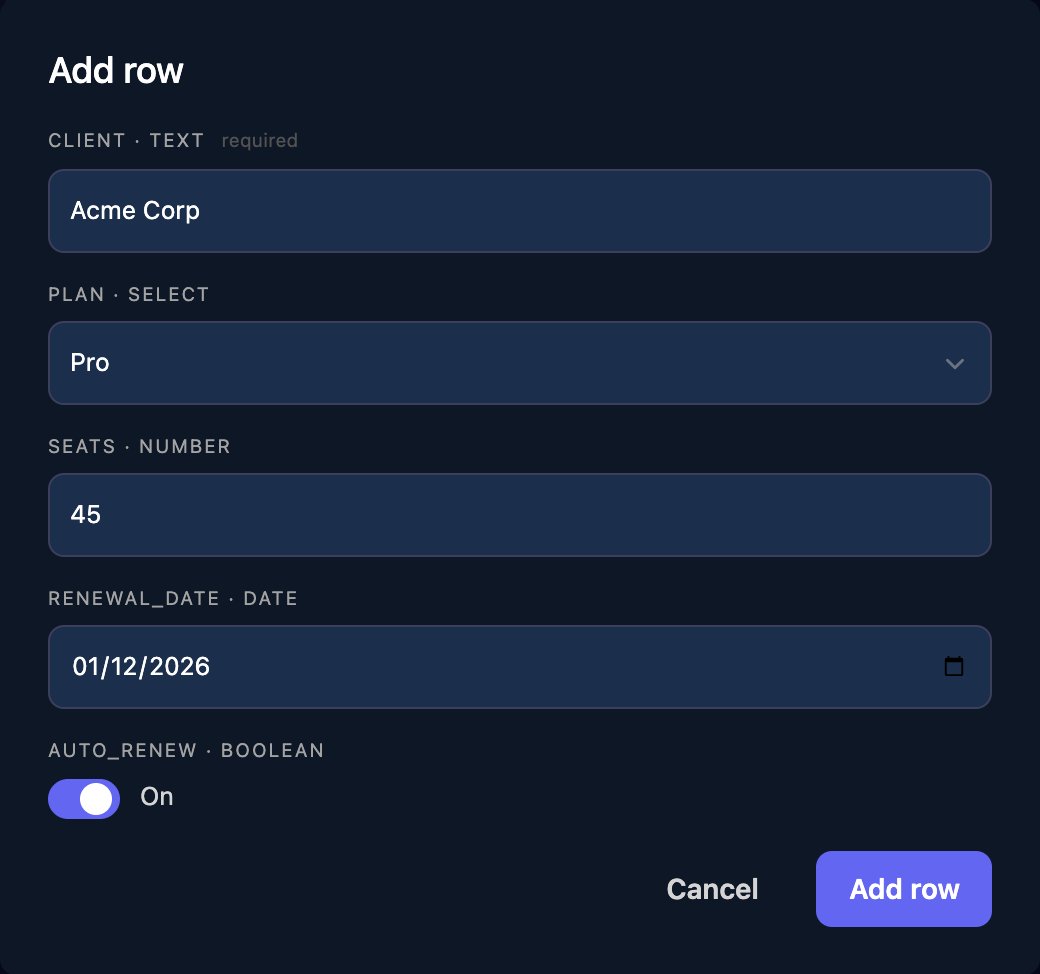
3
Find rows
Search matches any cell, a column heading sorts, and Filter narrows a 
select column. Hover over a row to edit or delete it, or tick rows to delete several.Use it from an AI assistant
Connect Claude Code, Codex or Cursor with an MCP token that includes the Datatables tools, then ask in plain words, naming the table by its slug. The page shows the slug in capitals next to the table’s name, but it’s lower case, such asclient-renewals:
Using the Triggr data table docs-sample-client-renewals, list the clients whose renewal_date is before 1 January 2027, with their plan and whether they auto-renew.
Add Umbrella Corp to the client renewals table: plan Essentials, 20 seats, renews 2027-03-31, auto-renew on.The tools are
list_data_tables, get_data_table, query_data_table_rows, insert_data_table_row, update_data_table_row, delete_data_table_row, create_data_table and add_data_table_column.
FAQ
Can a workflow read or write a data table?
Can a workflow read or write a data table?
No. Keep data your workflows need in your own database and use the Execute SQL step.
Why can't I see all my rows?
Why can't I see all my rows?
The page shows the newest 100 rows, and search and filters work on those. Ask an AI assistant through MCP for older rows.
Can I add a column later?
Can I add a column later?
Not on this page. An AI assistant can, with
add_data_table_column; existing rows leave it empty.Can I import a spreadsheet?
Can I import a spreadsheet?
Give an AI assistant connected through MCP the CSV and ask it to add each row.
Can I keep a table per client?
Can I keep a table per client?
Add a
client column, as in the example, and search for the client’s name.Troubleshooting
“a table with slug '…' already exists”
“a table with slug '…' already exists”
Another table’s name gives the same slug, for example
Client Renewals and client-renewals. Choose a different name.Select column “…” needs at least one option.
Select column “…” needs at least one option.
Type each
select column’s options, separated by commas, such as Essentials, Pro, Premium.Column names must be unique
Column names must be unique
Two columns have the same name. Rename one.
“column '…' must be one of: …”
“column '…' must be one of: …”
The value isn’t one of the column’s options. Pick one from the list; option names are case-sensitive.