

Connect your AI tools: create a scoped token, copy it and the server URL, and revoke one you no longer need (1:26).
Create a token
1
Open MCP settings
Go to Settings > MCP and click Create Token. If the button is missing, ask an admin for the Issue MCP Tokens permission.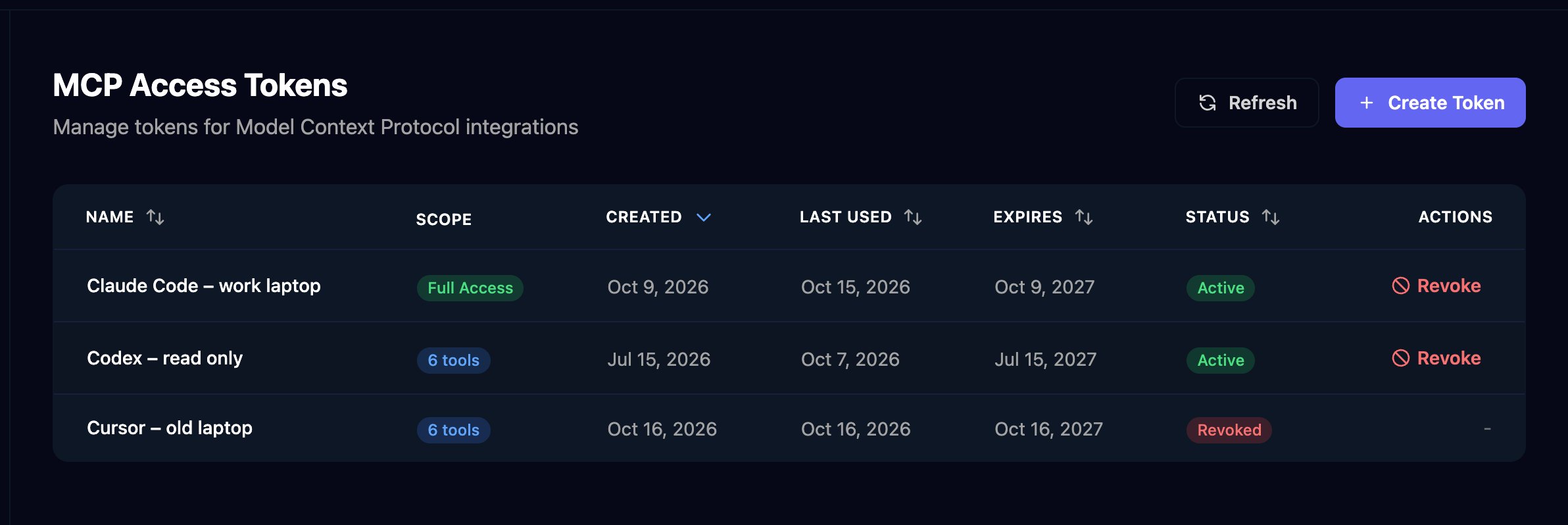
2
Name it and choose its access
Enter a Token Name that says where it’s used. Choose Full Access, or Custom Scopes and tick only the tools it needs.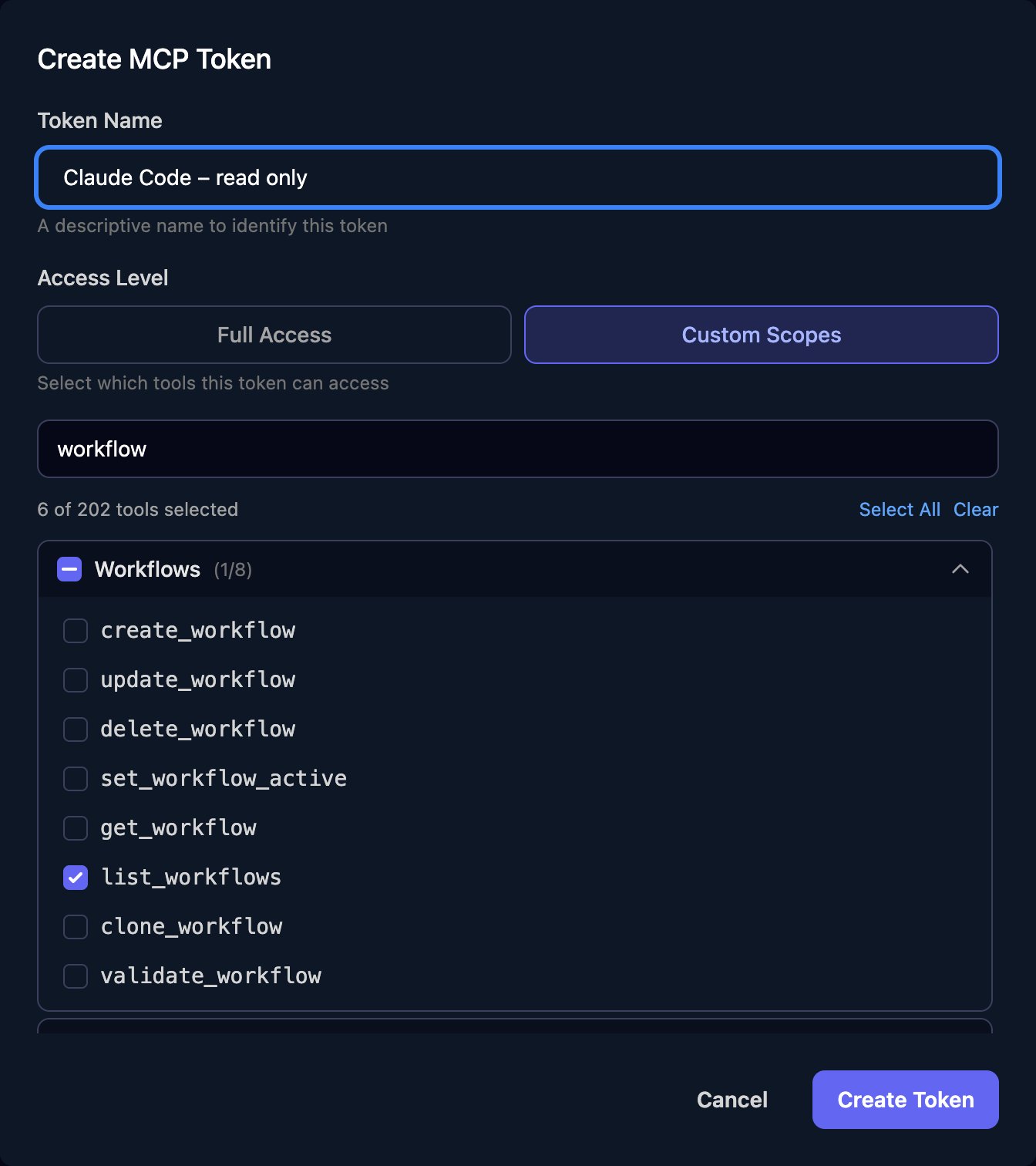
3
Copy the token
Click Create Token, then Copy next to Your Token. Studio shows it only once.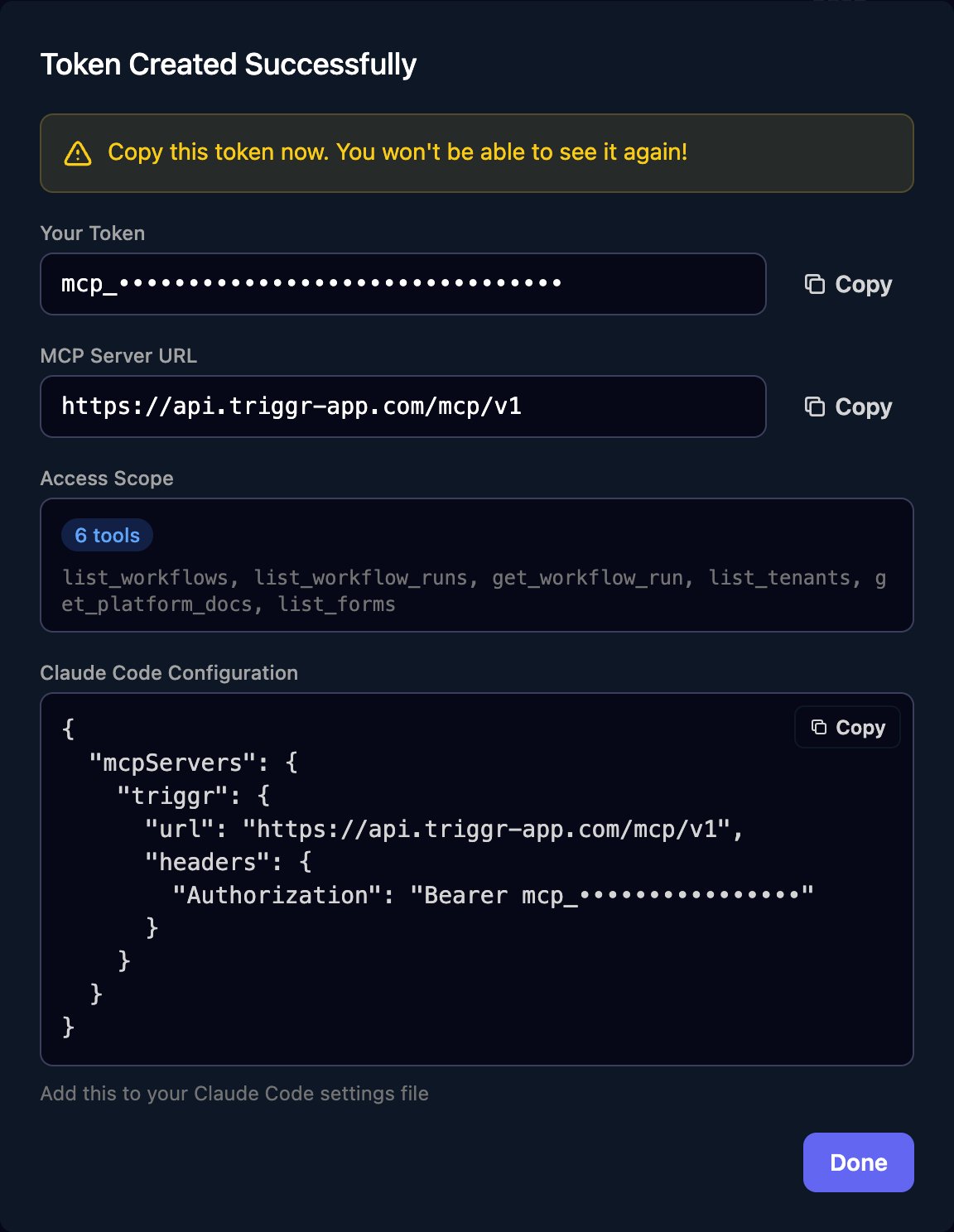
Connect your tool
Keep the token in an environment variable, not a config file, so it never ends up in Git:- Claude Code
- Codex
- Cursor
- Other clients
For just you, across all your projects:To share it with your team, add Include
.mcp.json at the root of the repository instead. Each person sets TRIGGR_MCP_TOKEN to their own token:.mcp.json
"type": "http". Don’t paste the Claude Code Configuration box from Studio as it is: it leaves out the type and puts the token in the file. Run claude mcp list to check triggr shows as connected.Things to ask it
The AI picks the tools itself; the tool names are what to tick for a Custom Scopes token.Investigate failures
Investigate failures
Which workflow runs failed in the last 7 days? Group them by client and workflow, and for the top three show the failing step and its error.Tools:
get_workflow_failure_stats, list_workflow_runs, get_workflow_run, list_workflow_run_steps.Build a workflow from a description
Build a workflow from a description
Read the Triggr workflow docs, then create an inactive workflow called “Leaver – disable account” with a form trigger on my “Leaver request” form. It should email helpdesk@example.com with the leaver’s name and last day. Validate it before saving.Tools:
get_workflow_docs, list_forms, get_form, validate_workflow, create_workflow. New workflows are active unless you ask otherwise, so ask for an inactive one, test it with Manual Trigger in the designer, then switch it on.Explain or fix an existing workflow
Explain or fix an existing workflow
Explain what the “New starter setup” workflow does, step by step. Then add a step that creates a HaloPSA ticket after the email, and show me the change before you save it.Tools:
get_workflow, get_integration_type, get_integration_action_schema, update_workflow.Add a client ready for forms
Add a client ready for forms
Add a client called Acme Corp and set its microsoftTenantId variable to 11111111-2222-3333-4444-555555555555.Tools:
create_tenant, set_tenant_metadata. Microsoft-authenticated forms then recognise Acme’s staff.What it can reach
About 200 tools, listed by group under Custom Scopes: forms, workflows, internal apps, PowerShell scripts, data tables, report templates and decks; runs, steps, failure stats and logs; clients and their variables, user groups and desktop agent status; integration types, actions and calls to connected tools; approvals where you’re the approver; and Triggr Core workflow settings per client (thecore_ tools).
Keep it safe
- A token can use every tool in its scope across your whole organisation, whatever your role in Studio. Treat it like an admin password.
- Changes are real and immediate, and integration calls go to the live system. Keep your tool’s per-action approval prompts on for anything that creates, updates, deletes or triggers.
- Tokens last one year. Settings > MCP shows each token’s Last Used and Expires dates: click Revoke on any you no longer need, and on a person’s tokens when they leave.
FAQ
“invalid or expired token”
“invalid or expired token”
The token was mistyped, revoked or is over a year old. Create a new one and update your environment variable.
“token does not have permission to call tool: …”
“token does not have permission to call tool: …”
The token’s Custom Scopes don’t include that tool. Scopes can’t be edited: create a new token with the tool ticked and revoke the old one.
Claude Code doesn't list the triggr tools
Claude Code doesn't list the triggr tools
Run
claude mcp list. If triggr is missing, check .mcp.json has "type": "http" and that TRIGGR_MCP_TOKEN is set in the shell you started Claude Code from. A project’s .mcp.json must be approved the first time you run claude in that folder.Does one token work for several organisations?
Does one token work for several organisations?
No. A token belongs to the organisation you created it in; switch organisation in Studio and create another.
Can the AI see my integration passwords and keys?
Can the AI see my integration passwords and keys?
No. Integration tools return metadata, not saved credentials, and sending profiles come back without passwords.
Does it work with Triggr Core?
Does it work with Triggr Core?
Yes, for Core’s workflow configuration (the
core_ tools). Core’s generated workflows can be cloned but not edited or deleted directly.