

Distributors and licensing: a distributor's customers and subscriptions, a package, a licence rule tested, and a SKU ID looked up (1:29).
Distributors
You need Configure Integrations.1
Open your distributor
Click Distributors in the sidebar, then the distributor’s card.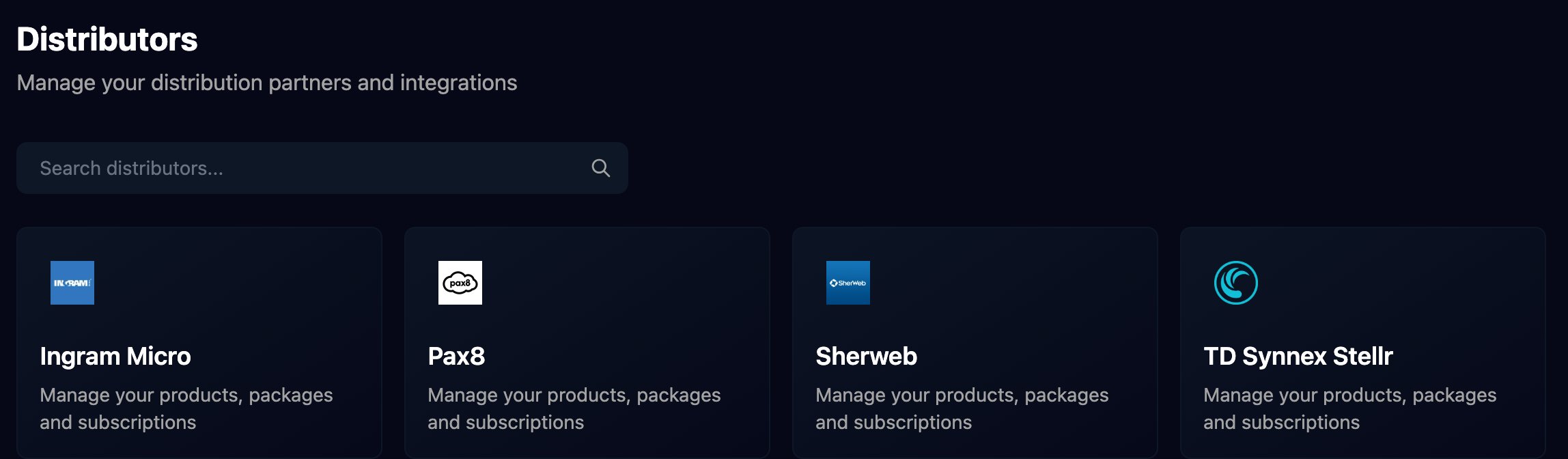
2
Connect it
Click Configure on Integration Configuration and follow Pax8, Sherweb or TD SYNNEX StreamOne Stellr. The tabs appear once Status reads Configured.
3
Browse customers and subscriptions
Companies lists your customers at the distributor, live. Click View for a customer’s subscriptions and quantities.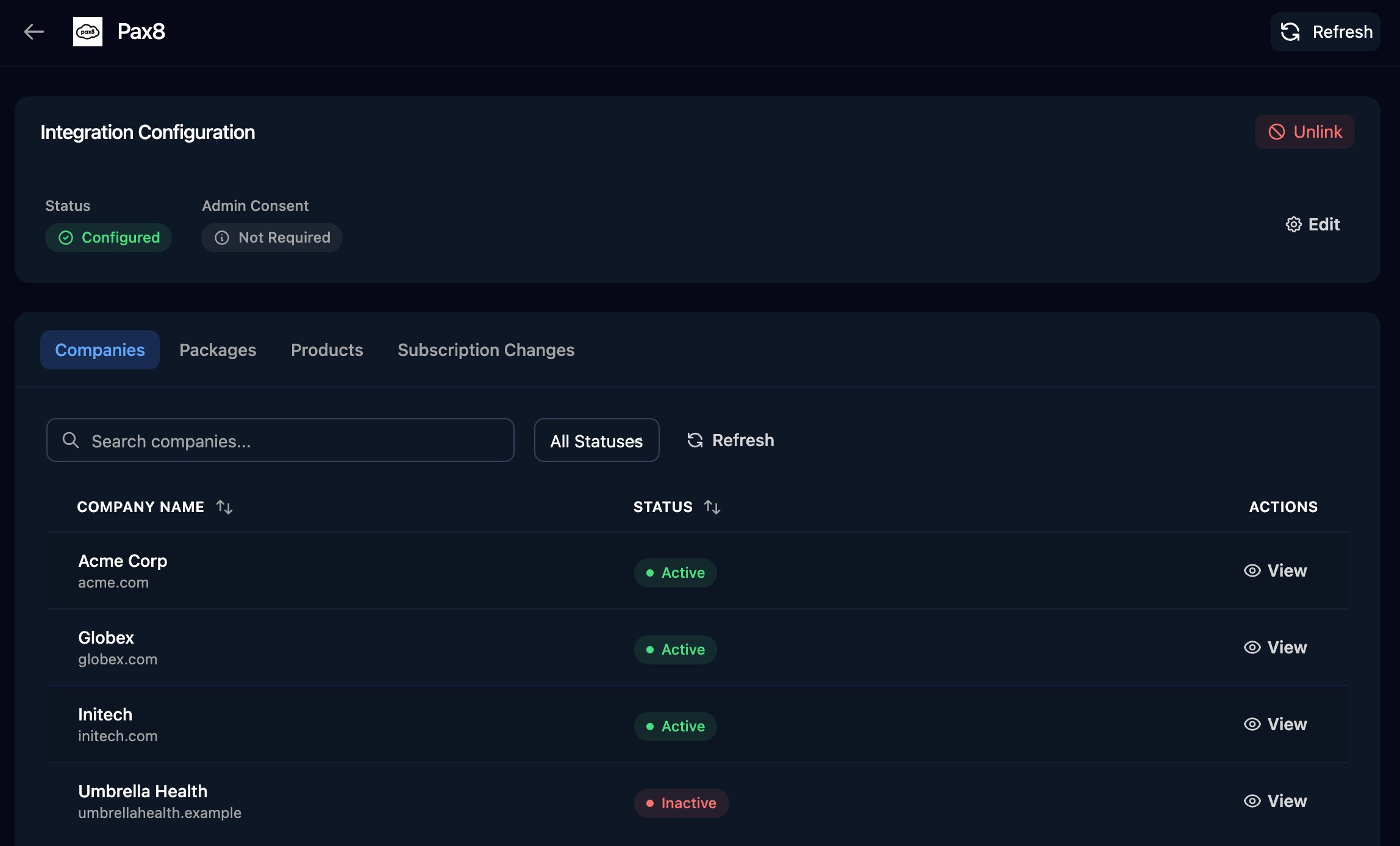
4
Build packages (optional)
A package is a named bundle of products, such as everything a new starter gets. On Packages, click Add Package, then Manage and Add Product: Pax8 searches its catalogue; for other distributors, enter the product’s details.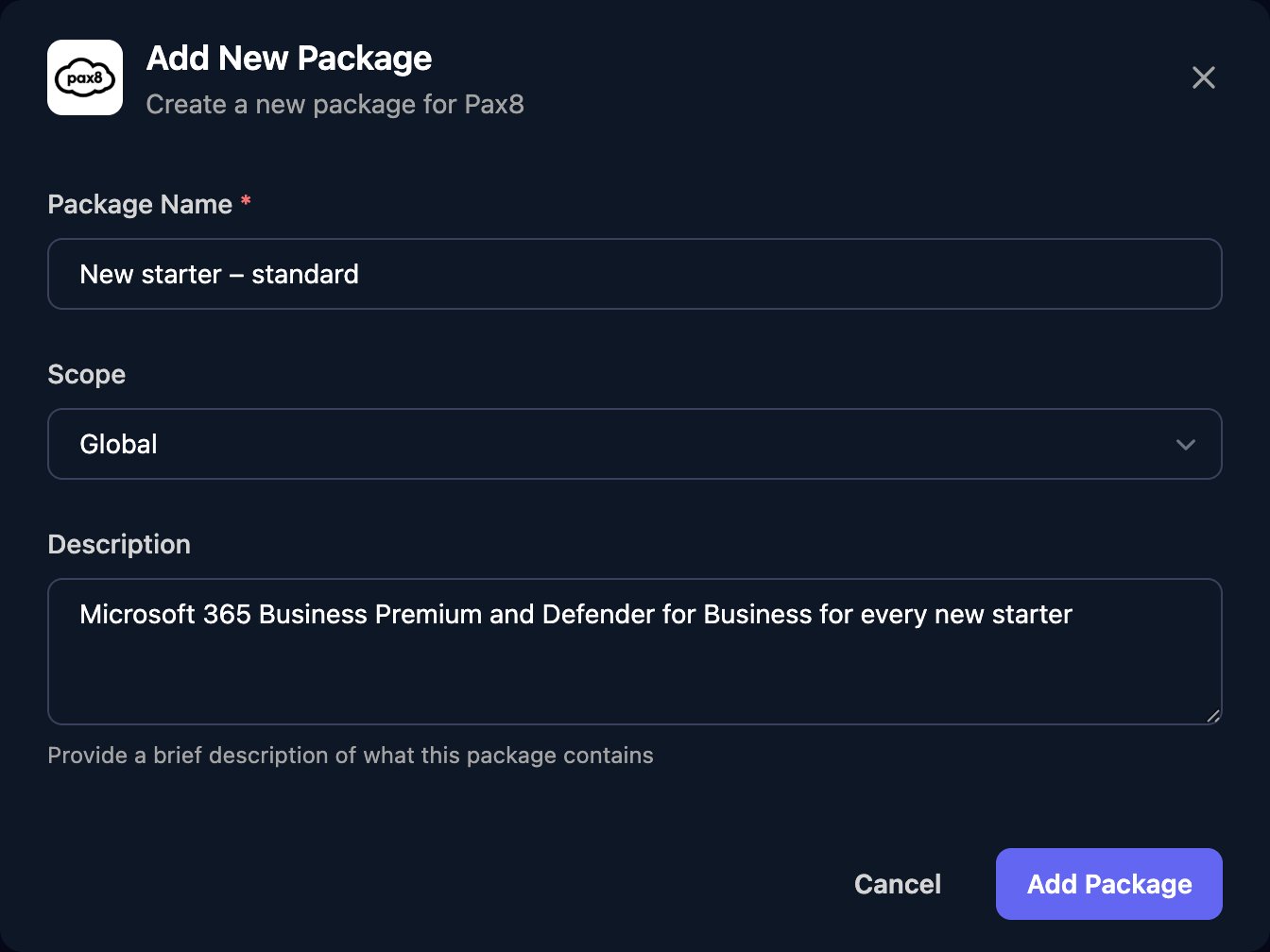
Workflows read packages with List Packages and List Products For Package (Distribution). Map clients to distributor customers in Core or on the integration’s Client Mapping card, not here.
Licence assignment rules
Settings > Licensing chooses a user’s Microsoft licences from their job title, department, email domain and so on. Anyone who can open Settings can edit the rules.1
Add a rule
On Global, click Add Rule and name it. Untick No conditions (matches all), set a field, operator and value, then under Then choose Assign and the licences (or Deny or Ask Technician) and click Save.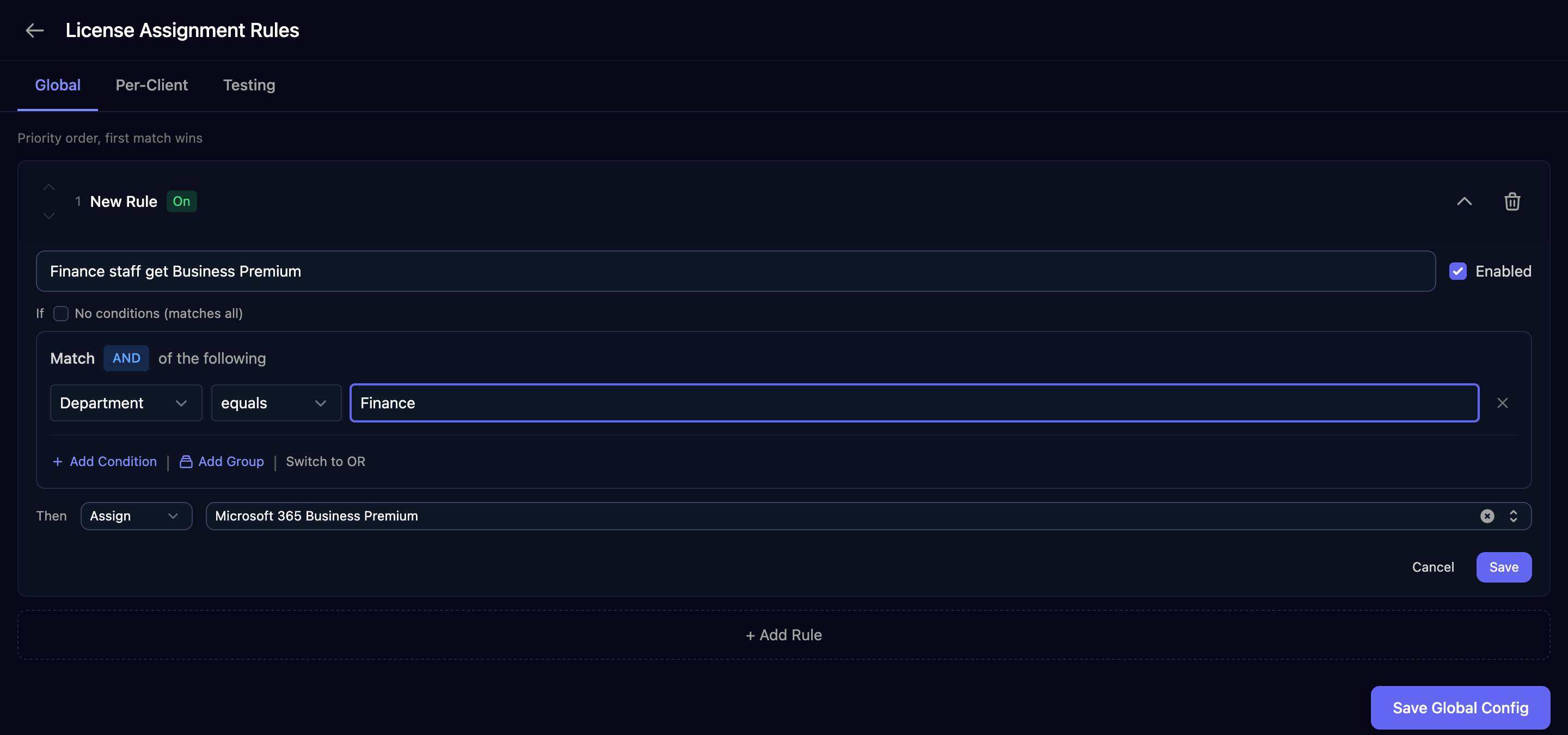
2
Save
Add rules in the order you want them checked (the first match wins), then click Save Global Config.
3
Test it
On Testing, enter a sample user and click Test Rules. Tests use the saved rules.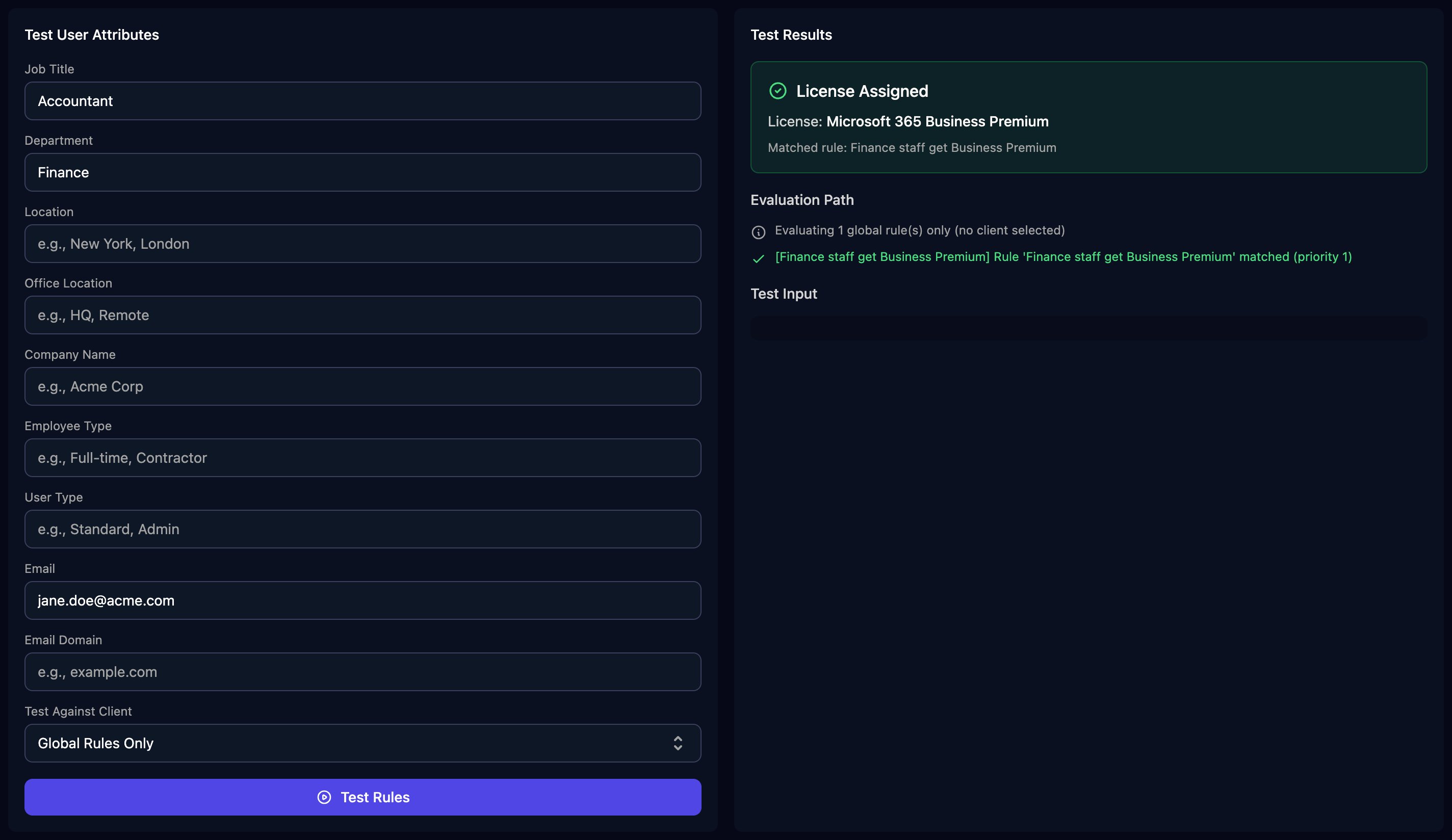
outcome.action (assign, deny or manual) and outcome.skuPartNumbers, such as SPB. Matching ignores case.
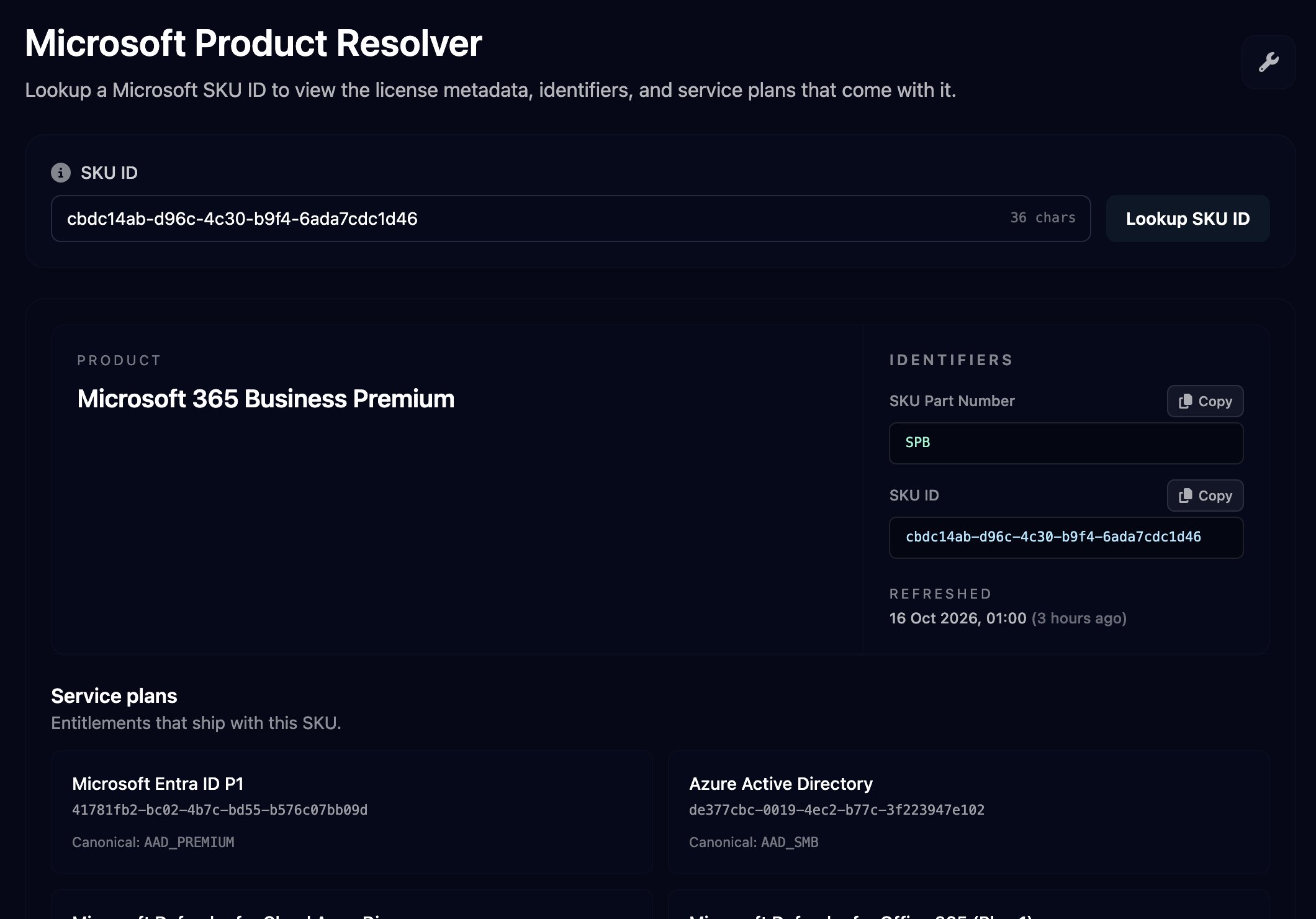
Microsoft Product Resolver
Tools > Microsoft Product Resolver shows the product, part number and service plans for a Microsoft SKU ID (theskuId in a Microsoft Graph licence). Paste the ID and click Lookup SKU ID. Triggr refreshes the list from Microsoft daily.
FAQ
“a package with this name already exists for distributor …”
“a package with this name already exists for distributor …”
Package names are unique per distributor. Choose another name, or add products to the existing package.
“No license mapping found for this SKU ID.”
“No license mapping found for this SKU ID.”
Paste the SKU ID itself (a GUID), exactly as Microsoft gives it. A part number such as
SPB or a product name won’t match.Save is greyed out and the rule says “Select at least one license”
Save is greyed out and the rule says “Select at least one license”
An Assign rule needs at least one licence. Pick one, or change Then to Deny or Ask Technician.
Does Triggr Core use packages or licence assignment rules?
Does Triggr Core use packages or licence assignment rules?
No. Core’s auto-buy uses its own licence mapping on each client: see Licences and distributors.