

https://api.triggr-app.com/api/v1 for your whole organisation. Only organisation admins can see or change them. Scopes, retries and signature checks are in API and webhooks.
API keys and webhooks: create a scoped key, find the API reference and add a signed webhook (1:25).
Create an API key
1
Open API Keys
Go to Settings > API Keys and click Create Key.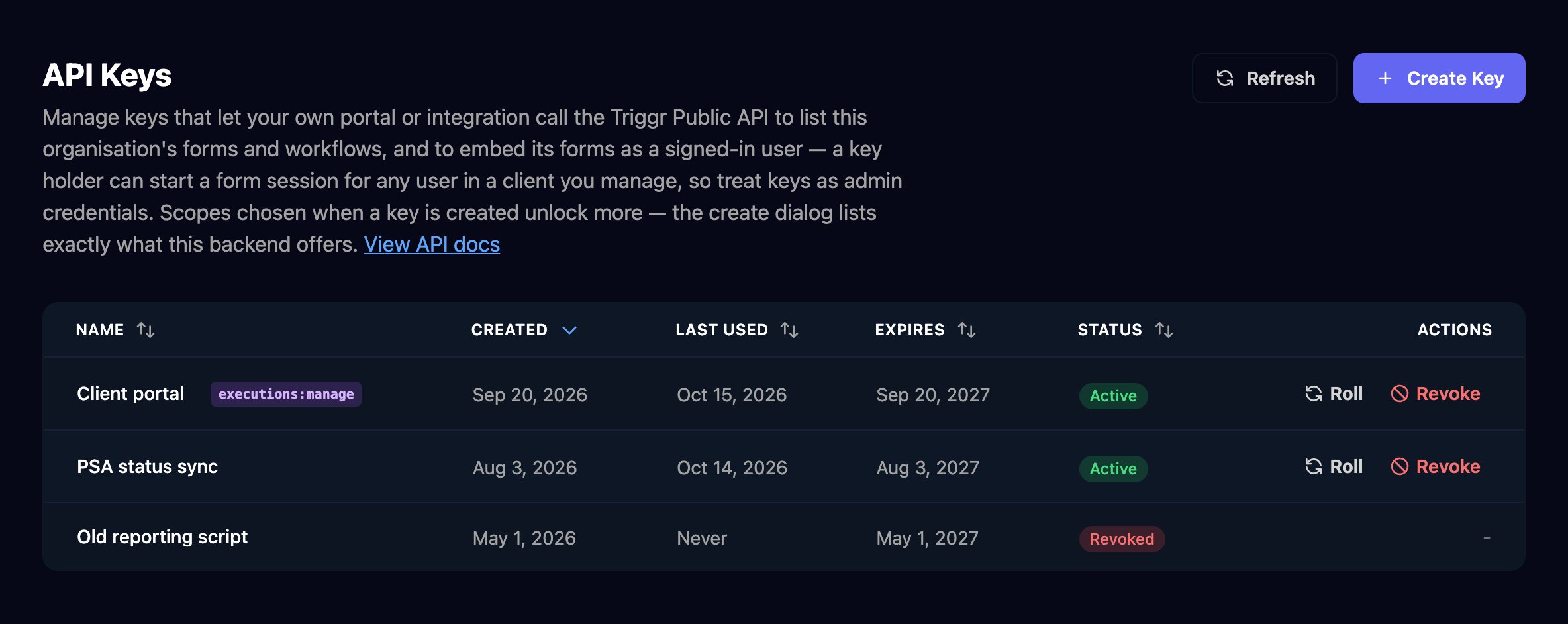
2
Name it and choose scopes
Enter a Key Name that says where it’s used. Every key can read your clients, forms, workflows and runs; tick a scope only if the key needs more, then click Create Key.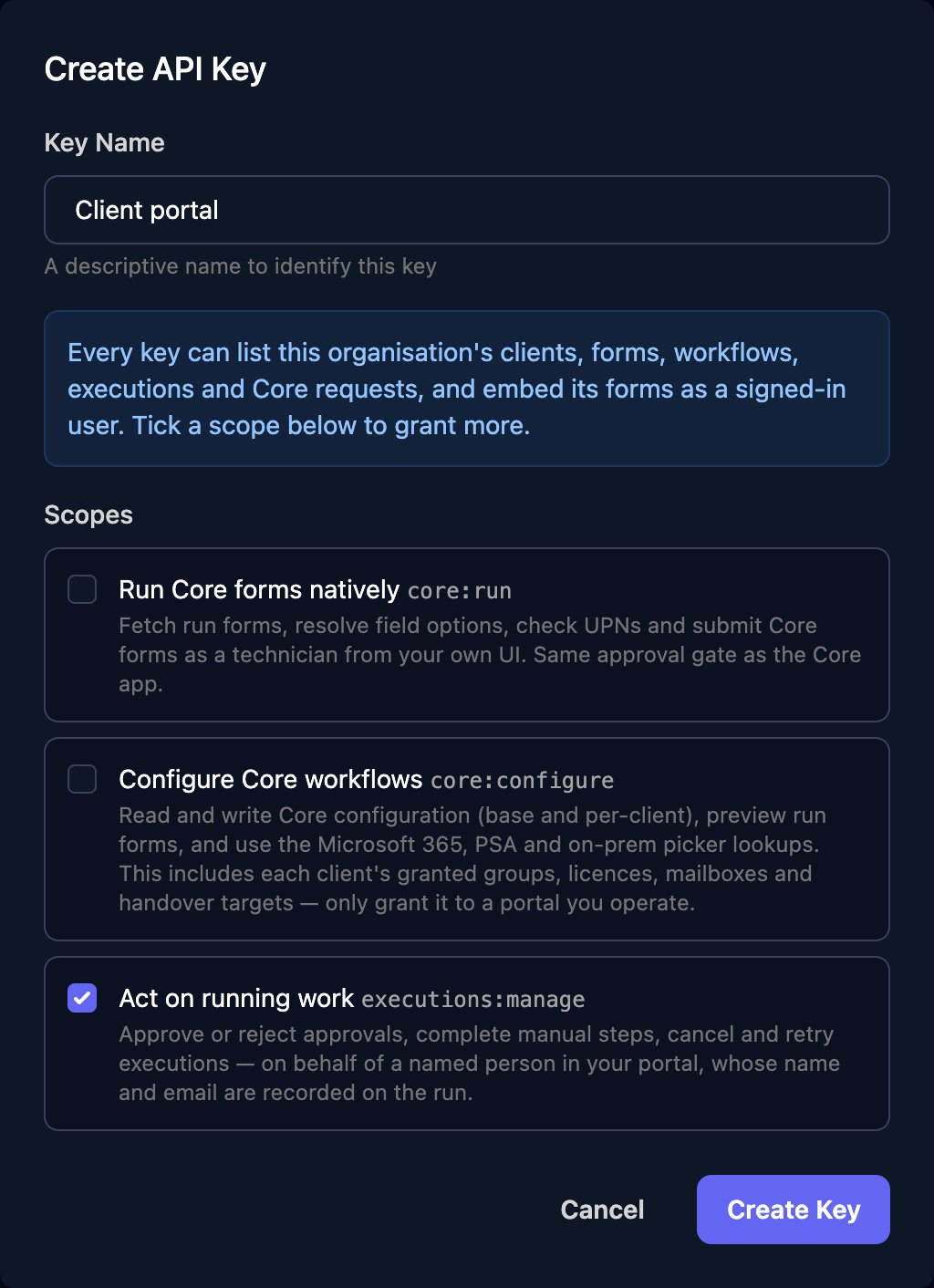
3
Copy the key
Click Copy next to Your API Key and store it in your portal or password manager. Studio shows it once, and it expires after a year.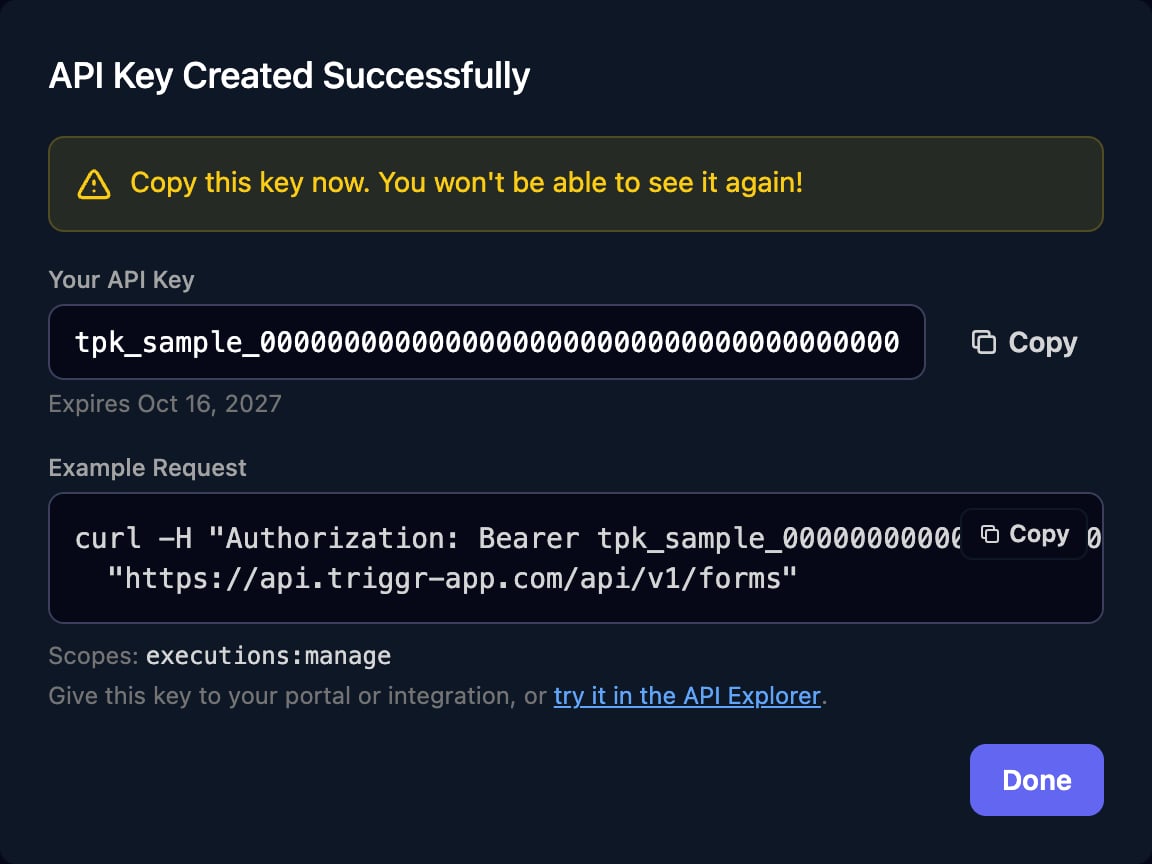
executions:manage) lets the key approve or reject approvals, complete manual steps, and cancel or retry runs. Roll issues a new key and keeps the old one working for the grace period you pick (1, 24 or 72 hours); Revoke stops it at once.
Explore the API
Tools > Developer API documents every endpoint with code samples, links to the OpenAPI (JSON) file, and ends with Try it, which sends real requests with a key you paste in.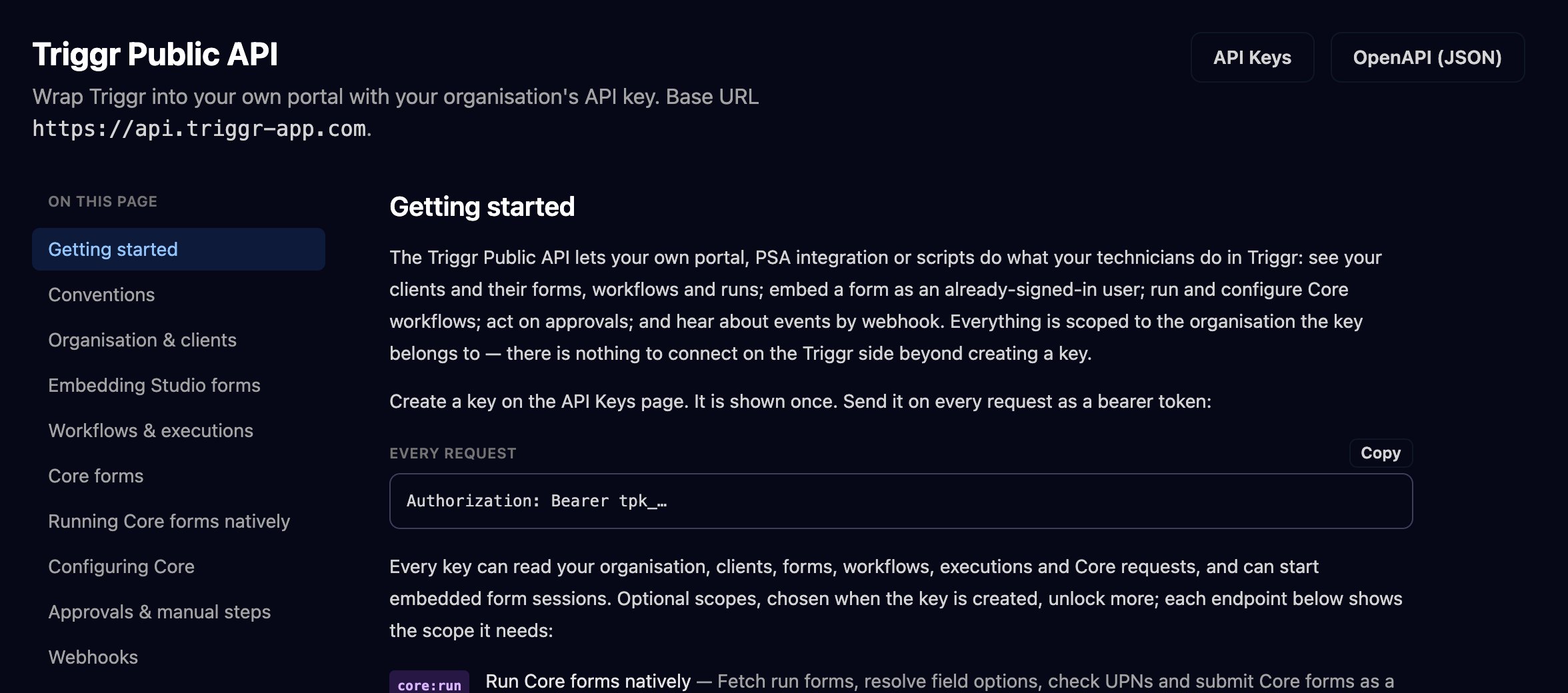
Add a webhook
For example, send every failed Studio run to your PSA so someone picks it up.1
Add the endpoint
Go to Settings > Webhooks and click Add Webhook. Enter an https Endpoint URL on a public host, tick the Events you want (or All events) and click Add Webhook.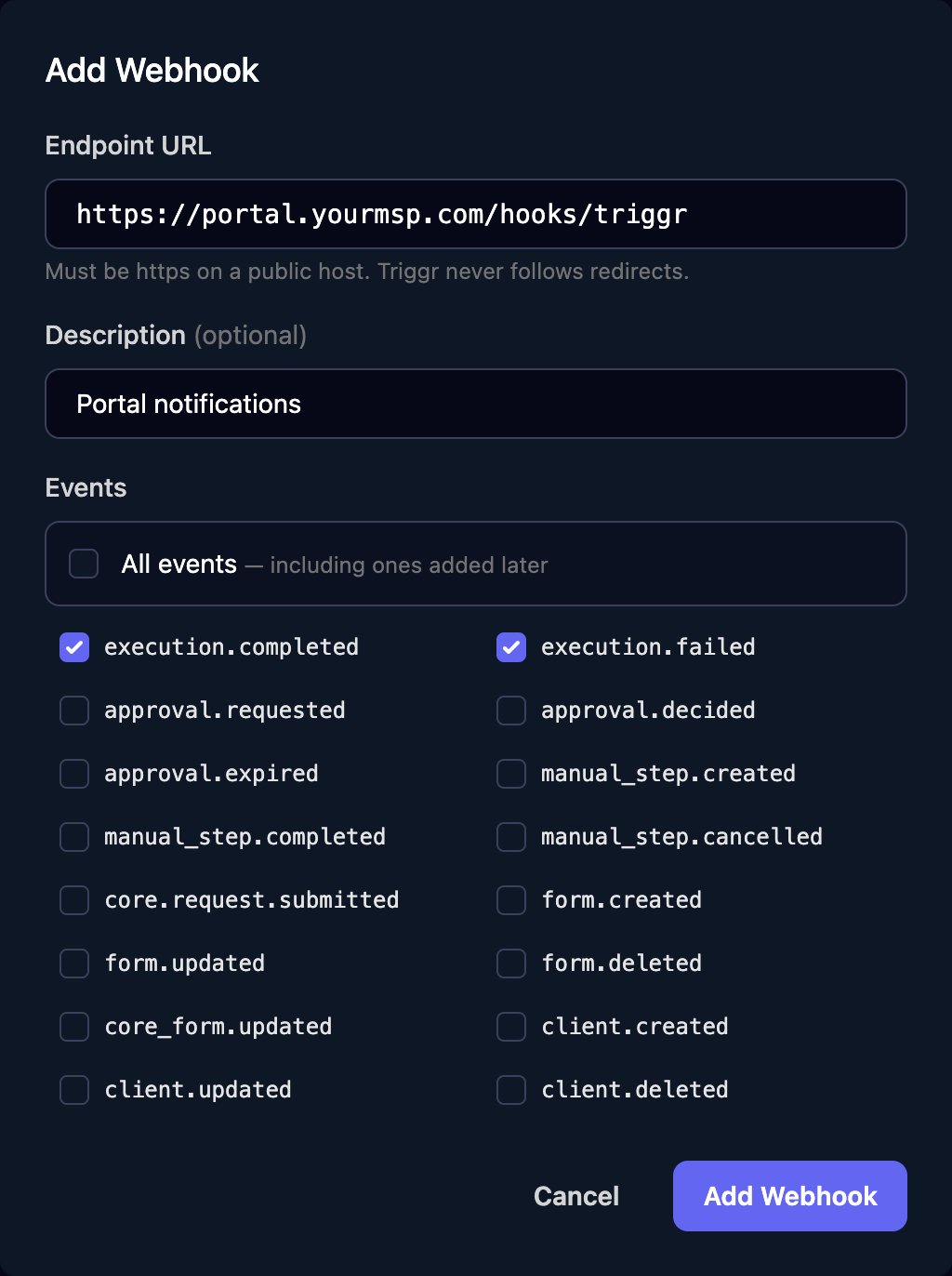
2
Copy the signing secret
Click Copy next to Signing secret and store it where your endpoint can read it. Studio shows it once.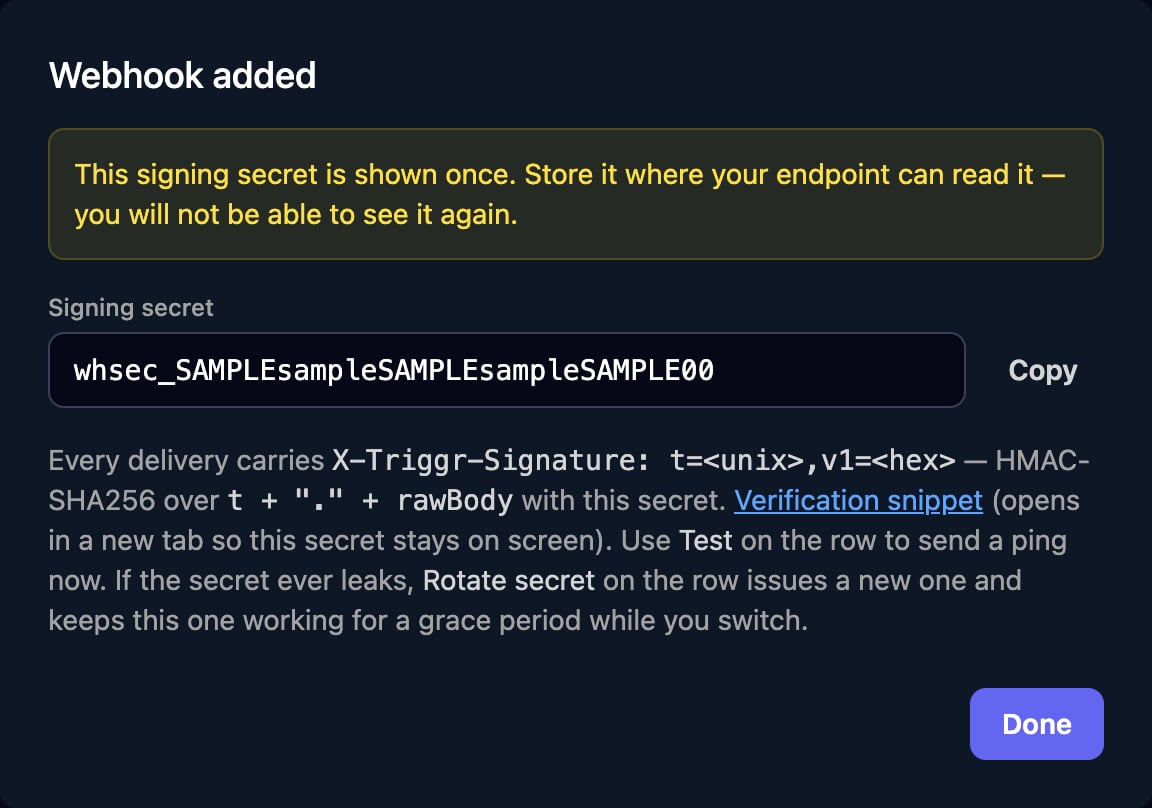
3
Send a test
Click Test on the webhook’s row; a toast reports your endpoint’s answer. Deliveries lists what was sent, with Redeliver on each.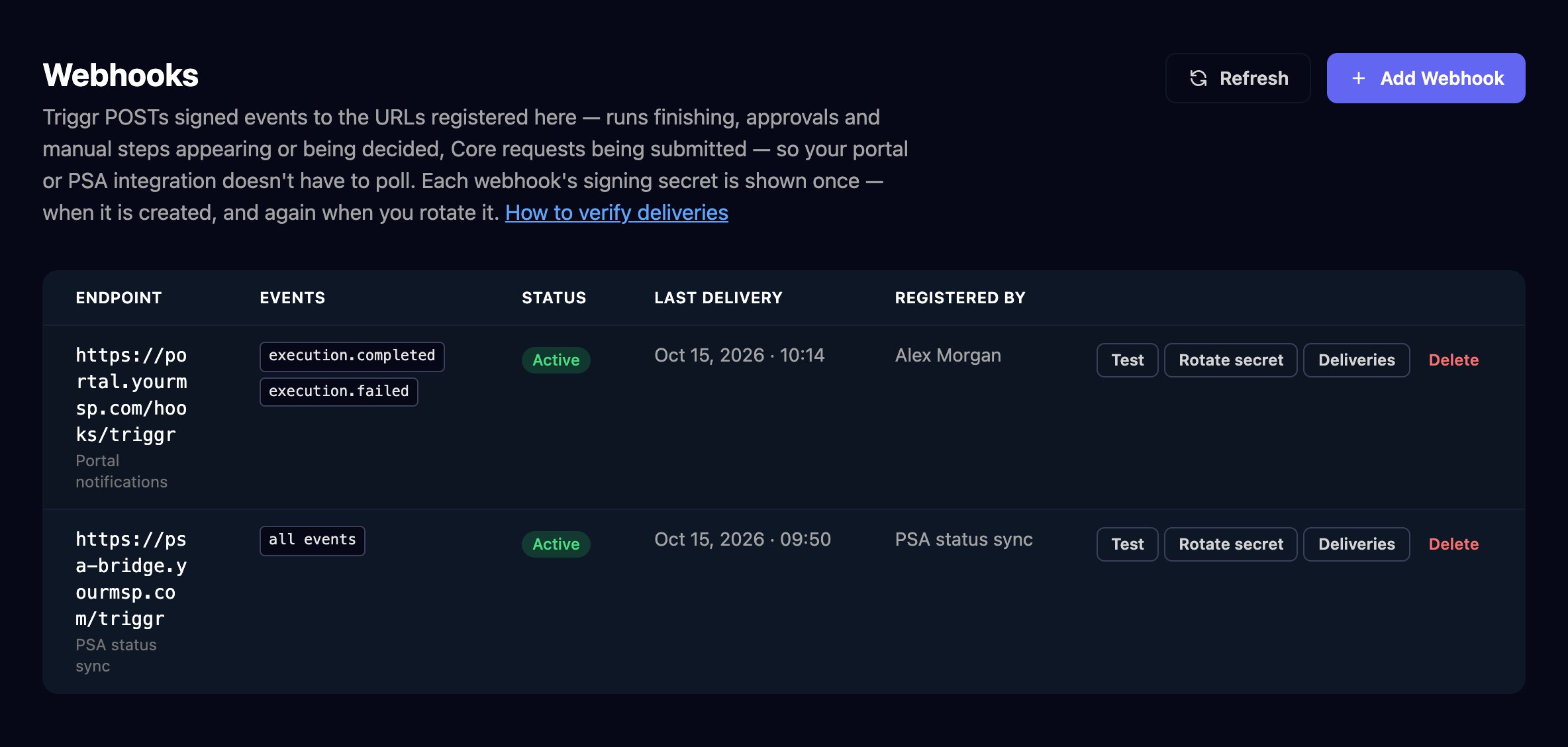
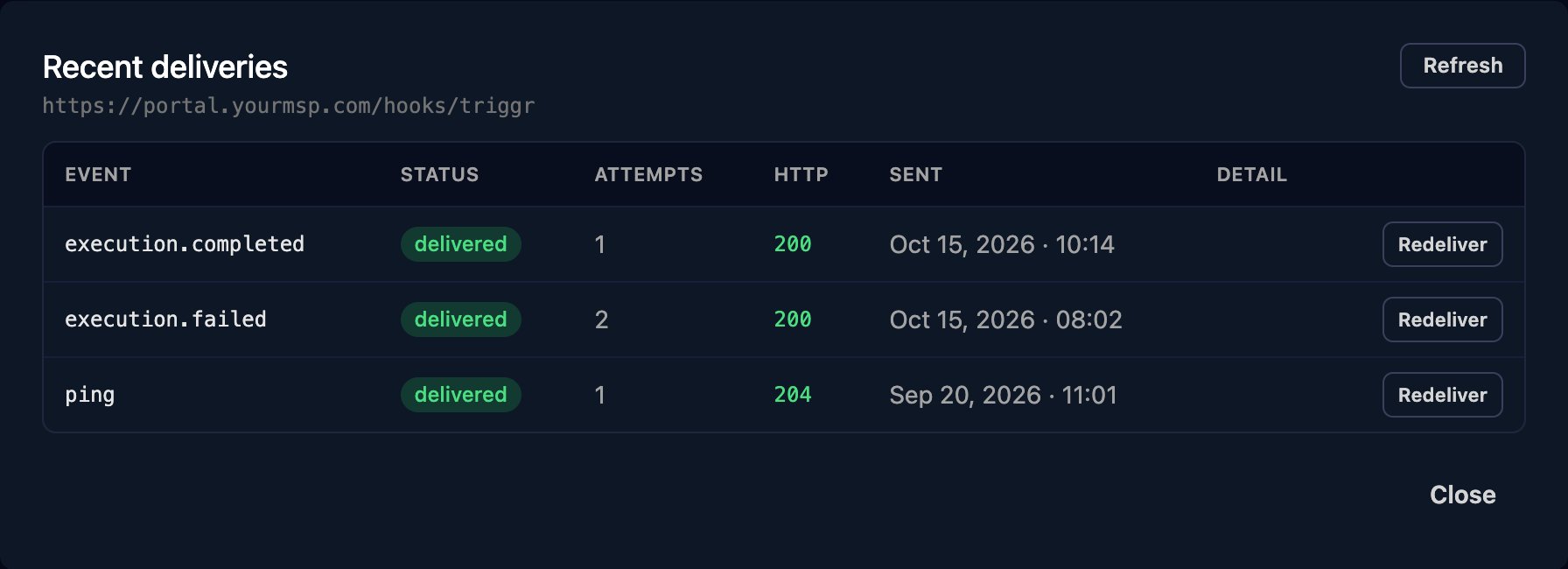
Check each delivery’s
X-Triggr-Signature as shown in Verify the signature.
Troubleshooting
“Only organisation admins can view or manage API keys.”
“Only organisation admins can view or manage API keys.”
Ask an organisation admin to create the key or webhook, or to change your role.
Webhooks is missing from Settings
Webhooks is missing from Settings
The page shows only for organisation admins.
Test says the ping wasn't delivered
Test says the ping wasn't delivered
The URL must be https on a public host and answer within 15 seconds without redirecting. Fix the endpoint, then click Test again.
A webhook shows Disabled
A webhook shows Disabled
It failed too many deliveries in a row. Fix the endpoint and click Enable on its row.
401 “invalid or expired key”
401 “invalid or expired key”
The key is mistyped, revoked or over a year old: create a new one.
missing authorization header means the request didn’t send Authorization: Bearer tpk_....