

Dynamic dropdowns: a dropdown filled by a workflow, one that reloads when another answer changes, and a client's Microsoft users (1:29).
Options sources
Microsoft and integration lists, and client-specific database or cache lists, need a form that knows the person’s client: Microsoft or Google sign-in, or Internal with Manually Set Client. With None or Password, those lists stay empty.
To hide some items, such as break-glass accounts, attach an exclusion list.
Fill a dropdown from a workflow
A Department dropdown filled by a workflow; a Code step stands in for a lookup in your PSA.1
Build the workflow
Create a workflow with a Trigger, a Code step and a Finish Workflow. It needs no trigger set up and can stay Inactive.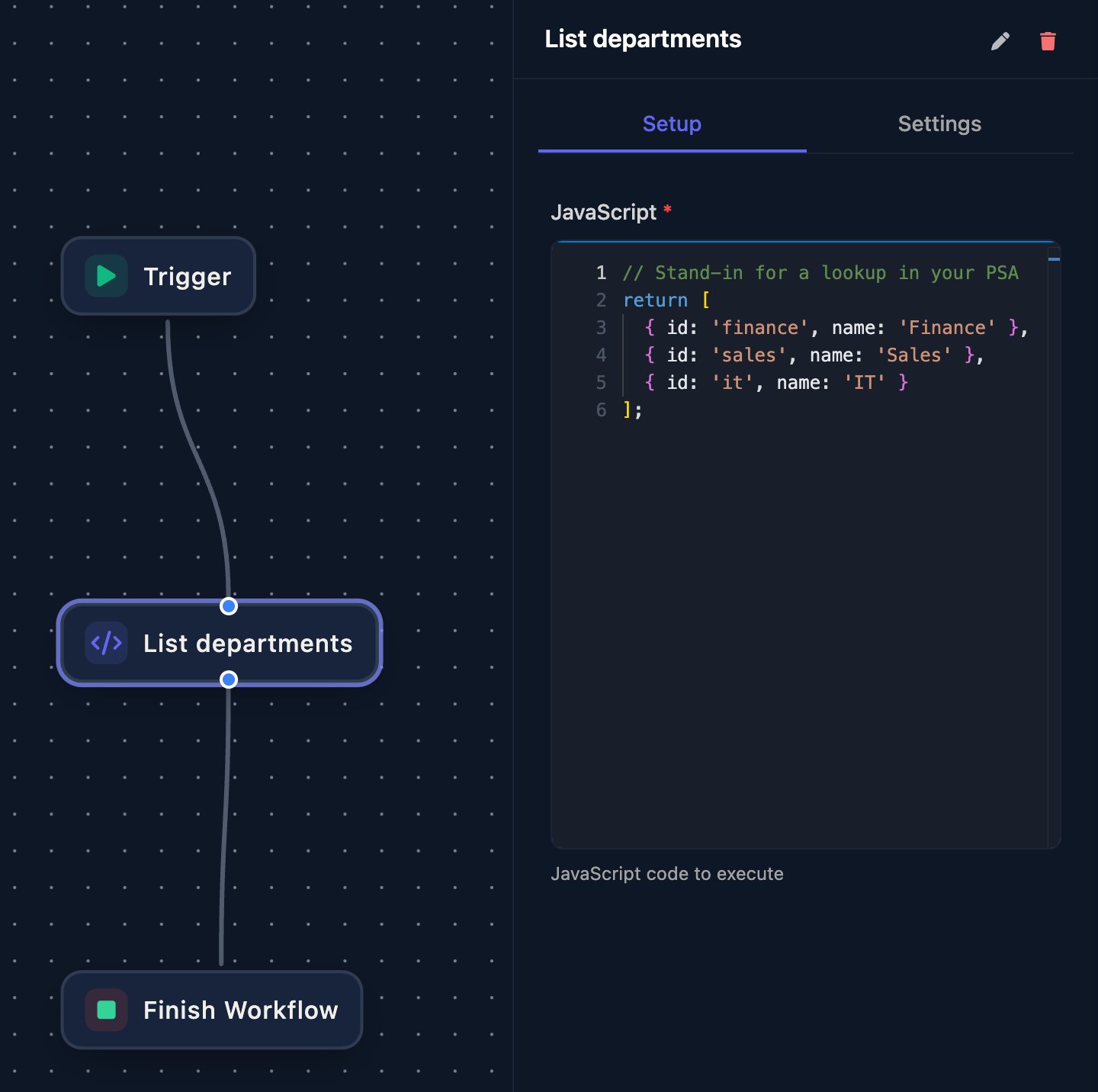
2
Publish the list
On the Code step’s Settings tab, enter 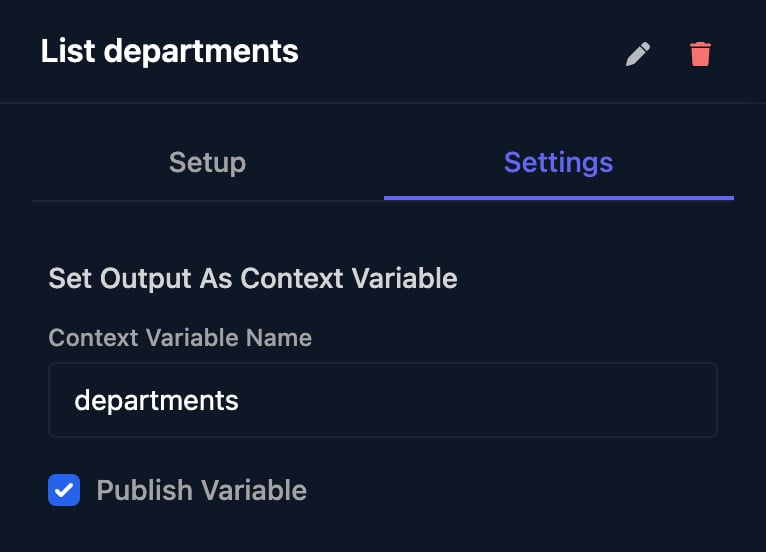
departments as the Context Variable Name, tick Publish Variable and save the workflow.3
Point the field at it
Click the Department field, set Options Source to Use workflow and choose the workflow. Enter 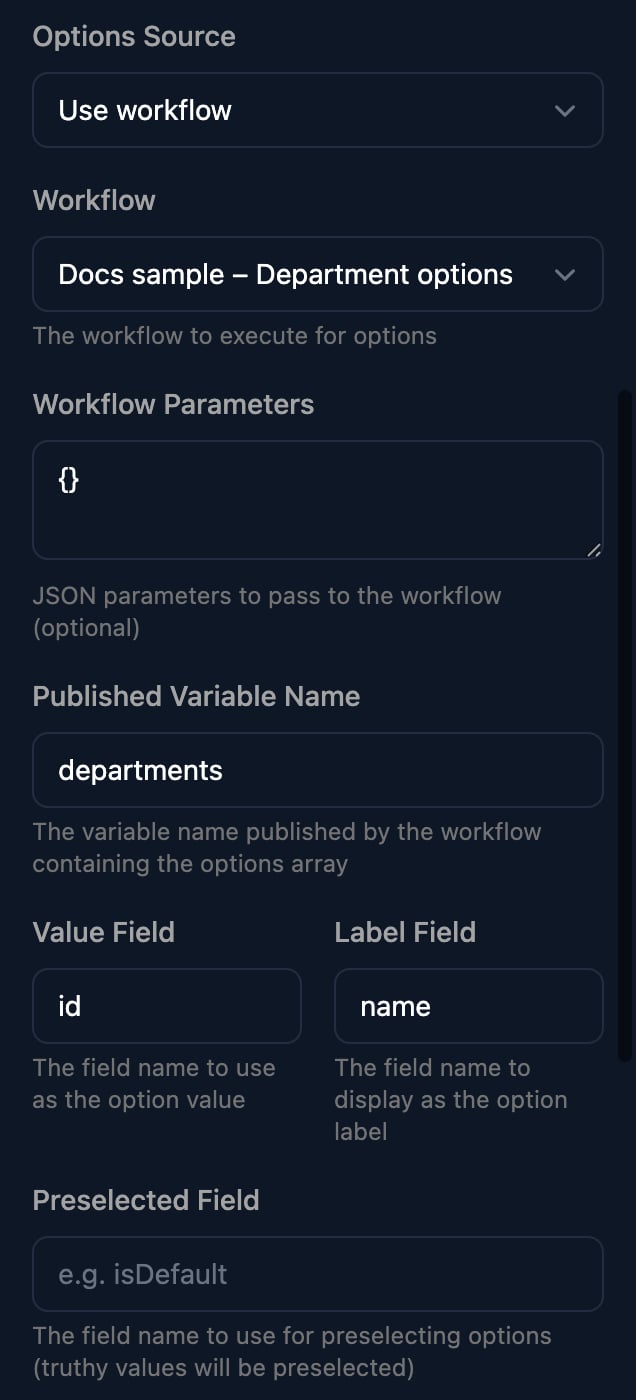
{} as Workflow Parameters (left blank, the list stays empty) and departments as Published Variable Name. Value Field and Label Field already hold id and name. Save the form.4
Try it
Click Preview and open the dropdown.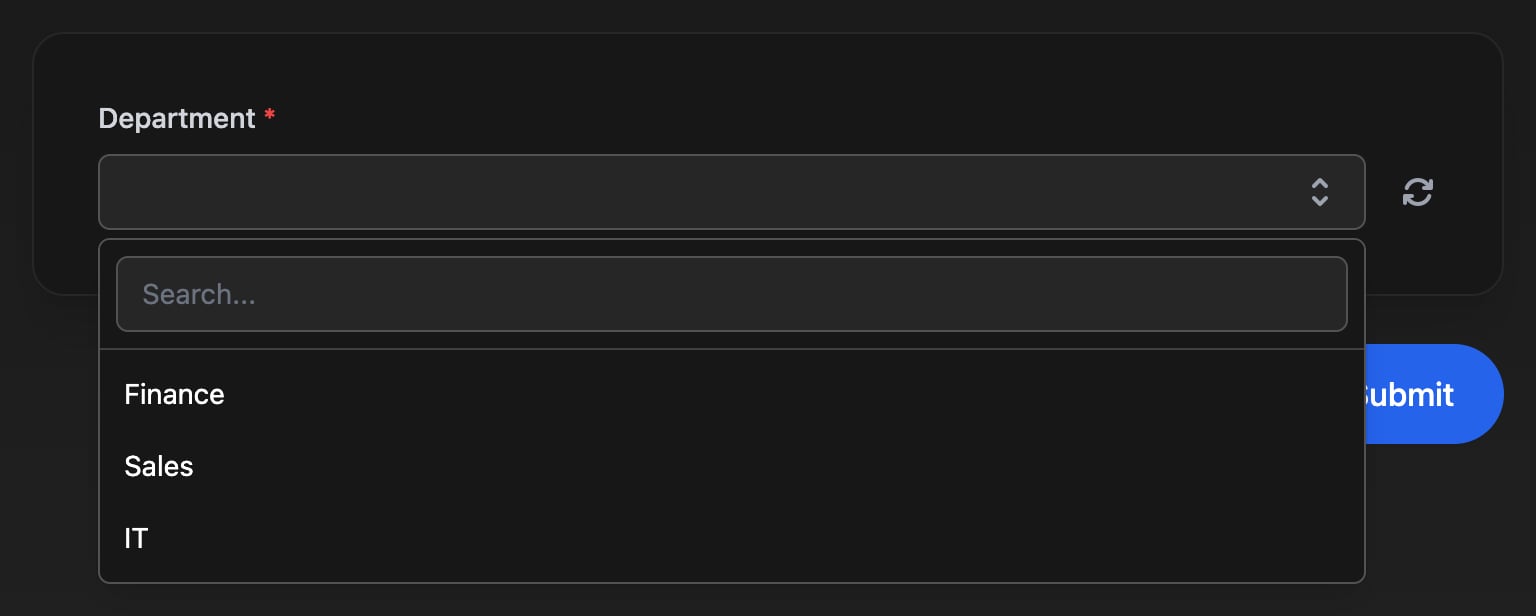
What the workflow receives
Nothing about the signed-in person is passed. Each load appears on the workflow’s Runs page; Initial Context shows what arrived:
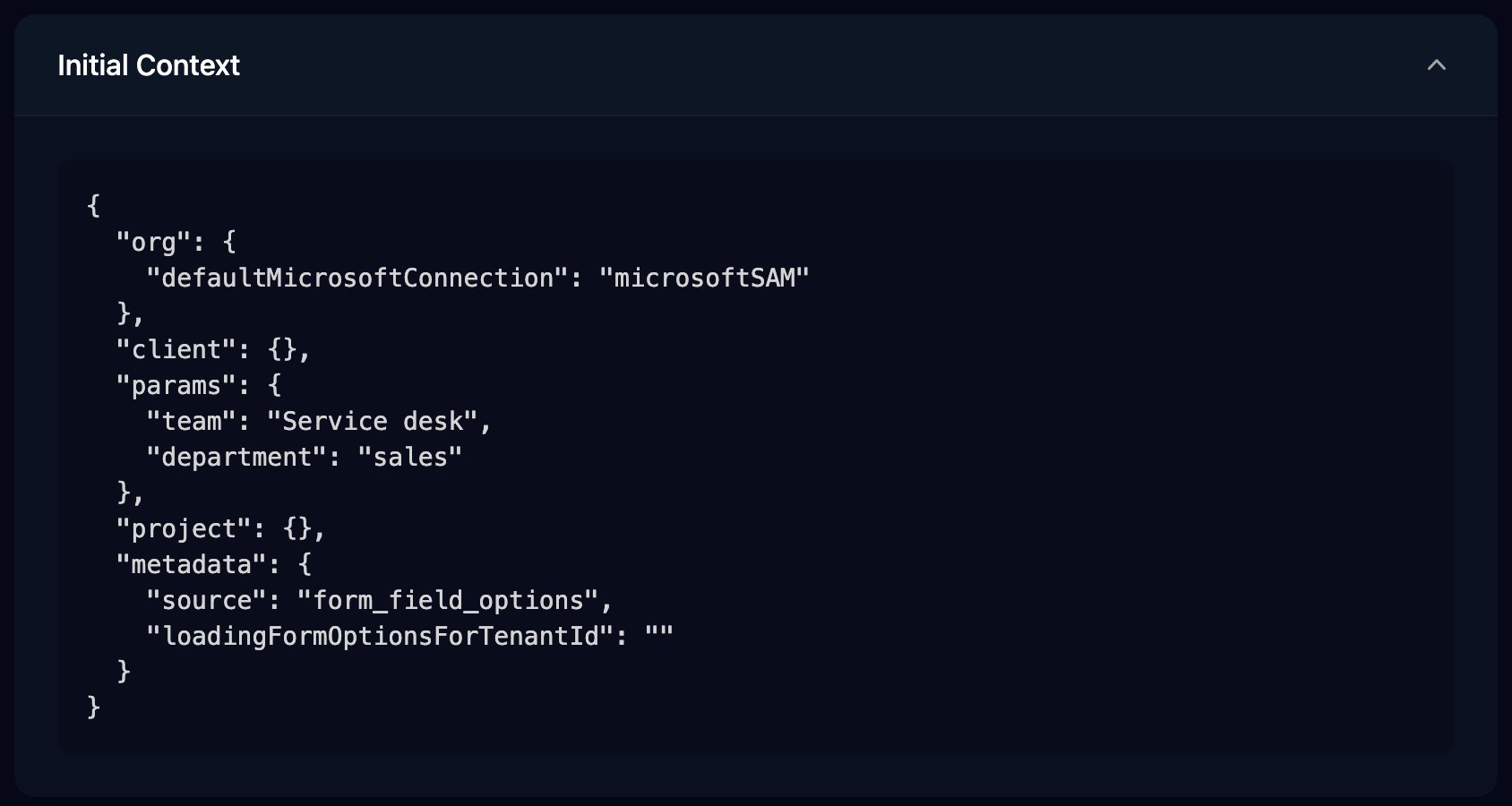
ctx.client is empty until a Set Client From Form step runs. After it, a Code step can return ctx.client.sites; to list a client variable sites holding [{"id": "ldn", "name": "London"}]. Without a client, the dropdown stays empty.
What it must return
- One published variable holding a list of objects, such as
[{ "id": "finance", "name": "Finance" }]. - Each item needs the Value Field and Label Field keys; items missing either are left out. Numbers and
true/falsebecome text. - Items whose Preselected Field key is true start selected: the first for a Select, all of them for a Multi Select.
- The run must reach Finish Workflow. Its Outcome isn’t used.
When it runs
The workflow runs, uncached, when the form opens, when the field appears after being hidden, when a watched field changes and when the person clicks the reload button. The field shows a spinner for up to 5 minutes, so keep the workflow to a few seconds; for slow lookups, fill a cache on a schedule and use Use cache instead.Reload options when another answer changes
A Team dropdown listing the teams in the chosen Department. Watch Fields reload a field’s options whenever another field changes.1
Build a workflow that reads the answer
As above, publish
teams from a Code step that reads ctx.params.department. Marking the first team isDefault selects it.2
Watch Department
Click the Team field and set Use workflow as before, with Preselected Field 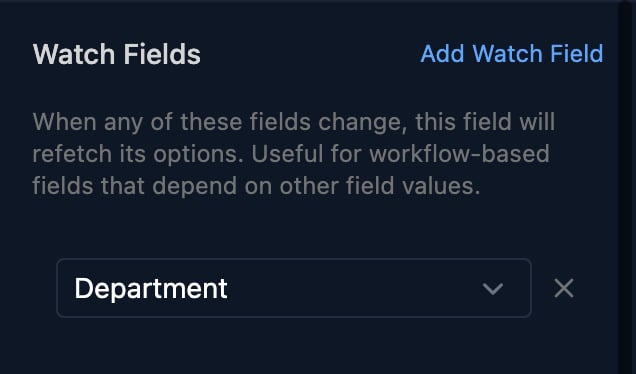
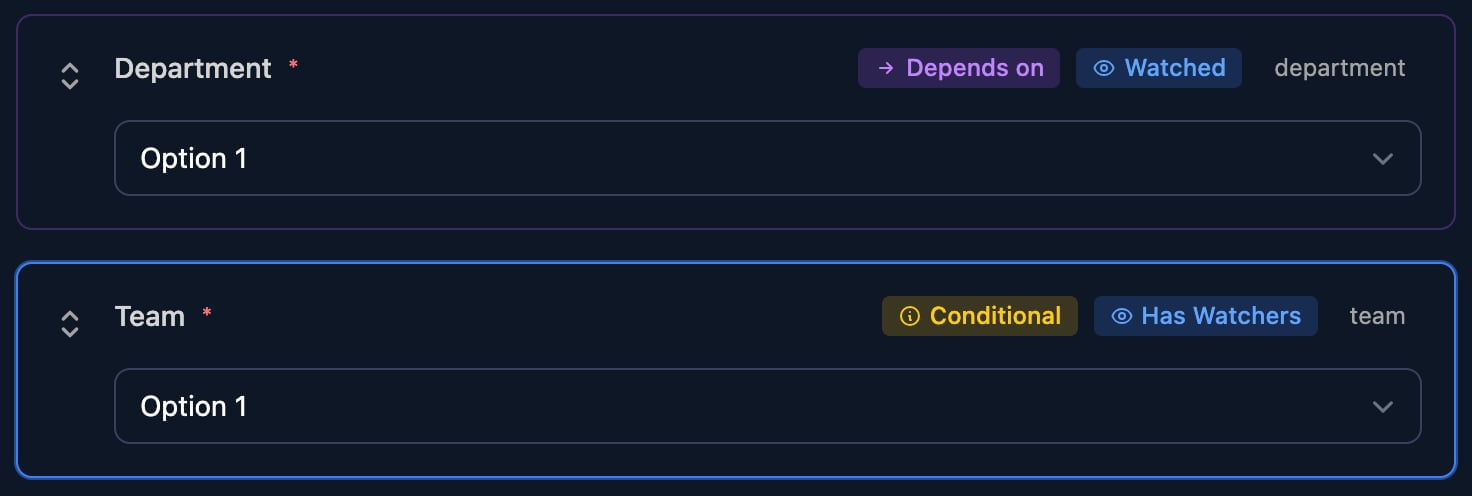
isDefault. Under Watch Fields, click Add Watch Field and choose Department.3
Try it
In Preview, choose Sales. Team lists the Sales teams with the first one chosen.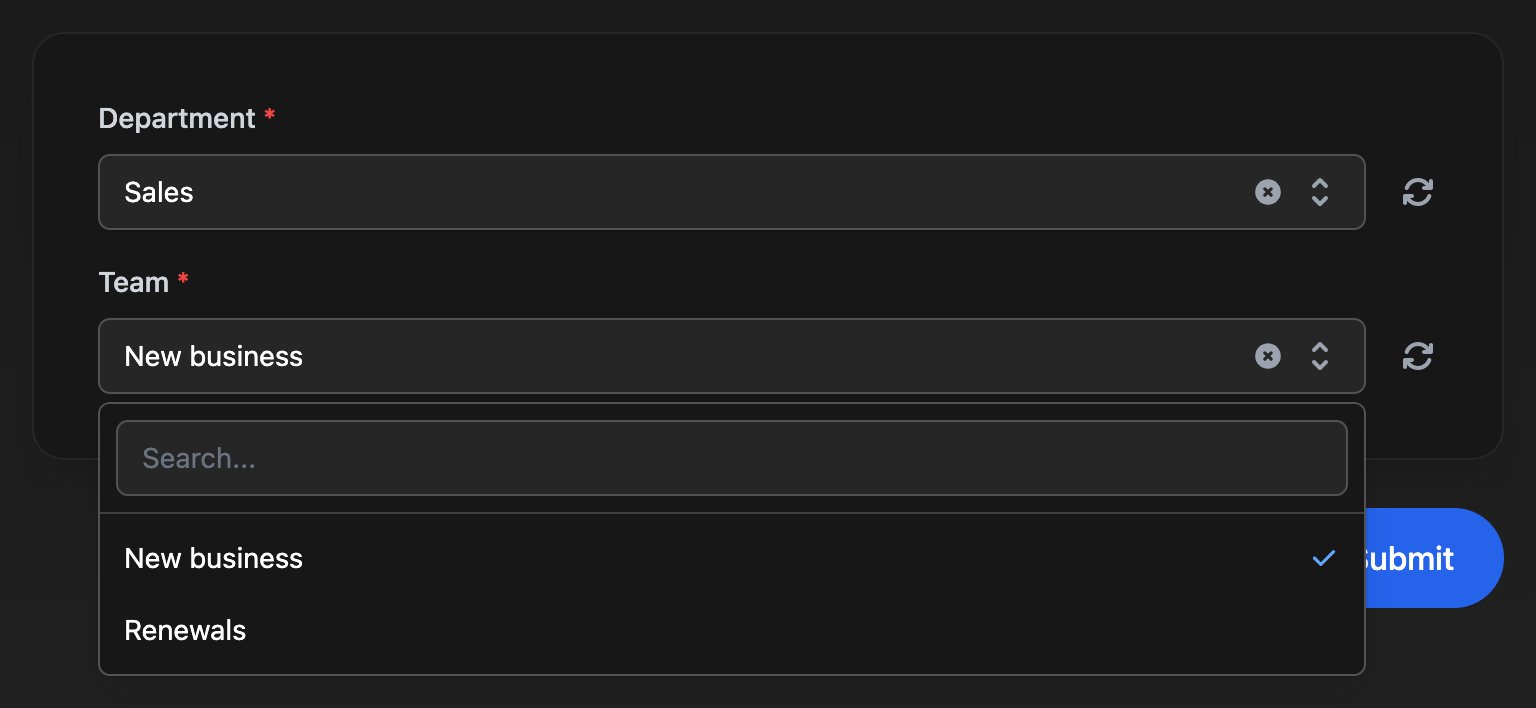
- The field reloads half a second after the watched field’s last change, and only while it’s visible.
- Only Use workflow reads the other answers. Other sources reload with the same list.
- A reload keeps the current answer, even one no longer listed, unless the workflow preselects an option.
- Team here also has a condition to show only when Department Is Not Empty.
Other sources
Microsoft
Choose the Data to list. Users can leave out disabled, unlicensed or guest accounts; Groups can be narrowed by type; Domains can leave out onmicrosoft.com domains.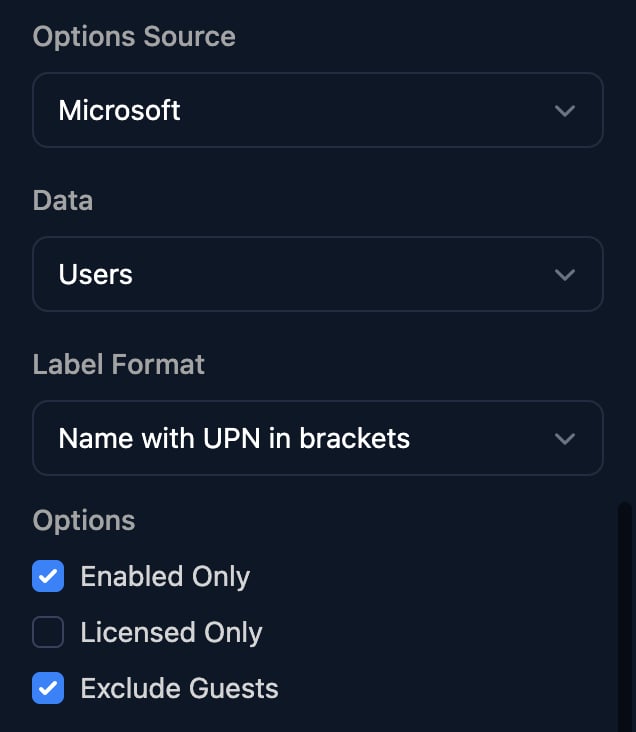
defaultMicrosoftConnection: microsoftGDAP, microsoftSAM or CIPP. Set it before you use a Microsoft list; without it the list stays empty. On Google-authenticated forms, Groups lists nothing.
To try a Microsoft list in Preview, use an Internal form with Manually Set Client: Preview asks for the client first.
Integration
Choose an integration’s list, such as HaloPSA’s Get Ticket Types or CIPP’s List Users, and fill in any Action Variables. The integration sets each option’s label and value. Results are reused for a minute; the reload button fetches a fresh list.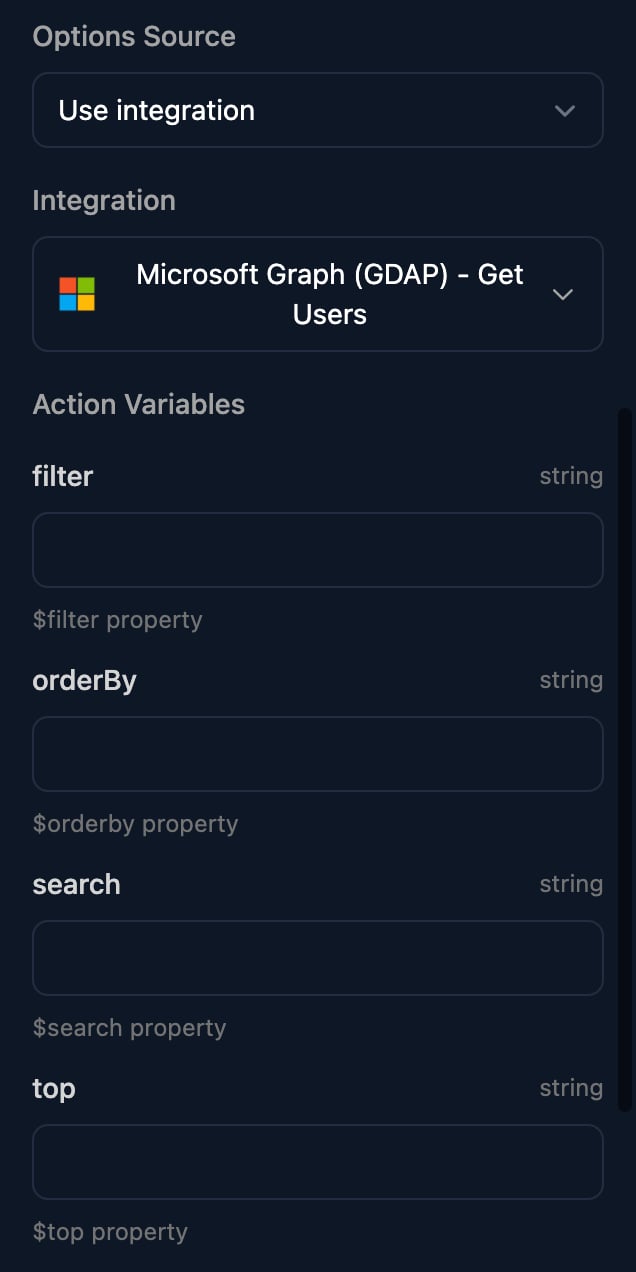
Form params and default values
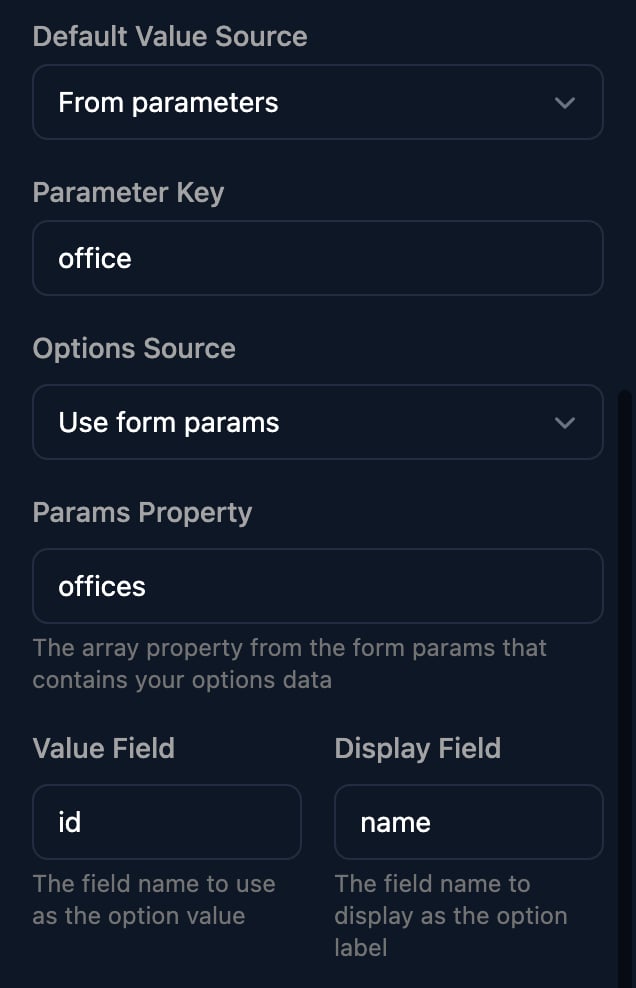
A form link can carry URL-encoded JSON in?params=, such as ?params={"offices":[{"id":"ldn","name":"London"}],"office":"ldn"}. Use form params lists the offices items; Default Value Source From parameters picks the answer from the office key.
Troubleshooting
My workflow dropdown says “No options found”
My workflow dropdown says “No options found”
Check Workflow Parameters holds
{}, the Published Variable Name matches the Context Variable Name exactly, Publish Variable is ticked, and every item has the Value Field and Label Field keys. Then open the latest run on the workflow’s Runs page.Microsoft or integration options are empty
Microsoft or integration options are empty
For Microsoft lists, check that the org variable
defaultMicrosoftConnection is set. Otherwise the form has no client: use Microsoft or Google authentication and test as a client user with Share Form > Impersonate, or Internal with Manually Set Client and pick the client in Preview.The second dropdown doesn't change when I change the first
The second dropdown doesn't change when I change the first
Add the first field under the second’s Watch Fields, use Use workflow, and read the answer from
ctx.params.<Field ID>. To replace a stale answer on each reload, set Preselected Field as in the Team example.“Error saving form - builder validation failed: field team watchFields[1] is empty”
“Error saving form - builder validation failed: field team watchFields[1] is empty”
A watch field was added without choosing a field. Choose one or remove it, then save.
Can I fill a dropdown from a client variable?
Can I fill a dropdown from a client variable?
Yes, through an option workflow: Set Client From Form, then return the variable’s list, as shown above.