

Media: finding a form upload, uploading, renaming and deleting a file, and keeping a workflow's file in the library (1:16).
Upload and find files
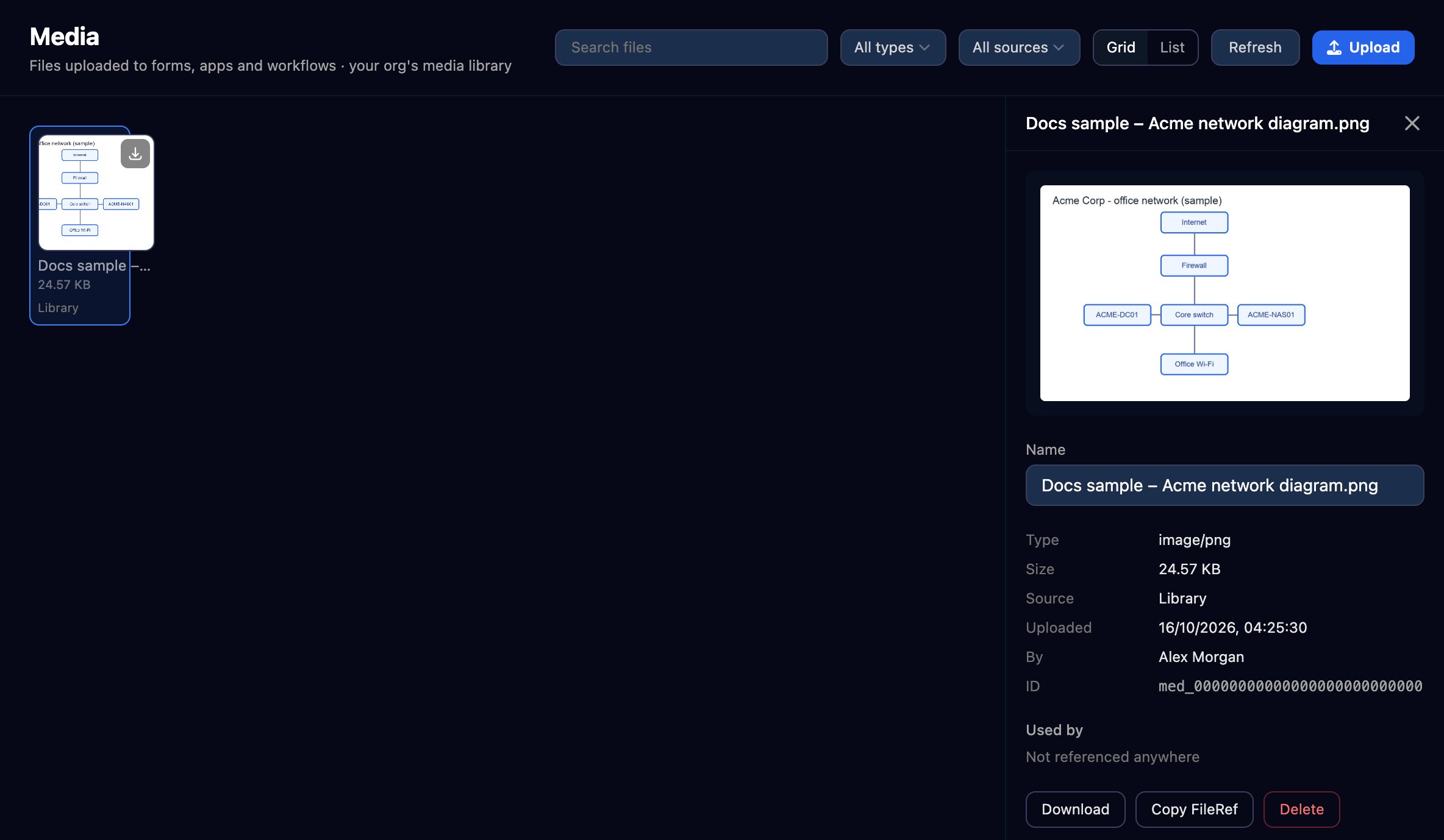
- Click Upload, or drop files anywhere on the page: up to 25 MB each, 5 GB for your organisation.
- Filter by type or source, or search by name.
- Click a file to preview, rename, download or delete it; Used by shows what refers to it.
Where files come from
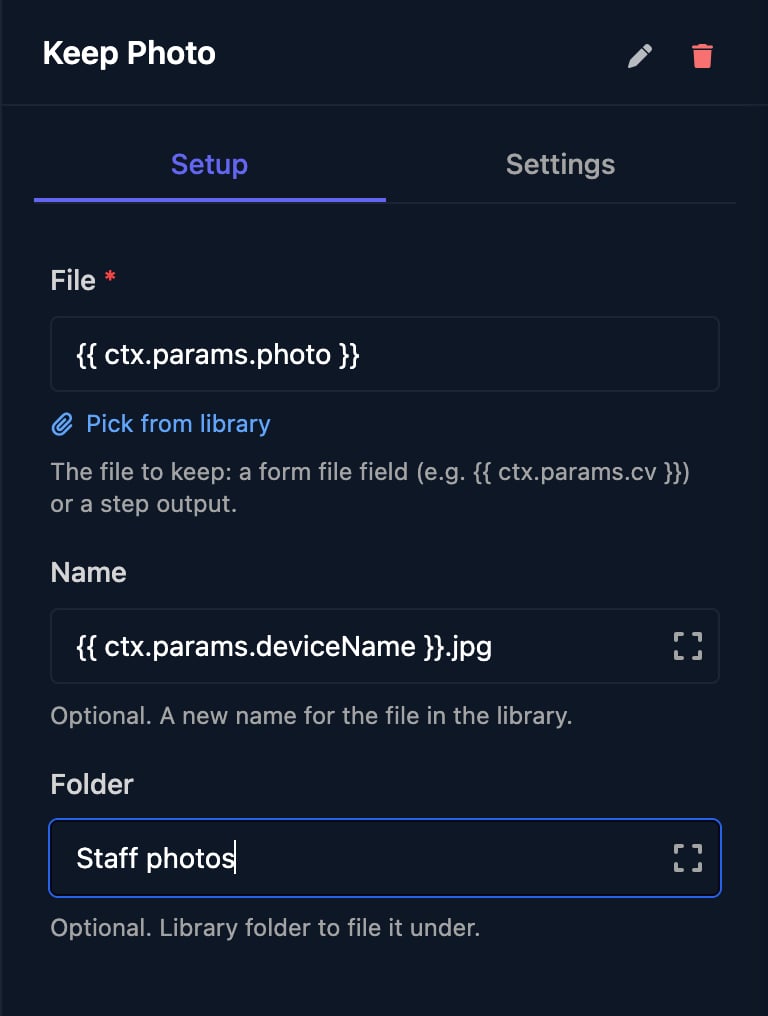
To keep a form upload or created file, add Save to Media Library from Utilities and set File to the form field, such as
{{ ctx.params.photo }}, with an optional new name and folder.
Who can open files
Files are private: Download gives a link that works for 5 minutes, with no permanent public link. To send a file outside Studio, attach it to a Send Email step: up to 10 files, 22 MB in total from Triggr’s default address or 25 MB with a sending profile.FAQ
I deleted a form. Where did its uploads go?
I deleted a form. Where did its uploads go?
Deleting a form deletes its uploads. Keep the ones you need with a Save to Media Library step in the form’s workflow.
Can I create folders?
Can I create folders?
Not on this page. The Save to Media Library and Create File steps take a folder, such as
Staff photos, which the file keeps.Deleting a file warns it's “used in” other places
Deleting a file warns it's “used in” other places
A form submission or workflow still refers to it; that reference stops working once you delete it.
Troubleshooting
“this file type isn't allowed”
“this file type isn't allowed”
The file isn’t one of the types above. Zip it, or convert it to PDF.
“too large (max …)” or “the file is too large (maximum 25 MB)”
“too large (max …)” or “the file is too large (maximum 25 MB)”
Compress or split the file.
“the file's extension does not match its contents”
“the file's extension does not match its contents”
The file was renamed, such as a
.png saved as .jpg. Save it with its real extension.“your organisation has reached its file storage limit”
“your organisation has reached its file storage limit”
Your organisation has used its 5 GB. Delete files you no longer need.