

Set up Datto RMM
1
Turn on API access
Go to Setup > Global Settings > Access Control and turn on Enable API Access.
2
Choose a security level
Administrator lets every Triggr action work. To limit access, go to Setup > Security Levels, click Create Security Level and name it
Triggr API. Under Device visibility, enable Sites, click Add Site and Add all, then set the permissions you need, keeping Global > Dashboard at View or higher.3
Create a user for Triggr
Go to Setup > Users and click Create User. Use an email address such as
triggr@yourcompany.com as the Username and assign the security level as the Default Security Level. The user must set a password and two-factor authentication within seven days, or Datto RMM deactivates it.4
Generate API keys
Open the user and click Generate API Keys in the API section. Set API security level, and set API Components level at least as high as any component Triggr runs as a quick job. Click Copy All to copy the API URL, API key and API Secret Key, then save. Datto RMM shows the secret only once, and generating new keys invalidates the old ones.
Connect it in Triggr
1
Open the integration
Go to Integrations > Datto RMM and click Configure on the Base Configuration card.
2
Enter the keys and API URL
Enter the API key as ApiKey, the API Secret Key as ApiSecret, and the API URL as Hostname, such as 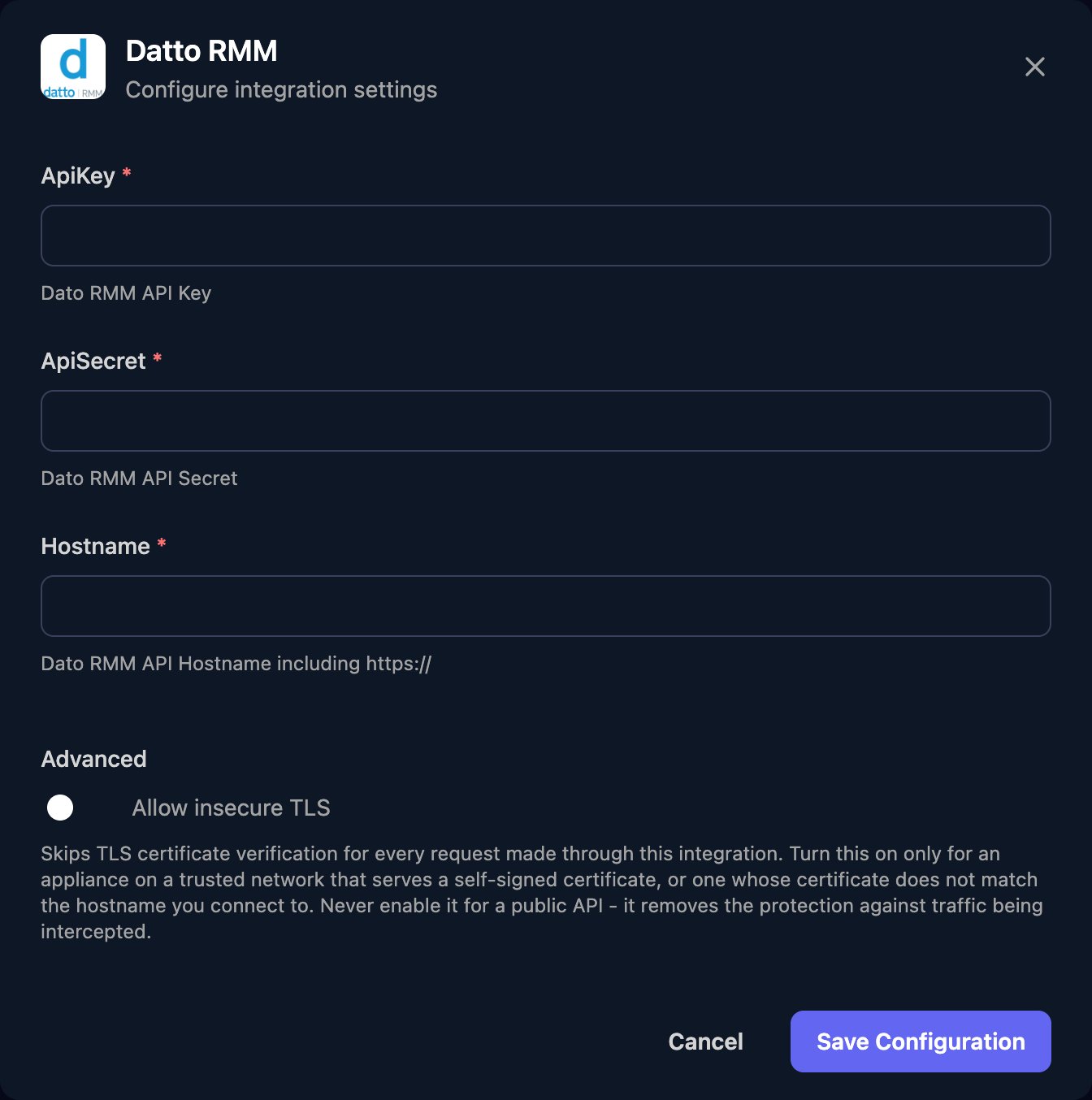
https://merlot-api.centrastage.net, with no trailing slash or /api. Click Save Configuration.Map your clients
On the Client Mapping card, click Apply 100% Matches, then choose the Datto RMM site in Mapped to for anyone left. Triggr saves each match as the client’sdattoSiteId and dattoSiteUid variables, comma-separated if a client maps to several sites. Most site actions take the UID, so use dattoSiteUid.
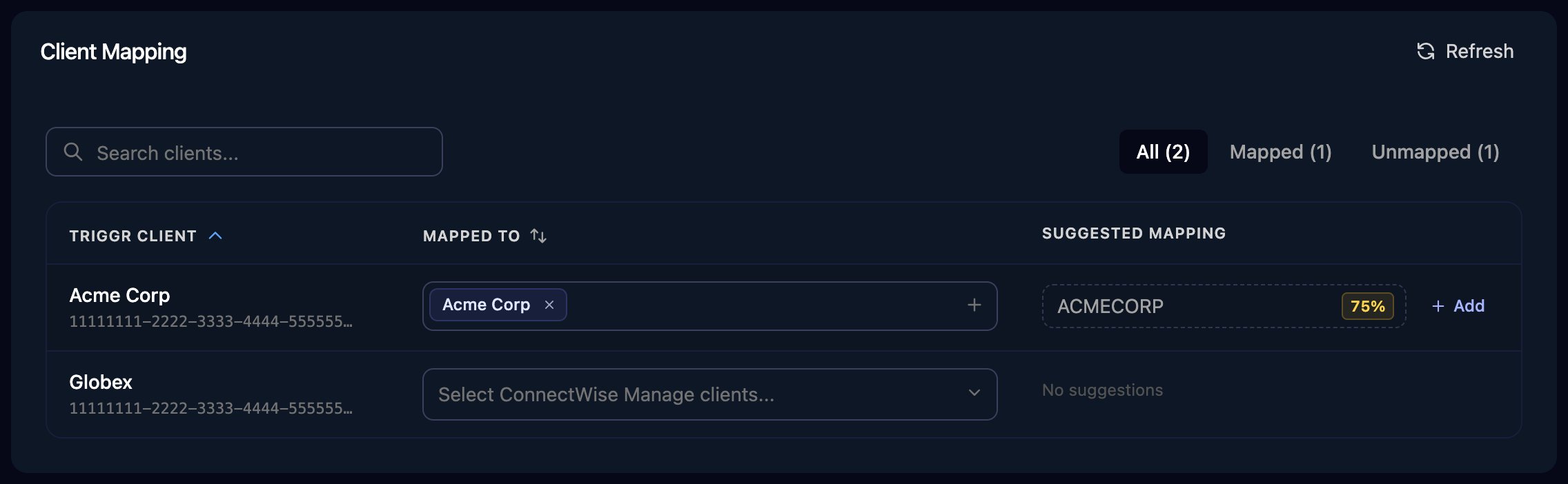
The Client Mapping card, shown here for ConnectWise Manage as an example.
Permissions
Administrator covers everything. For a dedicated security level, client mapping needs Setup > Global Settings and Sites > Sites at View, with every site you map under Device visibility. See Datto’s API permissions reference.Troubleshooting
Failed to load integration clients, or actions fail with 401
Failed to load integration clients, or actions fail with 401
Hostname must be the API URL (it contains
-api), not the web portal. Check the keys aren’t swapped or replaced, the Triggr user is still active and Enable API Access is on. Reset Authenticated User also replaces the user’s keys.Sites or devices are missing
Sites or devices are missing
Add them to the security level’s Device visibility, then click Refresh on Client Mapping.
An action is refused for lack of permission
An action is refused for lack of permission
Add the missing permission to the API security level.
Quick jobs fail for some components
Quick jobs fail for some components
Raise the Triggr user’s API Components level in Setup > Users.
Requests fail with 429, then 403
Requests fail with 429, then 403
Datto RMM allows 600 reads and 100 writes per 60 seconds across your account, then blocks the IP address. Wait five minutes, and spread large workflows out.