

Set up Datto SaaS Protection
SaaS Protection uses the same Partner Portal API key as Datto BCDR; if you already have one for Triggr, reuse it. Otherwise, you need the Admin or Security Admin role in the Partner Portal.1
Create an API key
Go to Admin > Integrations > API Keys and click Create API Key. Enter an API Key Name such as
Triggr, leave the vendor and client fields empty, and click Create. Datto allows two keys; you can reuse one with no vendor or client set.2
Copy the keys
In API Key Management, open the key’s three-dot menu, select View keys and copy the public and secret keys.
Connect it in Triggr
1
Open the integration
Go to Integrations > Datto SaaS Protection and click Configure on the Base Configuration card.
2
Enter the keys
Enter the PublicApiKey and SecretApiKey, then click Save Configuration.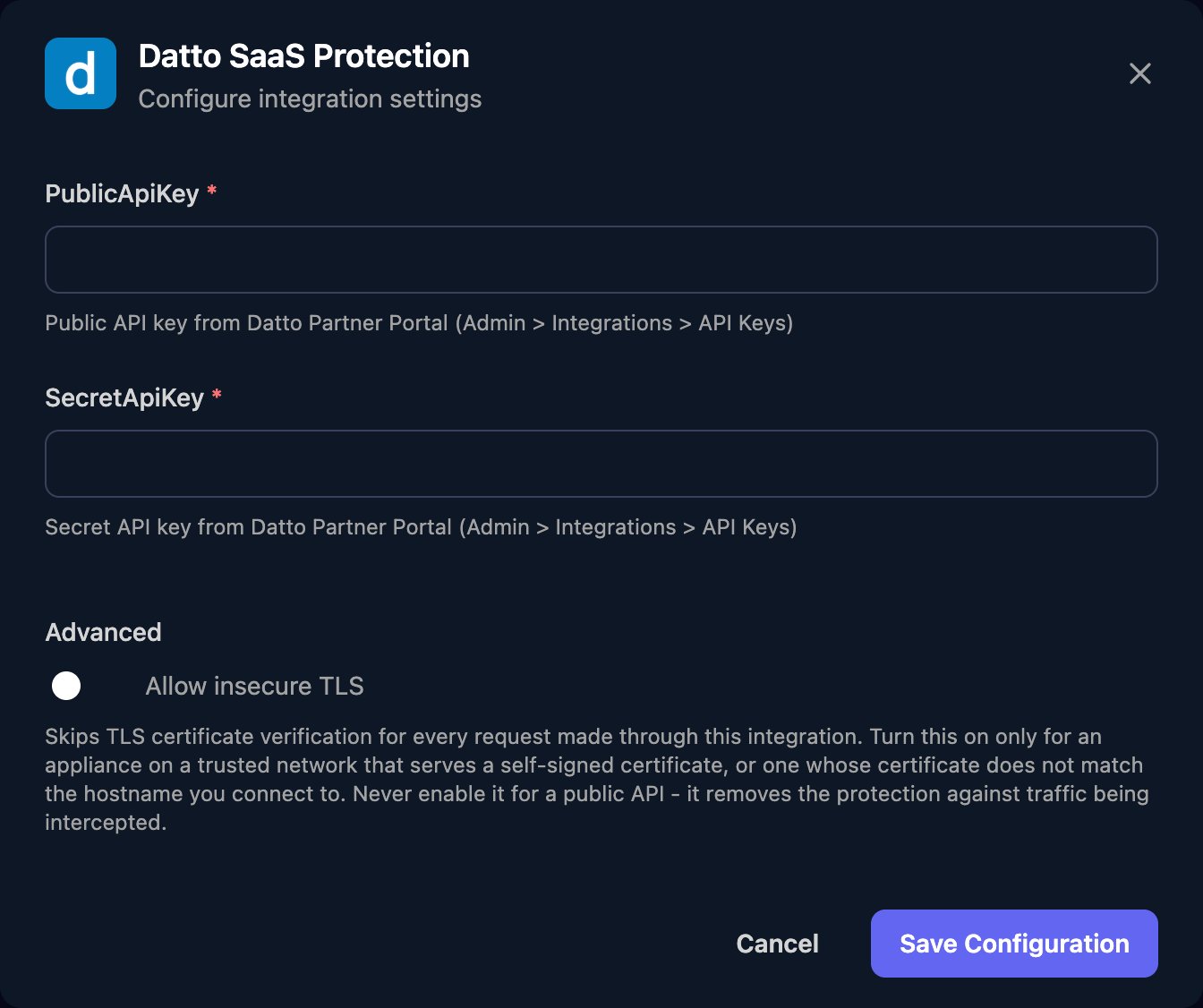
Map your clients
On the Client Mapping card, click Apply 100% Matches, then choose the SaaS Protection customer in Mapped to for anyone left. Only customers with at least one protected domain are listed.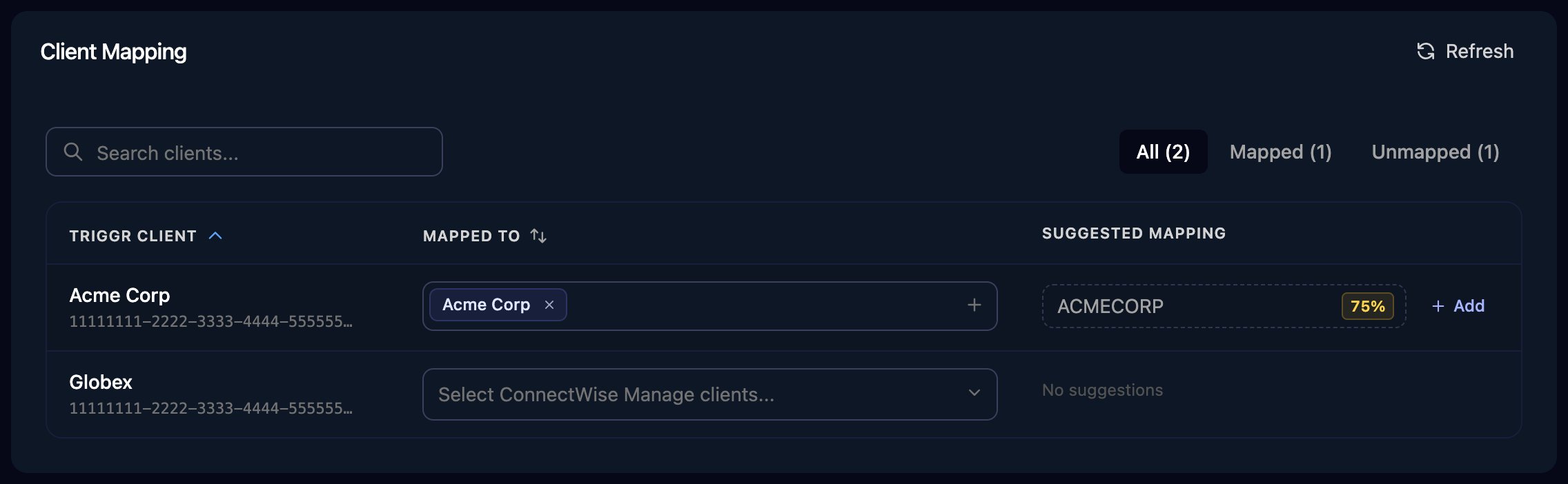
The Client Mapping card, shown here for ConnectWise Manage as an example.
dattoSaasProtectionId and externalSubscriptionId variables. Pass {{ ctx.client.dattoSaasProtectionId }} as saasCustomerId, and for Bulk Seat Change also pass {{ ctx.client.externalSubscriptionId }} as externalSubscriptionId.
Bulk Seat Change takes Datto’s JSON body in requestBody, with case-sensitive values:
seat_type is User, SharedMailbox, Site, TeamSite or Team for Microsoft 365, or User or SharedDrive for Google Workspace. action_type is License, Pause or Unlicense, and ids are remoteId values from Get Seats, up to 100 per request.
Troubleshooting
Every action fails with an authentication error
Every action fails with an authentication error
Check the keys aren’t swapped and were pasted in full, and the key hasn’t been deactivated or regenerated. A key with a vendor set won’t work; create one with the vendor field empty.
Customers are missing from Mapped to
Customers are missing from Mapped to
A key with a client set returns only that client’s data. A customer appears only once one of its domains is protected; then click Refresh.
Bulk Seat Change is rejected
Bulk Seat Change is rejected
Check the values and their capitalisation, and that the
ids and externalSubscriptionId belong to the same customer. For Google Workspace, Datto supports seat changes through the API only on Seat Management 2.0.You can't create another API key
You can't create another API key
Reuse an existing key with no vendor or client set, or delete one you no longer use. Deleting a key stops every tool that uses it, including Datto BCDR.