

Set up Proofpoint Essentials
1
Choose an admin account for Triggr
Use an Organization Admin for one organisation, or a partner admin (such as Channel Partner Admin) for every organisation under your partner account. End users can’t use the API. Proofpoint lets you mark one admin per organisation as a Service Account, which isn’t billed.
2
Note your Proofpoint address
It’s the one you sign in to, such as
https://us1.proofpointessentials.com or https://eu1.proofpointessentials.com.Connect it in Triggr
1
Open the configuration
Go to Integrations > Proofpoint Essentials and click Configure on the Base Configuration card.
2
Enter the address and account
Enter your Proofpoint address as Hostname, with 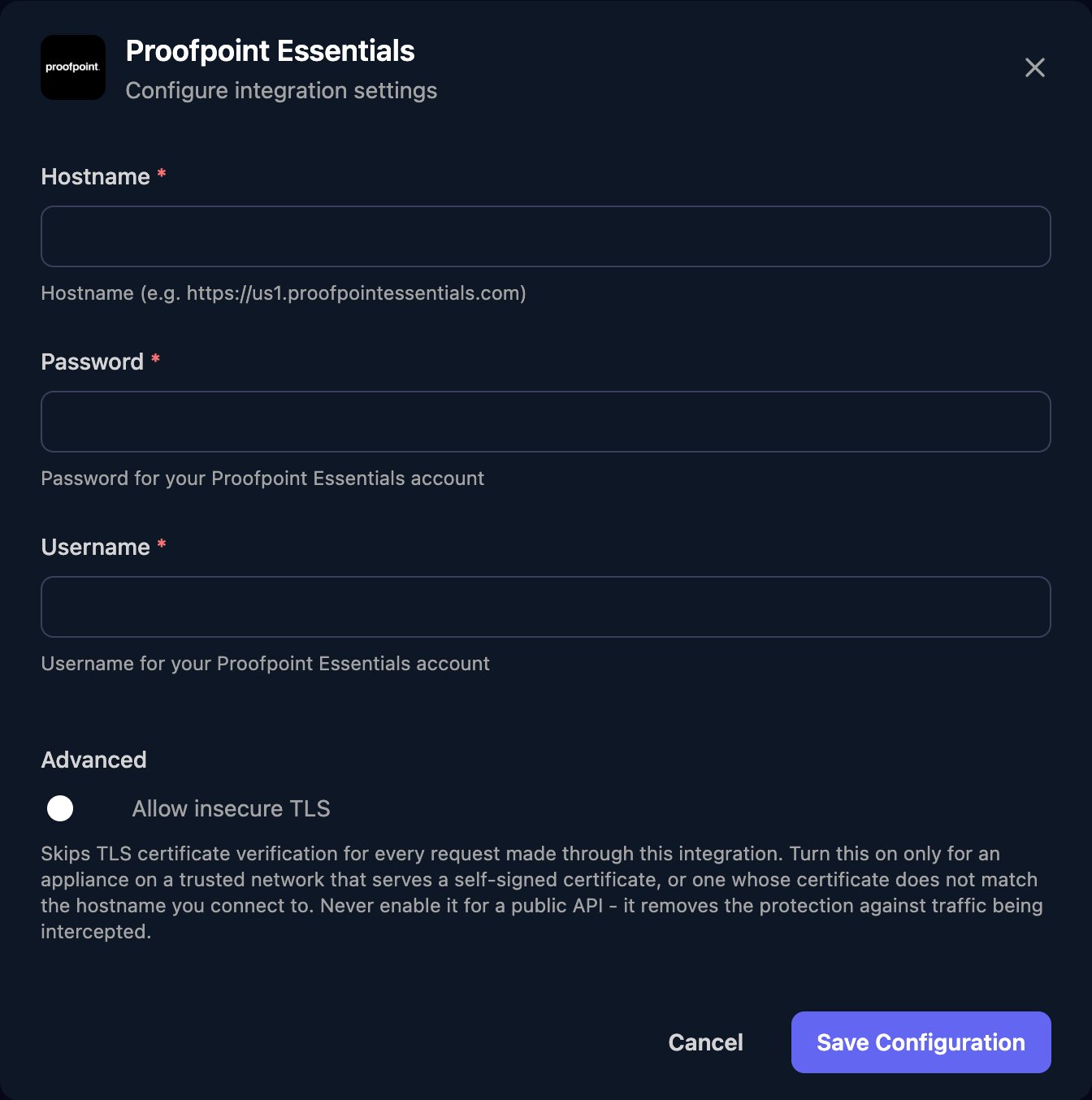
https:// and no path, the admin’s Password, and their email address as Username. Click Save Configuration.example.com. Get Endpoints returns the Proofpoint address that serves a domain.
Troubleshooting
integration request failed with status code: 401
integration request failed with status code: 401
Check Username is the admin’s full email address, Password is current, and the account is an admin rather than an end user.
integration request failed with status code: 403
integration request failed with status code: 403
The account can’t manage that organisation. Use an admin of the organisation, or a partner admin above it.
failed to execute HTTP request
failed to execute HTTP request
Hostname must start with
https:// and have no trailing / or path. Run Get Endpoints for the domain to check the address.