

Set up Jira
Use an Atlassian account with access to the projects your workflows use. Triggr can only do what that account can.1
Create an API token
Signed in as that account, go to id.atlassian.com/manage-profile/security/api-tokens and click Create API token (not one with scopes). Name it
Triggr, choose an expiry of up to 365 days and click Create.2
Copy the token
Click Copy to clipboard. Atlassian shows the token only once.
Connect it in Triggr
Jira is configured per client. A workflow that runs for a client never falls back to the Base Configuration, which only workflows that run without a client use.1
Open the integration
Go to Integrations > Jira and click Configure on the Base Configuration card.
2
Enter your site
Enter the token’s account email as AccountEmail, the ApiToken, and your site address as SiteURL, such as 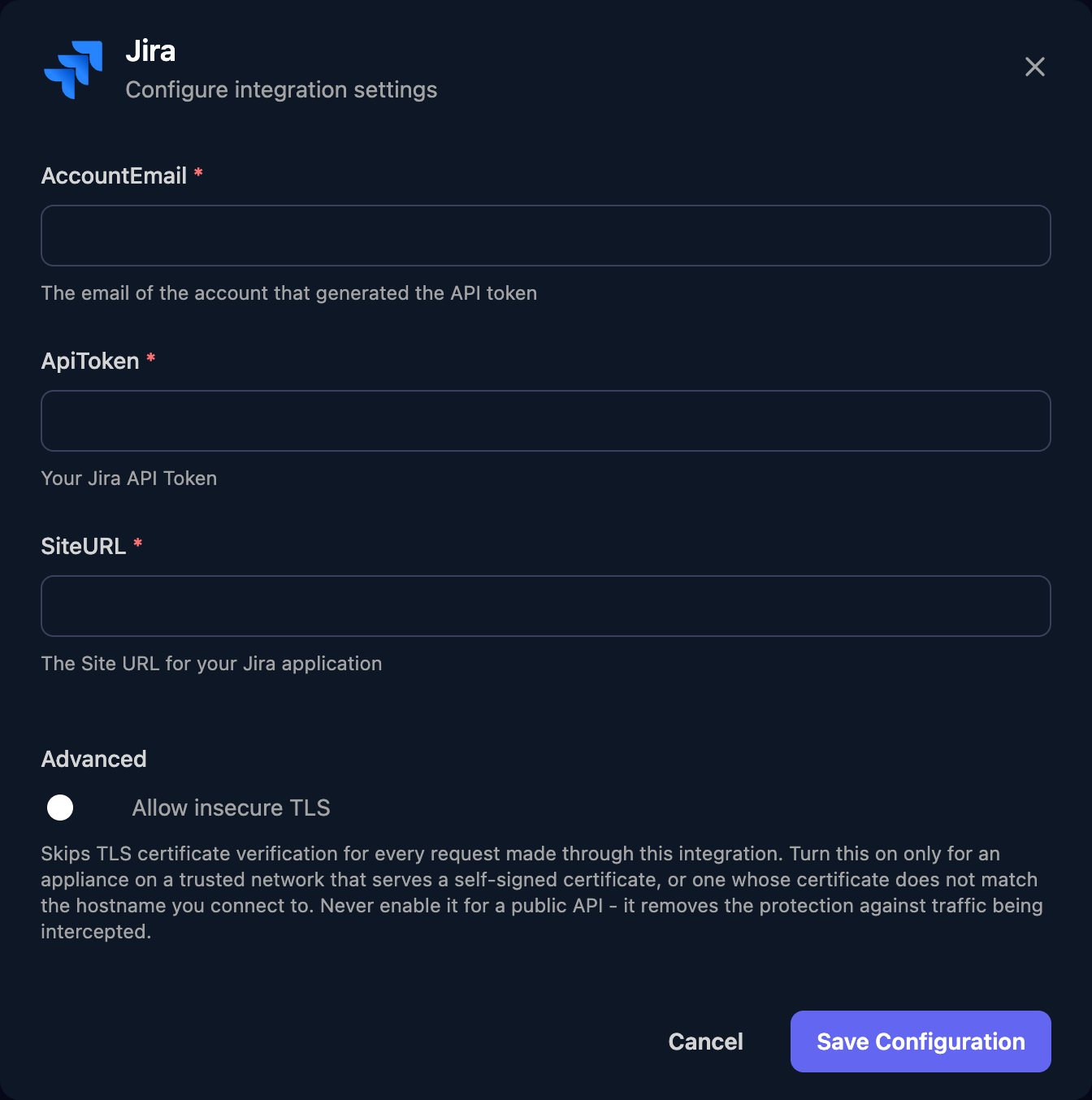
https://yourcompany.atlassian.net, then click Save Configuration.3
Configure each client
On the Per-Client Configuration card, click Configure on the client’s row and enter the same fields for the Jira site its workflows should use: the client’s own, or yours.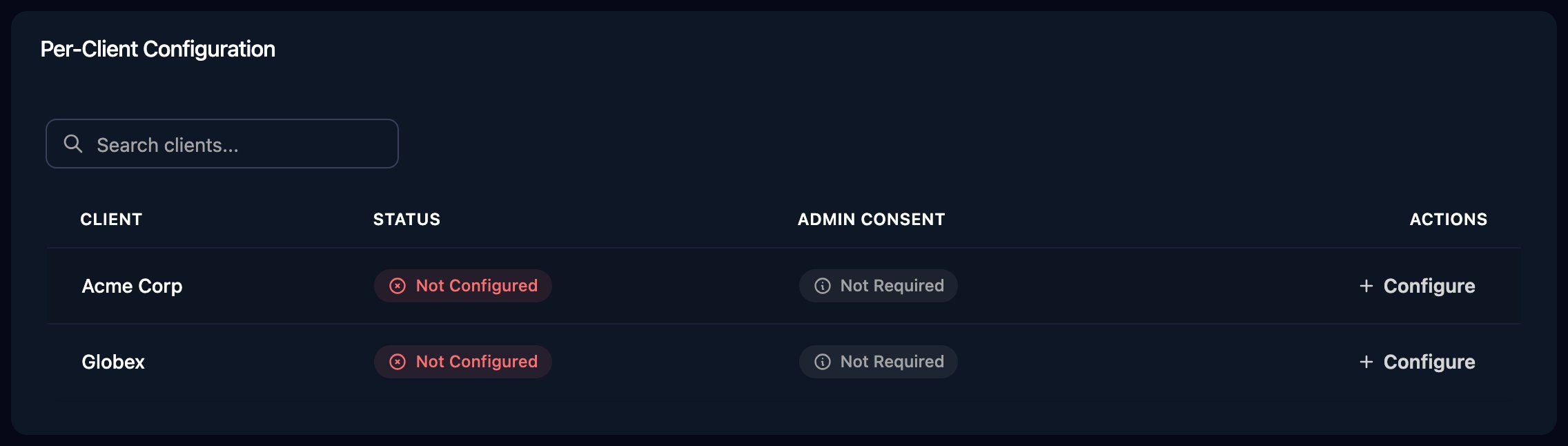
Troubleshooting
Authentication errors (401)
Authentication errors (401)
Check the token hasn’t expired, was made with Create API token (not with scopes), and belongs to the AccountEmail account. Check SiteURL is your site address.
Permission errors or missing issues (403 or 404)
Permission errors or missing issues (403 or 404)
The account lacks a project permission such as Browse Projects, Create Issues, Edit Issues, Transition Issues, Delete Issues or Add Comments.
no Jira integration is configured for this client
no Jira integration is configured for this client
The workflow ran for a client that shows Not Configured on the Per-Client Configuration card. Configure it, then run the workflow again.