

Set up ScalePad
The key belongs to the administrator who creates it and stops working if they’re removed or lose the Administrator permission, so create it as an admin who will stay.1
Create the key
In the ScalePad Hub at
app.scalepad.com, click API, then + New API key. Name it Triggr, choose an expiry (Maximum is two years) and click + Generate.2
Copy the key
Copy the secret key before you click Done. ScalePad shows it only once.
Connect it in Triggr
1
Open the configuration
Go to Integrations > ScalePad Lifecycle Manager and click Configure on the Base Configuration card.
2
Enter the key
Paste the key into API Key and click Save Configuration. One key covers all your clients.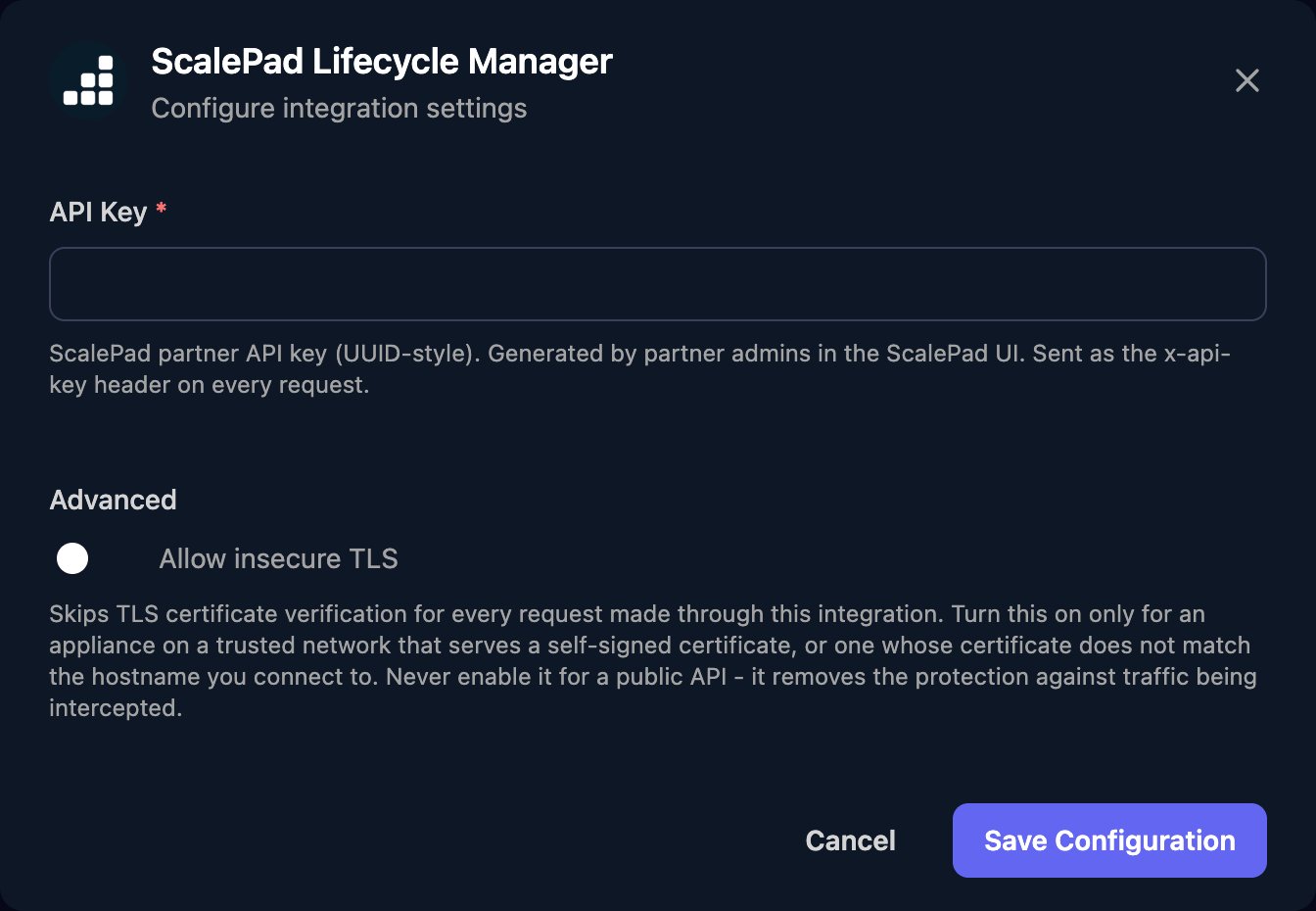
pageSize (1 to 200), then pass next_cursor back as cursor until it’s null.
To replace the key, create a new one, click Edit on the Base Configuration card and paste it in, then delete the old key in ScalePad.
Troubleshooting
Requests fail with 429
Requests fail with 429
You’ve reached ScalePad’s rate limit. Spread large workflows out or run them in smaller batches.