

Set up DNSFilter
1
Add a dedicated user for Triggr
In the DNSFilter MSP dashboard, go to MSP > Users and select Add User. Leave Organization Access Restrictions blank so Triggr can reach every organisation, then accept the invitation DNSFilter emails from
@netalerts.io. If your MSP account uses single sign-on, add the user through your SSO configuration instead.2
Create an API key as that user
Signed in as the Triggr user, go to Account Settings > Security > API Keys and select + Create Key. Enter a Name and Expiration, select Generate Key, copy the key, then select Save. DNSFilter shows the key only once, and doesn’t warn you before it expires.
Connect it in Triggr
1
Open the integration
Go to Integrations > DNSFilter and click Configure on the Base Configuration card.
2
Paste the key
Paste the key (it starts with 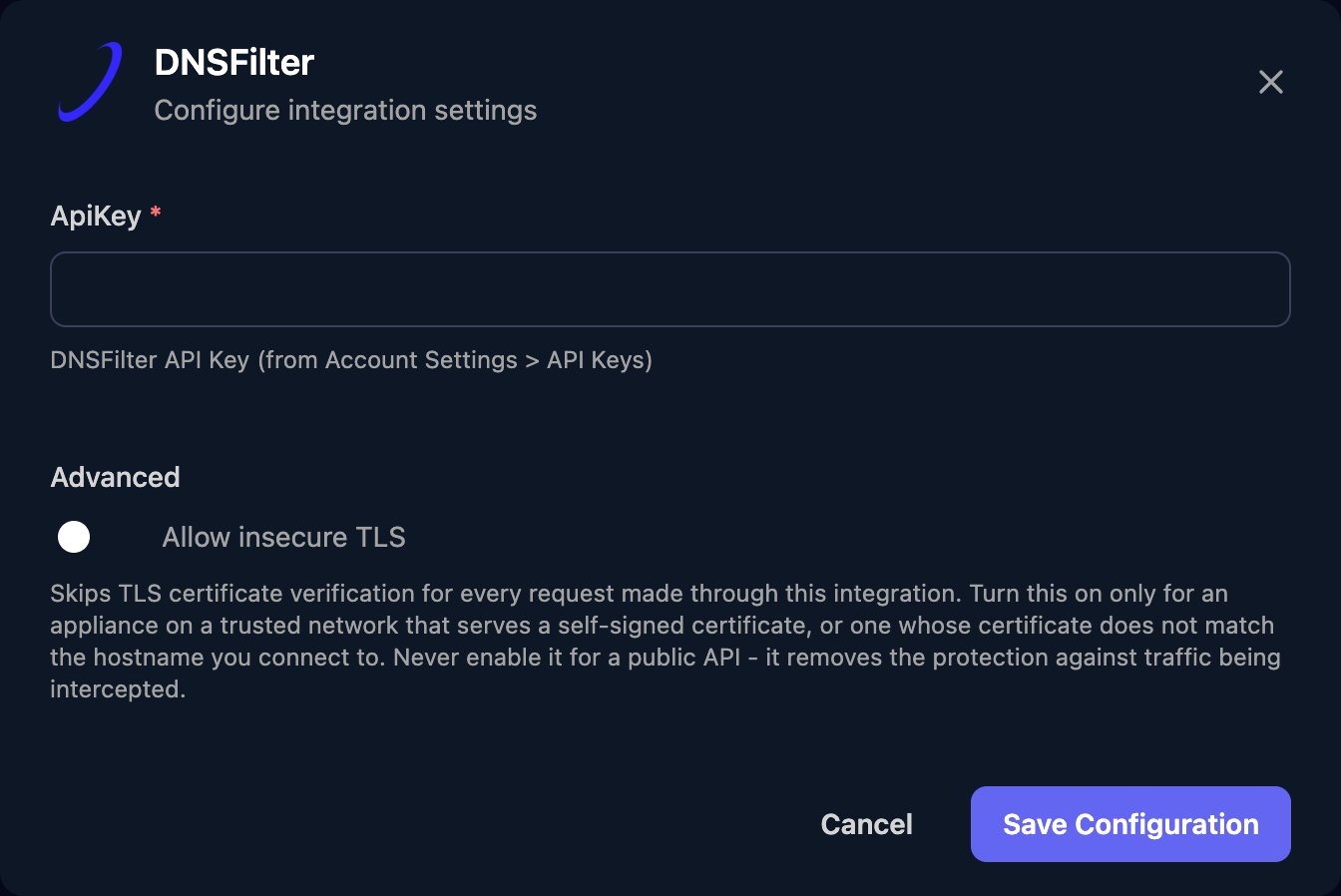
eyJ) into ApiKey, with nothing such as Bearer in front, then click Save Configuration.Map your clients
On the Client Mapping card, click Apply 100% Matches, then choose the DNSFilter organisation in Mapped to for anyone left. Triggr saves each match as the client’sorganizationId variable, so pass {{ ctx.client.organizationId }} to any action that asks for an organisation ID.
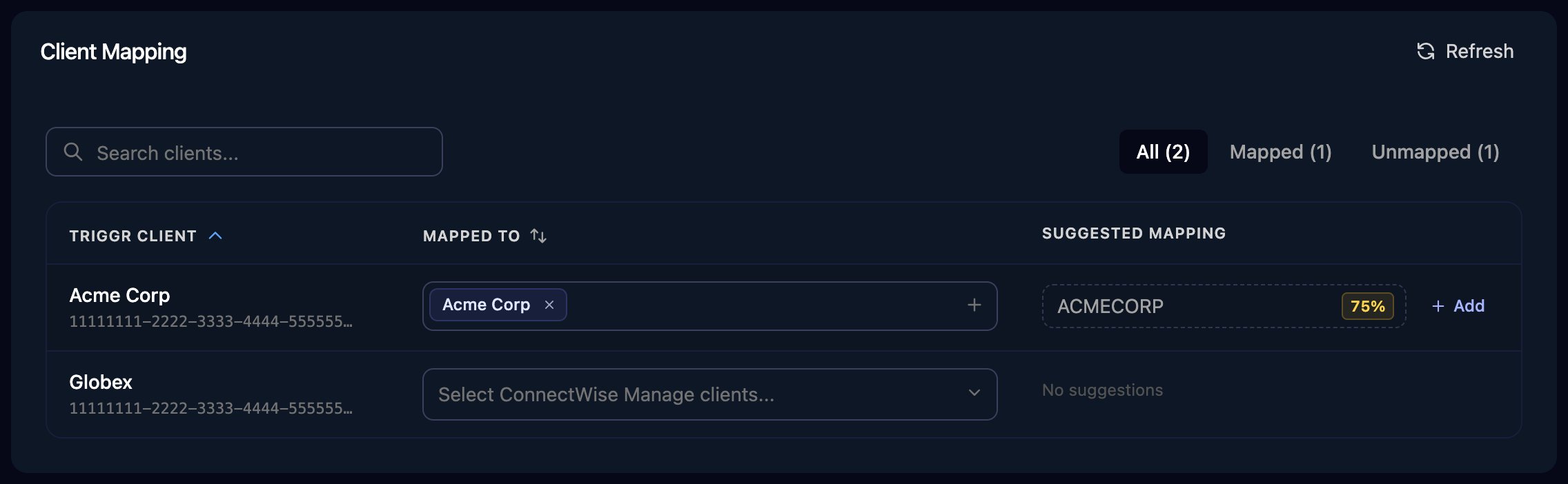
The Client Mapping card, shown here for ConnectWise Manage as an example.
Troubleshooting
Replace the API key
Replace the API key
Keys can’t be extended. As the Triggr user, create a new key, paste it in via Edit on the Base Configuration card, then revoke the old key. Only the user who created a key can revoke it.
Changes or some organisations fail
Changes or some organisations fail
The Triggr user’s role doesn’t allow the change, or it has Organization Access Restrictions. Fix both in MSP > Users, then click Refresh on Client Mapping.
A new key can't be created
A new key can't be created
Each user can have five active keys. Revoke or delete keys the Triggr user no longer needs, then try again.
Rate limited (429)
Rate limited (429)
DNSFilter allows 2,000 requests per 300 seconds per organisation, including dashboard use. Run large bulk workflows in smaller batches.