

Set up Onetime Secret
1
Note your region
Your region is the address you sign in at:
us, eu, ca, uk or nz, as in eu.onetimesecret.com. An account exists only in the region where it was created. See regions.2
Generate an API token
In your account settings, select API Key (
/account/settings/api), click Generate Token and copy it. A new token replaces the old one.Connect it in Triggr
1
Open the integration
Go to Integrations > Onetime Secret and click Configure on the Base Configuration card.
2
Enter your account
Enter your Region in lower case (for example 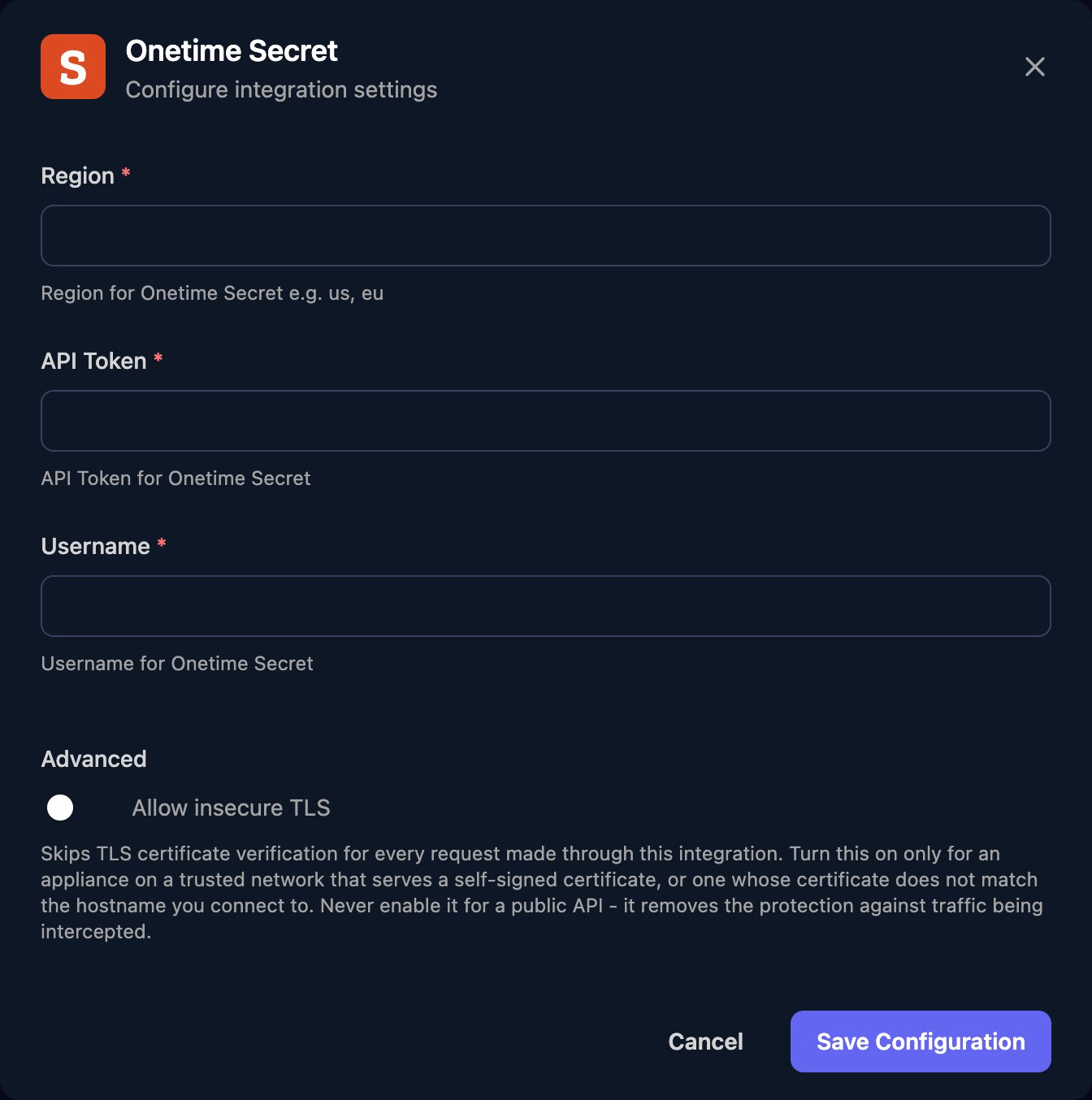
eu), the API Token, and your account email (or the API Username ID from the API Key page) as Username, then click Save Configuration.Share secrets from workflows
Share Secret takessecret and these optional inputs:
passphrase: the recipient must enter it to see the secret.ttlInSeconds: how long the link lasts, 7 days if left out. The minimum is 60 seconds; the maximum is 14 days on Basic and 30 days on paid plans.emailRecipient: an address Onetime Secret emails the link to.shareDomain: a custom domain on your account, used in the link.
secret and passphrase first (for example with encodeURIComponent in a code step).
Send the recipient https://<region>.onetimesecret.com/secret/<secret_key> (or your shareDomain), using secret_key from the response. https://<region>.onetimesecret.com/receipt/<metadata_key> is for you: it shows whether the secret was viewed and lets you burn it.
Troubleshooting
The recipient sees a different secret
The recipient sees a different secret
URL-encode
secret and passphrase before passing them in. Characters such as +, & and % change meaning in a query string.The email isn't sent
The email isn't sent
Onetime Secret rejects addresses it can’t deliver to. Check
emailRecipient is complete and correct.