

Set up Password Pusher
1
Find your hostname
On pwpush.com, use your region’s host,
eu.pwpush.com or us.pwpush.com (the footer shows it; see data regions). A self-hosted server needs HTTPS at a public address, with Triggr’s IP addresses allowed through any firewall.2
Copy your API token
On pwpush.com, open
/api_tokens on your region’s host, such as https://eu.pwpush.com/api_tokens. On a self-hosted server, select API Token in your account menu and click the blurred token to reveal it.Connect it in Triggr
1
Open the configuration
Go to Integrations > Password Pusher and click Configure on the Base Configuration card.
2
Enter the host and token
Enter the host name alone in Hostname, adding a port only if it isn’t 443 (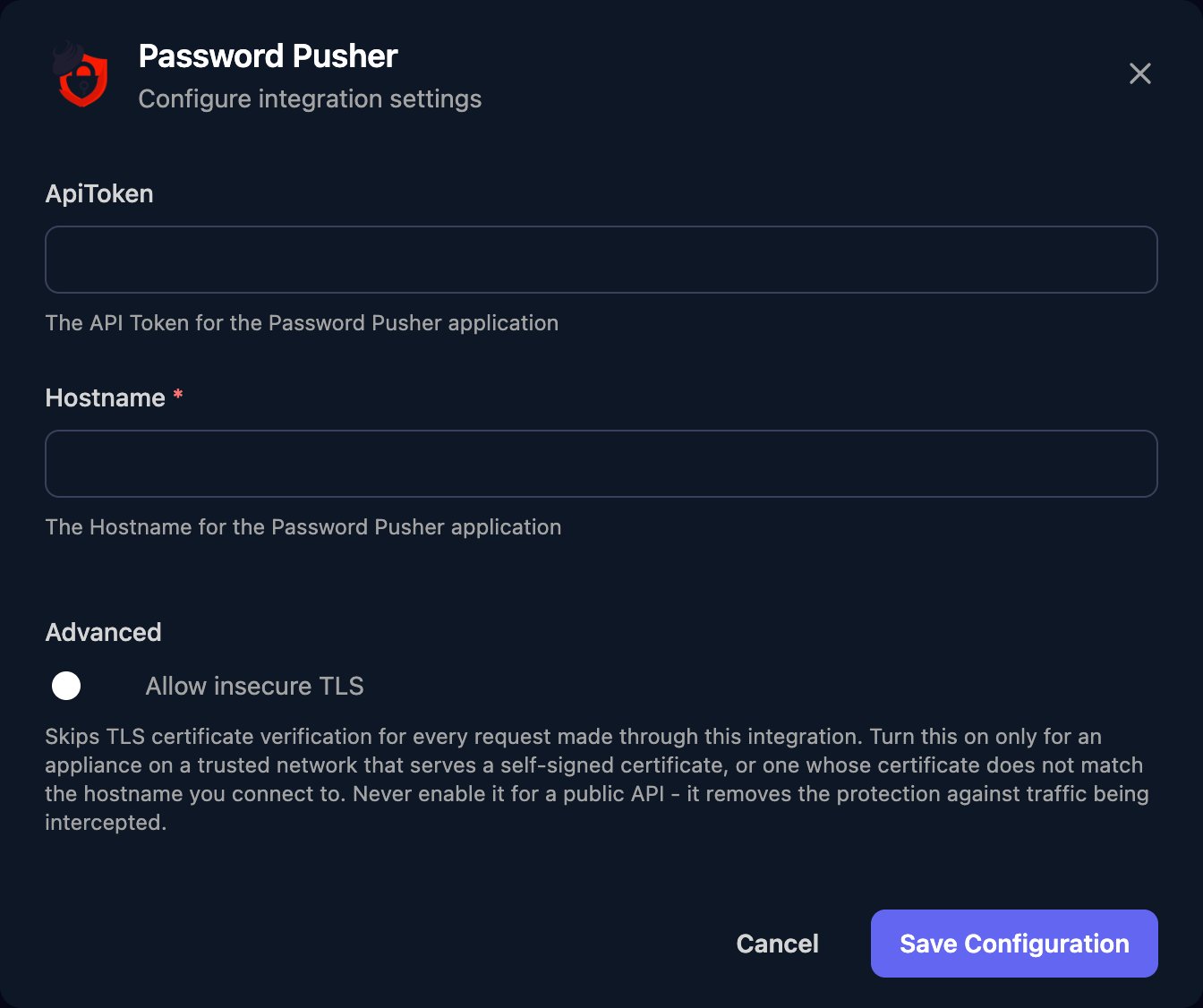
pwpush.example.com:8443), and the token in ApiToken. Turn on Allow insecure TLS for a self-signed certificate, then click Save Configuration.Create pushes from workflows
Create a Push (Authenticated) takes JSON injsonBody, in Password Pusher’s JSON API format. Send the response’s html_url to the recipient.
- The link expires at whichever limit comes first.
retrieval_stepadds a click-through page so link previews don’t use up views;passphraseandnoteare optional. - Create File Push (Authenticated) takes one
file_push[files][]File row per file in its Form Data (multipart) editor, plus optional Text fieldsfile_push[payload],file_push[expire_after_days],file_push[expire_after_views],file_push[retrieval_step]andfile_push[passphrase]. File pushes need a pwpush.com plan with file uploads, orPWP__ENABLE_FILE_PUSHESon your server. - Create a Push sends no token, so it only works on servers that allow anonymous pushes. Retrieving a push by its
urlTokencounts as a view.
Troubleshooting
Triggr can't reach the server
Triggr can't reach the server
Check Hostname has no
https:// or path, and uses your region’s host rather than pwpush.com. For certificate errors, turn on Allow insecure TLS.File pushes fail with 400 param is missing
File pushes fail with 400 param is missing
Every field name must start with
file_push[. Check your plan includes file uploads, or set PWP__ENABLE_FILE_PUSHES on your server.