

Set up Duo
Repeat these steps in each Duo account: your own, and each client’s.1
Add an Admin API application
In the Duo Admin Panel, go to Applications → Application Catalog, find Admin API and click + Add.
2
Grant permissions
Tick what your workflows need and click Save. If you fill in Networks for API Access, include Triggr’s outbound IP addresses.
3
Copy the application details
Copy the Integration key, Secret key and API hostname from Details.
Connect it in Triggr
1
Open the account's configuration
Go to Integrations > Duo and click Configure on the client’s row in the Per-Client Configuration card, or on the Base Configuration card for your own account.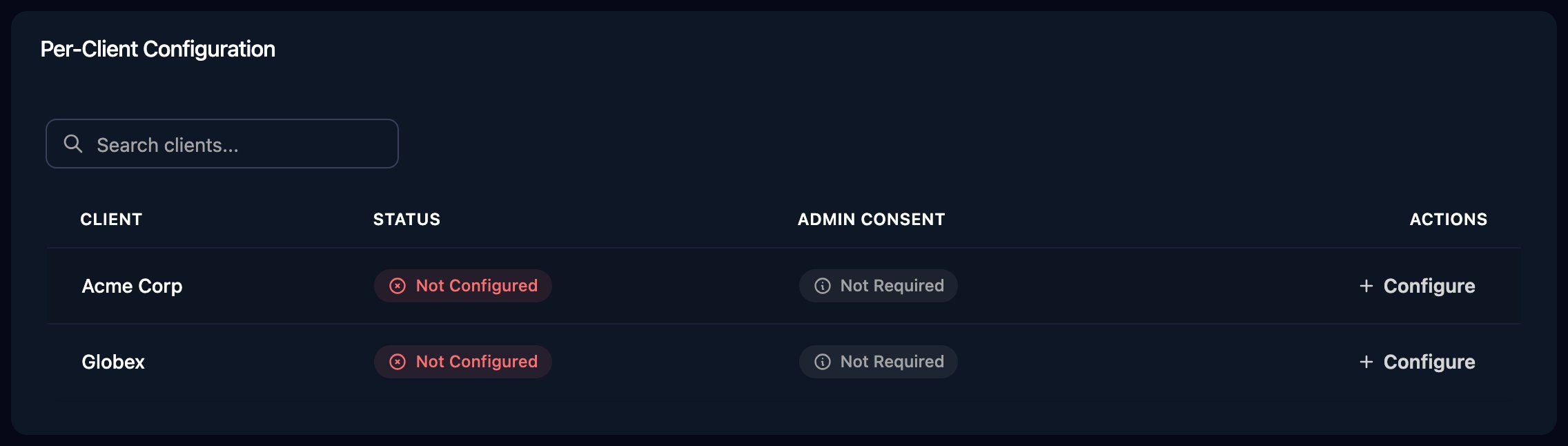
2
Enter the application details
Enter Hostname as 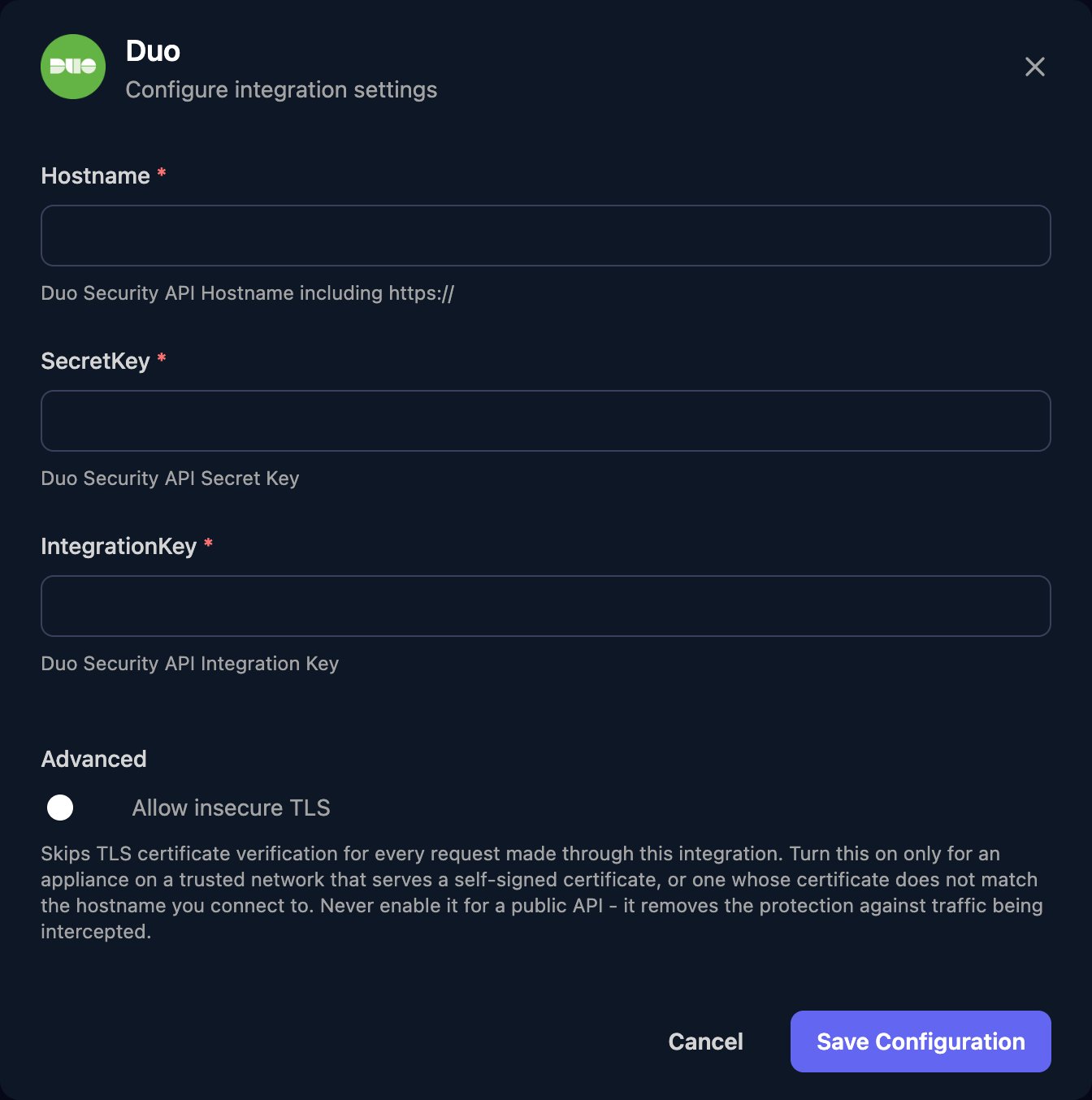
https:// plus the API hostname, with no trailing / or path (for example https://api-XXXXXXXX.duosecurity.com), add the SecretKey and IntegrationKey, then click Save Configuration.Troubleshooting
401 errors
401 errors
40102 means IntegrationKey is wrong or from a different account to Hostname. 40103 means SecretKey is wrong (perhaps reset in Duo) or Hostname has a trailing
/ or path.403 errors
403 errors
Tick the permission the action needs in the Duo Admin Panel, and check the keys come from an Admin API application, not Auth API.
no Duo integration is configured for this client
no Duo integration is configured for this client
Configure Duo for that client on the Per-Client Configuration card.
Requests are blocked
Requests are blocked
Add Triggr’s outbound IP addresses to the application’s Networks for API Access.