

Set up Keeper SCIM
You need admin rights to add provisioning methods in the tenant’s Keeper Admin Console (for a managed company, the Manage Companies permission in your Keeper MSP console). Users’ email domains must be reserved to the tenant.1
Open the node
In the Admin Console, go to Admin and select the node Triggr should provision into. It must be below the root node, and sub-nodes aren’t included.
2
Add a SCIM method
On the node’s Provisioning tab, click Add Method, select SCIM (System for Cross-Domain Identity Management) and click Next.
3
Generate the token and save
Click Create Provisioning Token (or Generate), copy the URL and token, then click Save. The token only works once the method is saved, and the method then shows as Pending.
https://<region host>/api/rest/scim/v2/<node ID>. Keeper Commander’s scim create --node="<node name>" prints the same URL and token; the node ID is the number at the end of the URL, not the separate SCIM ID Commander also prints. See Keeper’s API Provisioning with SCIM.
Connect it in Triggr
1
Open the integration
Go to Integrations > Keeper SCIM and click Configure on the Base Configuration card.
2
Enter the node and token
Select the Region host from your URL, enter the digits at the end of the URL as SCIM Node ID, paste the SCIM Bearer Token and click Save Configuration.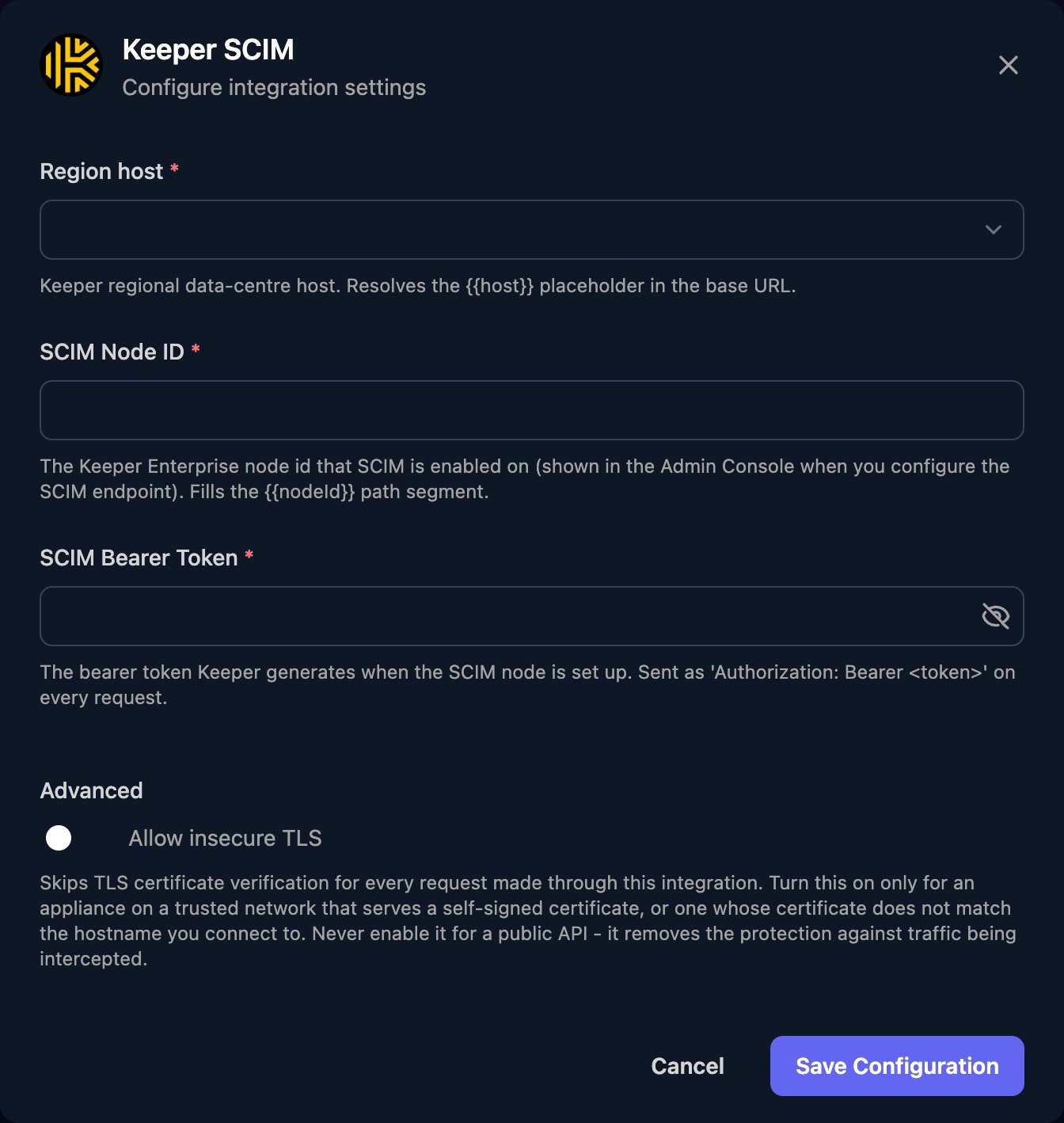
How Keeper handles changes
- New users are invited by email. Set
userNameto the user’s email address. - New teams and team memberships wait for approval by an administrator, a team member, Keeper Commander or Keeper Automator.
- Deactivate User locks the account rather than deleting it.
- List actions return 1,000 results by default; page with
startIndexandcount. Bodies use SCIM JSON, as in Keeper’s Using SCIM API Provisioning.
Troubleshooting
Every action fails with 401
Every action fails with 401
Check the token was pasted in full, the method was saved in the Admin Console, and Region host and SCIM Node ID match the URL. To get a new token, run
scim edit <SCIM ID> in Keeper Commander.Create User fails with 409
Create User fails with 409
The email is already used in another Keeper tenant or node. For a user in this tenant, move them into the SCIM node in the Admin Console first.
Create User fails with 428
Create User fails with 428
The tenant has no licensed seats left. Add licences or free up seats.
A user or team doesn't appear in Keeper
A user or team doesn't appear in Keeper
It’s waiting for approval, or the user’s email domain isn’t reserved to the tenant.