

Set up FortiCloud
1
Create a permission profile
In FortiCloud IAM, go to Permission Profiles > Add New, set Status to Active, click Add Portal and add the FortiGate Cloud portal with Admin access, then click Save.
2
Add a dedicated API user
Go to Users > Add New > API User, enter an Email, select the profile in Permission Profile and click Add. A FortiCloud API user can have only one active token, so don’t share it with scripts, other tools or FortiCloud Asset Management.
3
Download the credentials
Click Download Credentials, set a password for the ZIP file and click Proceed. The file holds the API user’s ID and password; each download resets them, and the previous ones stop working.
Connect it in Triggr
1
Open the integration
Go to Integrations > FortiGate Cloud and click Configure on the Base Configuration card.
2
Enter the API user's credentials
Choose the FortiGate Cloud API host for the region your FortiGates are registered to, enter the IAM API User Password and IAM API User ID, leave OAuth client_id (optional) empty, then click Save Configuration.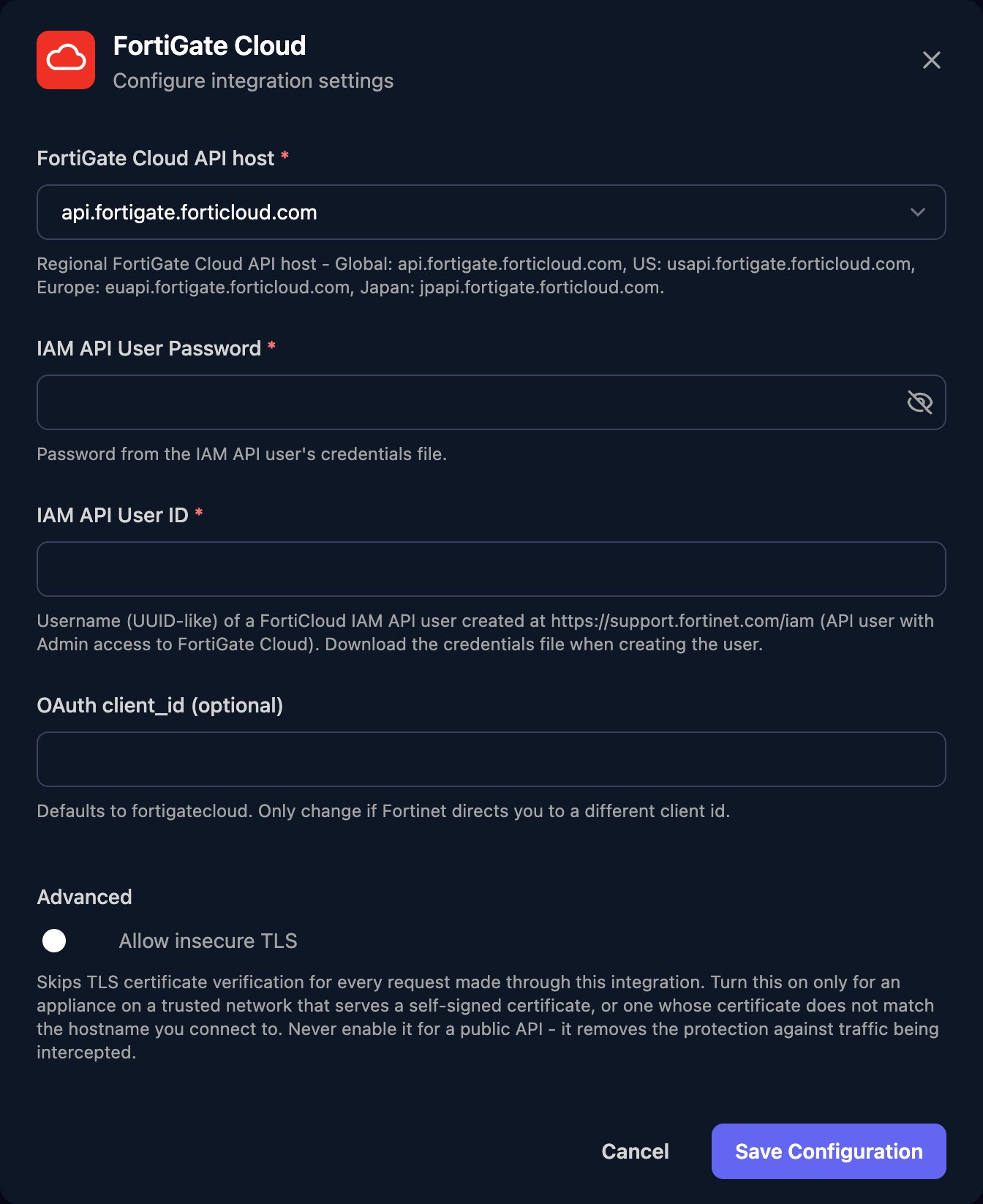
serialNumber (sn in List Devices), so keep each client’s serial numbers somewhere your workflows can read, such as a client variable. The Proxy actions take fortiosPath, the FortiOS REST API path after /api/v2/, such as monitor/system/status.
Troubleshooting
Errors mentioning customerapiauth
Errors mentioning customerapiauth
Fortinet rejected the sign-in. Use the API user’s ID (not your sign-in email) and the newest credentials file, and check it lists
fortigatecloud as a client ID.401 or 403 errors from actions
401 or 403 errors from actions
Give the profile admin access to the FortiGate Cloud portal. If the API user is used elsewhere, create a dedicated one for Triggr.
List Devices returns no devices or the wrong ones
List Devices returns no devices or the wrong ones
Check FortiGate Cloud API host matches your region, and that the FortiGates are on the account the API user belongs to.
A device action fails while List Devices works
A device action fails while List Devices works
The FortiGate must be online and connected to FortiGate Cloud, and
serialNumber must match its sn.